Accounting Sync Visibility for Invoices
SMBcrm now gives users a central place to monitor accounting sync activity for invoices, transactions, and contacts connected through QuickBooks, Xero, and Wave.
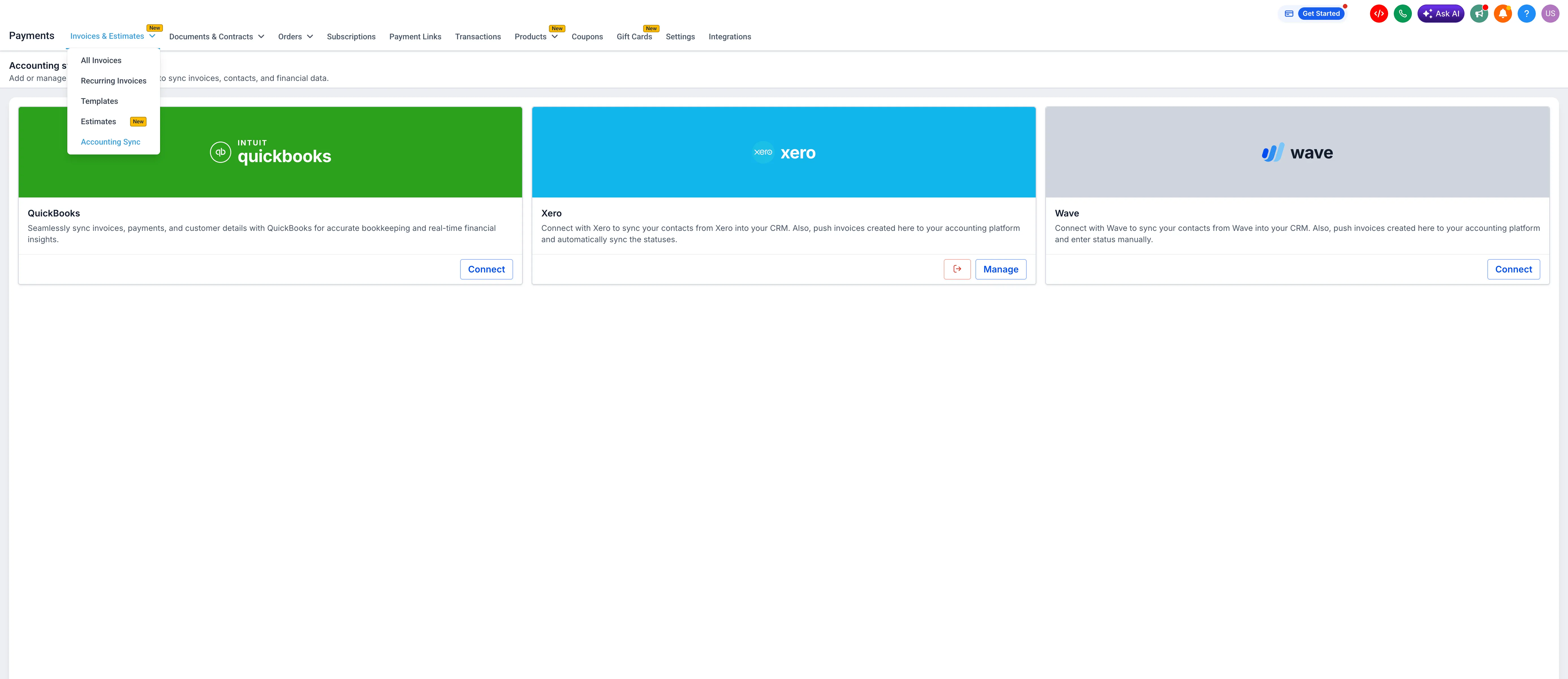
Use Accounting Sync in Payments & Commerce to see which records synced, which failed, and what to retry.
What changed
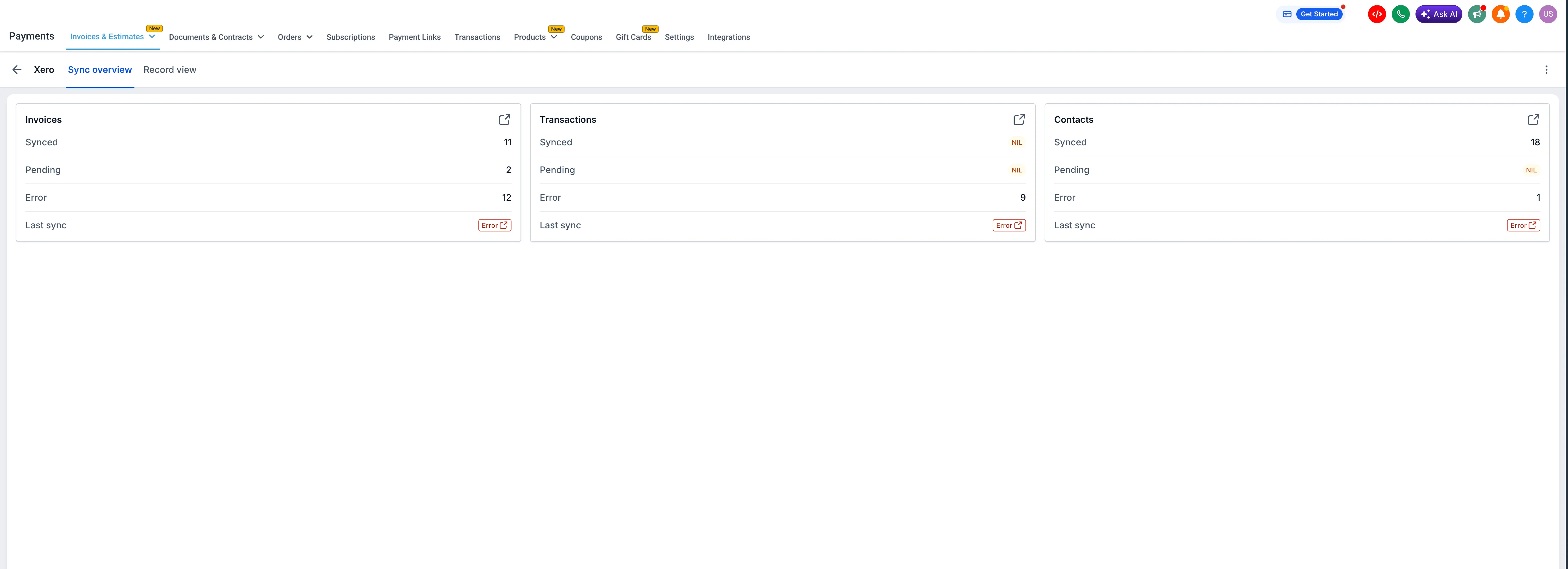
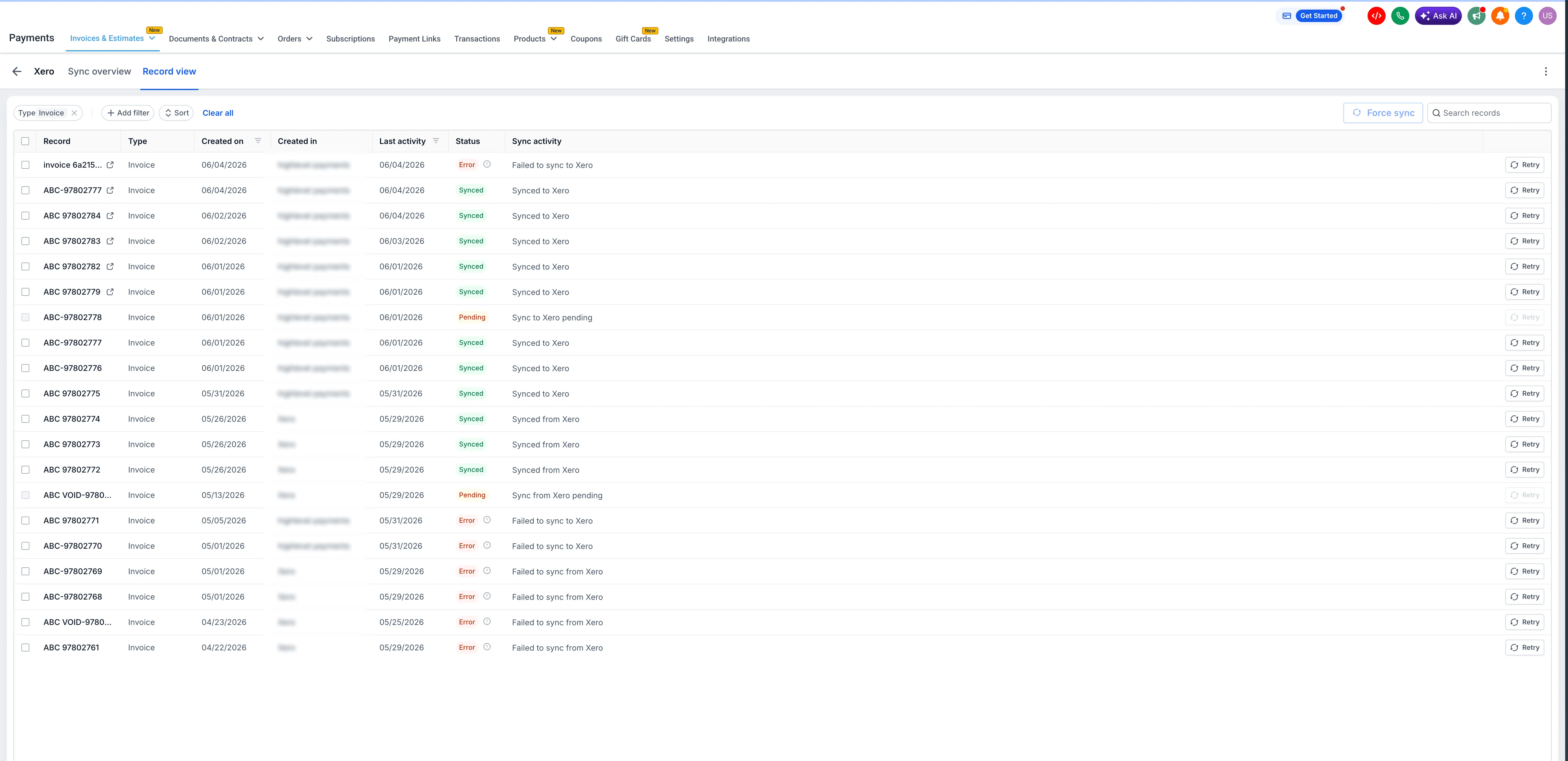
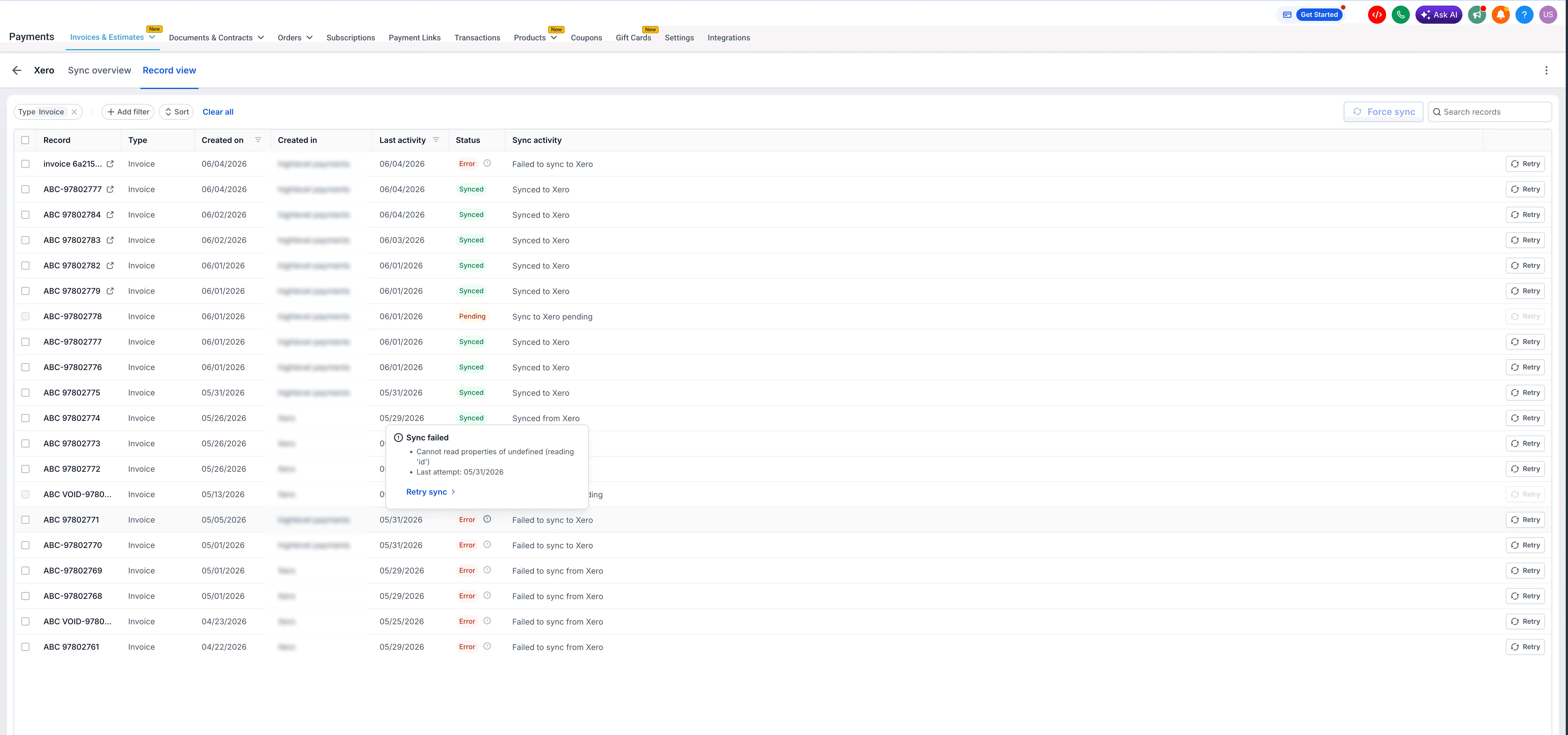
The Accounting Sync dashboard shows sync activity for connected accounting platforms. You can review synced and failed record counts, open an entity to inspect individual records, view the failure reason and last attempt timestamp, and retry a failed record directly from the dashboard.
Why it matters
- Catch sync failures before they create accounting gaps.
- Reduce manual cross-checking between SMBcrm and your accounting platform.
- Review failure details without opening a support ticket.
- Monitor invoices, transactions, and contacts from one place where supported.
How to review sync status
- Go to Payments → Invoices & Estimates → Accounting Sync in your account.
- Select Manage next to your connected accounting platform.
- Expand an entity to open Record View and review individual record status.
- Hover over the info icon on an errored record to see the failure reason and last attempt timestamp.
- Select Retry to re-trigger sync for that record.
Good to know
- Supported accounting platforms are QuickBooks, Xero, and Wave.
- Transaction and contact sync for Wave is not yet supported. Wave currently supports invoices only.
- Accounting Sync status and logs are available on web only.
- Invoices created and sent from the SMBcrm Mobile app sync automatically, but sync status and logs must be reviewed on web.
- Retry works per record. Bulk retry is not supported.
Need Help Applying This Update?
Want help turning this update into a working part of your CRM, marketing, or automation setup?
Get Started or schedule a demo and we’ll help you map the right next step.