· New Feature
Bulk Tag Color Updates and Faster Category Creation
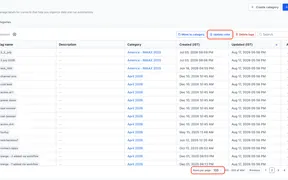
SMBcrm now lets users update colors for up to 100 tags at once and create tag categories directly from the category selector.
Stay up to date with the latest features, improvements, and changes to SMBcrm.
SMBcrm ships new features and improvements every week. From AI-powered automation to CRM enhancements, explore everything we've built to help small businesses grow faster. Updates are organized by category so you can find what matters to your business.
No updates found
Try adjusting your search or filter criteria.
SMBcrm now lets users update colors for up to 100 tags at once and create tag categories directly from the category selector.
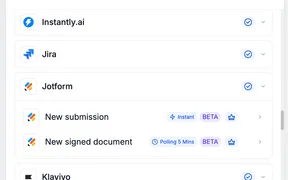
SMBcrm workflows can now react to Jotform submissions and signed documents, plus create Jotform submissions with mapped workflow values.
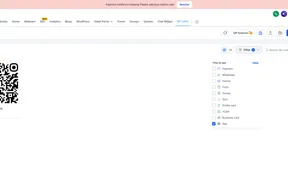
App QR Codes let you use one QR code to send iOS, Android, and other devices to the right app download destination or fallback URL.
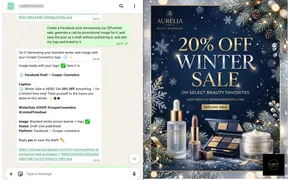
Connect WhatsApp to use Ask AI from a text message, including contact lookups, deal updates, calendar checks, content drafts, and follow-ups.
The Chat Widget color picker now hides unsupported eyedropper controls in Safari and Firefox while keeping standard color tools available.
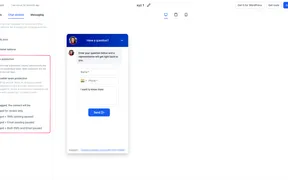
Chat Widget spam protection flags suspicious submissions, keeps contacts for review, and can pause SMS, email, or both by widget.
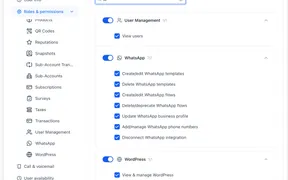
SMBcrm now lets admins control seven WhatsApp actions, including templates, flows, phone numbers, profiles, and disconnect access.
SMBcrm improves local presence dialing with smarter caller ID matching, wider country support, reserved numbers, and fail-safe defaults.
Video testimonials now support workflow triggers, consent-aware filters, custom values, and publishing controls for widget visibility.
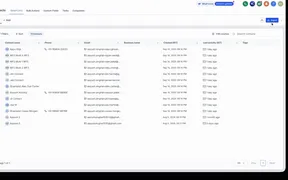
SMBcrm can match contacts to companies by email domain, create a company when needed, enrich company details, and help prevent duplicate records.
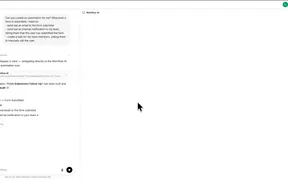
Ask AI can now create and edit workflow drafts from a prompt, including through WhatsApp, before final testing and publishing in the builder.
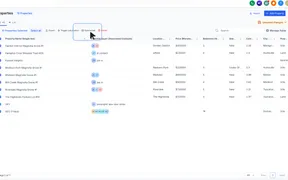
Send bulk emails to contacts associated with selected company or custom object records, then personalize, schedule, and track the campaign.
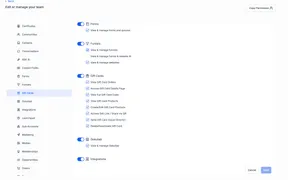
Admins can now control which team members can view, issue, edit, deactivate, or reveal sensitive details for Gift Cards.
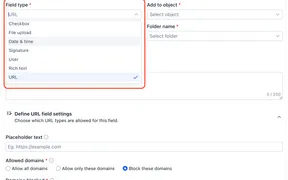
Custom fields now support URL controls, flexible date and time inputs, user assignment fields, visual options, and rich text entries.
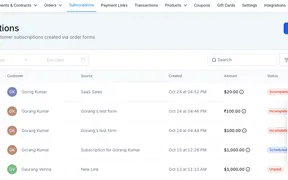
SMBcrm now lets you retry unpaid or past-due subscription payments from Subscription Details for supported payment providers.
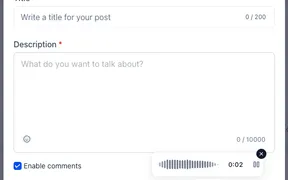
Community members can record voice notes, upload audio files, and play audio inline in web posts and comments for faster, more expressive replies.
SMBcrm now blocks workflow publishing when unresolved errors remain, while letting users save progress and review issues in one sidebar.
The AI Image Generation action now accepts reference images. Attach up to five images as visual context alongside your prompt, and control the setting, the.
Custom forms attached to your bookings now have complete conditional logic support across Services and Rentals. Show/hide field conditions have always applied.

SMBcrm workflows now support GPT Image 2.5 Flare and Sunburst in the AI Image Generation action for faster, more controlled image creation.
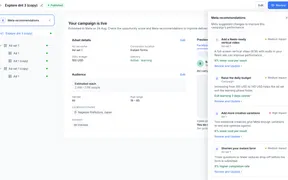
Ad Manager now brings Meta’s post-publish recommendations directly into published campaigns, helping users identify and act on optimization opportunities.
Rentals customers can now cancel their own bookings directly through a cancellation link — no phone call or email required.
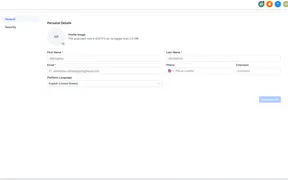
SMBcrm refreshes profile and user management screens with tabbed settings, clearer permissions navigation, and a consistent Users label.
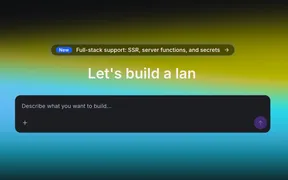
AI Studio projects can now use server-rendered pages, server functions, REST APIs, and secrets for fuller web app builds.
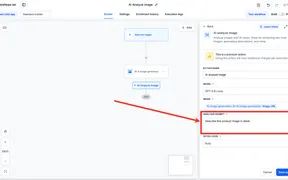
SMBcrm workflows can now analyze public image URLs, extract text or descriptions, and pass the AI response into later workflow steps.
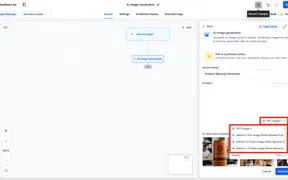
SMBcrm workflows can now generate images from prompts, store them in Media Storage, and pass the public image URL to later actions, with per-execution billing.
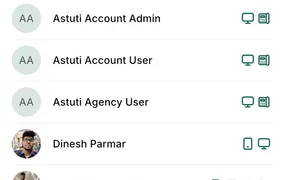
SMBcrm Mobile app call transfers can now route inbound or outbound calls to staff devices, including web, mobile, phone, and SIP.
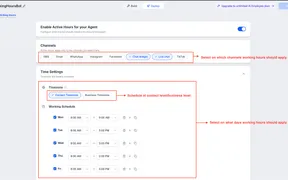
Set schedules for Conversation AI agents, define channel rules, and manage after-hours replies, notifications, tags, and follow-ups.
Dynamic value chips now separate available, unavailable, and invalid values so workflow builders can spot warnings without blocking publishing.
Missed Call Text Back can now choose an eligible SMS number when the called number cannot send texts, helping more follow-ups go through.
Carrier fees for outbound messages to U.S. numbers on Verizon and select other providers will change effective October 1, 2026.
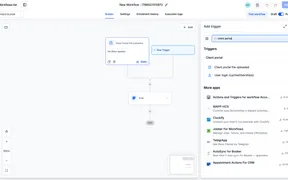
The User login workflow trigger now runs for new Client Portal logins and is grouped with other Client Portal triggers for easier setup.
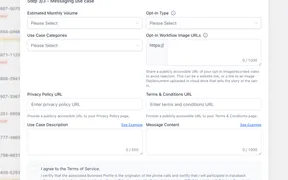
Toll-free verification now requires Privacy Policy and Terms & Conditions URLs before submission, with carrier rejection rules starting September 15, 2026.

SMBcrm adds templates for websites, funnels, email, social posts, ads, and workflows, plus a refreshed career coach template.
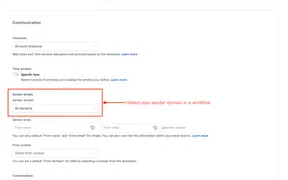
Workflow Settings now lets you choose a verified sender domain per workflow, helping separate email types and protect deliverability.
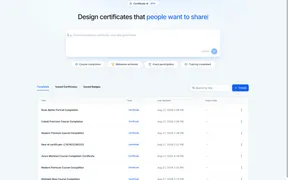
Certificate AI Beta lets users describe a certificate, answer guided questions, and edit the generated design in Certificate Builder.
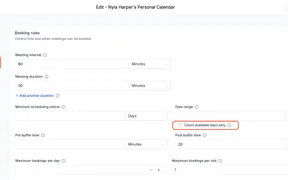
The Date Range setting can now count only available working days, so booking windows skip closed days across calendars, services, and rentals.
SMBcrm now lets you schedule when forms, surveys, and quizzes open or close, with custom messages or redirects outside the active window.
The Send SMS action now has a country picker for test numbers, making test messages easier to send without manually adding country codes.
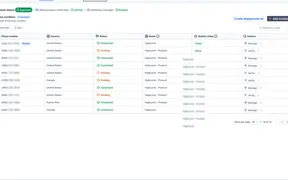
SMBcrm now shows WhatsApp messaging limits at the portfolio level, helping teams see the shared daily limit across all connected numbers.
Calendar bookings now offer more guest detail options, including phone capture, guest count only, and improved guest timezone handling.
SMBcrm now lets users trigger workflows for selected company and custom object records from list views, then monitor results in Bulk Actions.
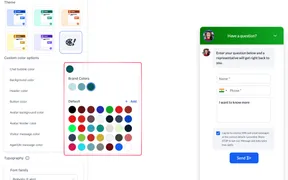
Chat Widget now integrates with Brand Boards, making it easier to keep every widget consistent with your brand. Your location’s brand colors and fonts are now.
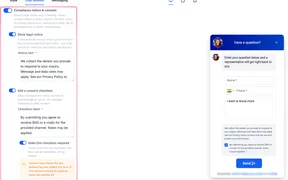
Chat Widget compliance settings are now more flexible, giving businesses greater control over how legal notices and visitor consent are handled.
SMBcrm calendars can now offer up to three meeting duration options on one calendar, helping bookers choose the length that fits.
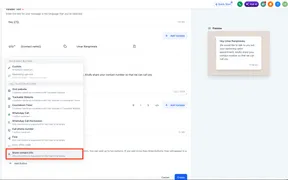
SMBcrm can request phone numbers from WhatsApp username users through templates or workflows, with duplicate-safe contact capture.
SMBcrm now flags invalid WhatsApp template variables inline, helping users fix placeholder issues before saving and avoid preventable rejections.
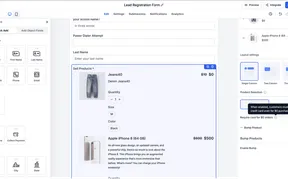
SMBcrm can now skip card entry for eligible $0 product orders in Forms and Surveys while preserving existing paid checkout behavior.
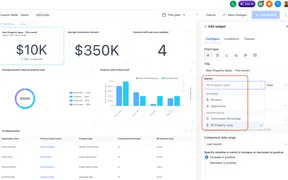
Numeric and monetary custom fields for Contacts and Opportunities can now be aggregated in dashboard widgets, custom reports, and custom metrics.

SMBcrm added new templates for websites, funnels, email, social posts, ads, and workflows to help teams start campaigns faster.
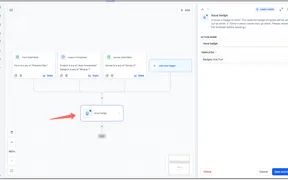
Badges can now be issued from workflows and used as triggers, helping teams automate recognition and follow-up steps around milestones.
Calendar AI lets users describe the calendar they need, then guides setup for availability, team members, live preview, and a test booking.
Calendar payments now separate card-on-file collection from free bookings, reducing unnecessary card requests and $0 transactions.
Meta discontinued Instagram Explore as a selectable ad placement, while existing campaigns continue running without user action.
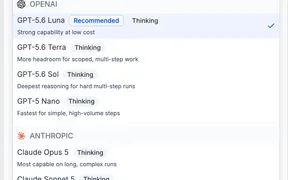
Workflow AI Agent Actions now support Anthropic, Google, and OpenAI models with provider selection, model descriptions, and reasoning effort controls.
Email Events can now pass a stable Message ID into webhook payloads, helping teams identify which email generated each open or click.
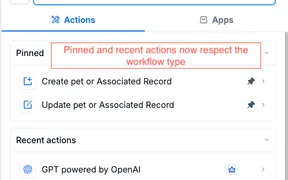
Pinned and Recent workflow shortcuts now show only actions and triggers that apply to the workflow type you have open, reducing wrong selections.
Single-select dropdowns in record automation actions can again use dynamic values, including merge tags from triggers, formatters, and webhooks.
Rental booking updates improve CTA labeling, checkout date visibility, listing details, and cart persistence for a smoother booking flow.
Workflow contact updates can now add selections to multi-dropdown and multiple-checkbox fields without replacing existing contact data.
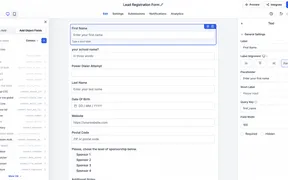
Forms, surveys, and quizzes now support grouped custom field selection, object filtering, search, and bulk placement in the builder.
Community updates add a floating text toolbar, faster post-level spammer bans, recording downloads, and improved comment shortcuts.
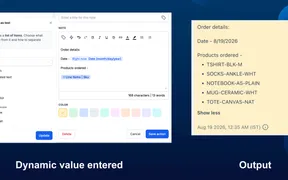
Workflow text fields can now use list-type values with selectable fields, formats, previews, and optional fallbacks before insertion.
SMBcrm now surfaces Google and LinkedIn ad campaign validation errors together, with clearer guidance for fixing fields before publishing.
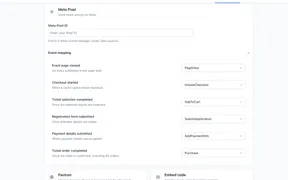
Events Beta users can add Meta Pixel tracking to measure event page visits, RSVP steps, ticket purchases, and purchase data.
QR codes can now be saved to Apple Wallet or Google Wallet, giving users faster offline access for existing and newly created QR codes.
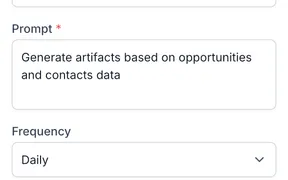
Ask AI scheduled tasks let you save recurring prompts in the SMBcrm Mobile app, review run history, and open completed conversations.
WhatsApp composer and Settings fixes help connected accounts show the right send options and open management pages without repeated refreshes.
Workflow text fields now show dynamic values as chips, with slash search, quick replacement, and red highlights for invalid values.
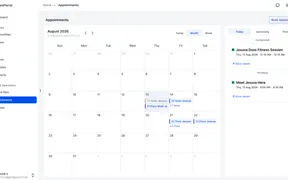
Clients can view, book, reschedule, and cancel eligible appointments from the Client Portal, while businesses control available calendars.
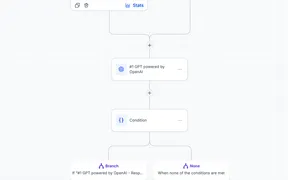
Community admins can route, screen, and approve request-based group access with a workflow trigger tied to membership question answers.
Contacts now receive Client Portal notifications when invoices or estimates are issued, helping them review billing items faster.
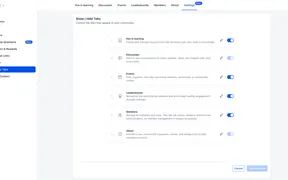
Community admins can reorder, rename, and show or hide tabs so members see navigation that better matches each community's structure and language.
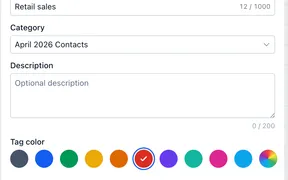
In labs, tag categories and customizable colors help teams organize, identify, and manage tags while existing tags remain usable in No category.
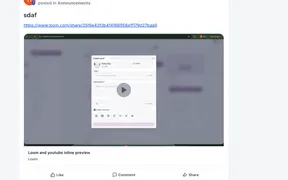
Communities now generate rich previews for supported links and events, helping members watch videos, view details, and RSVP from the feed.

SMBcrm added templates for websites, funnels, social posts, and ads, giving teams more starting points for common campaign work.
Expired Client Portal magic links now redirect contacts to OTP verification, helping them regain access without requesting a new link.
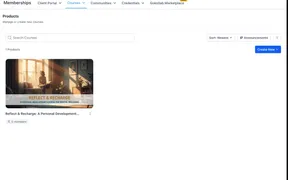
Course Announcements let creators share rich updates inside courses, target specific learners, and optionally send email notifications.
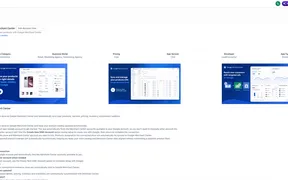
Connect an ecommerce store to Google Merchant Center and sync eligible store products for review across Google Shopping and supported Google surfaces.
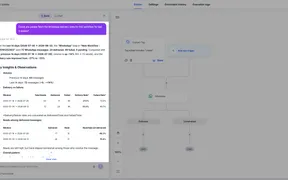
The Workflow AI Assistant now reports WhatsApp send, delivery, failure, pending, and read metrics from live workflow data, alongside email and SMS.
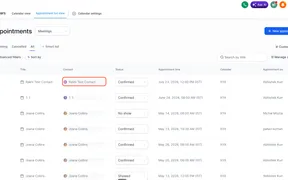
Open contact details from opportunities or appointments in an overlay, so you can review contact info and conversations without losing your place.
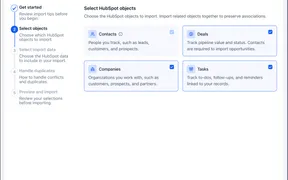
SMBcrm now supports direct HubSpot imports for contacts, companies, deals, pipelines, custom fields, tasks, notes, and email history.
The New Review Received trigger can now start workflows from any integrated review platform, expanding automation beyond Google and Facebook reviews.
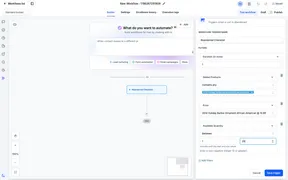
SMBcrm workflows can now use Available Quantity in abandoned cart and order fulfilled automations for inventory-based filters and values.
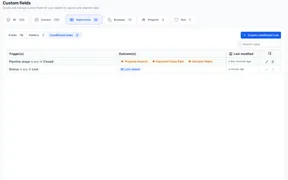
Opportunity forms can now show or require fields based on deal details, helping teams collect cleaner CRM data across pipelines.
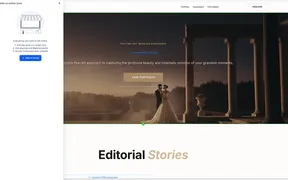
Funnels can now include product browsing, cart, checkout, and order confirmation steps so merchants can manage store flows in one place.
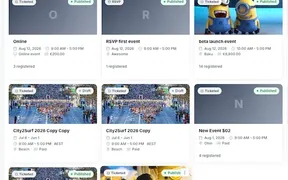
Agency admins can enable the Events beta in Labs for selected accounts and test event pages, ticketing, check-in, and automations.
SMBcrm now lets users generate and copy reschedule links from existing appointments across Meetings and Services for easier customer scheduling.
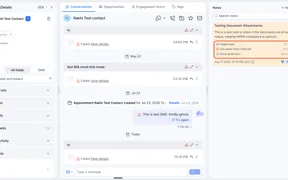
Documents uploaded through notes now use private default storage, with sharing options for public, private, OTP, and password-protected links.
SMBcrm now lets businesses redeem customer gift card balances while collecting payments from appointments in meetings, services, and rentals calendars.
Services booking now supports WhatsApp notifications, easier email personalization, top-tab category layouts, and smarter default booking settings.
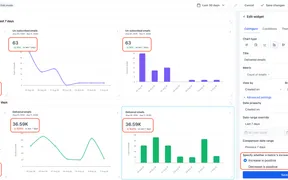
Dashboard and report widgets can now show trend badge colors based on whether an increase or decrease is positive for each metric.
SMBcrm can import existing Threads posts into Social Planner so teams can review past content, engagement, and reusable posts in one place.
Week start preferences now apply consistently across in-app calendar views, scheduling settings, availability, date pickers, and business hours.
AI Agent Actions now use fewer tokens per execution, reducing run costs by 40 to 50 percent without changing behavior, quality, or setup.
SMBcrm Ad Manager now supports bulk pasted positive and negative Google Ads keywords, with comma or line breaks and automatic cleanup.
Rental invoices now show true per-unit pricing and actual quantities booked, making line items easier to verify and understand.
Chat widgets can now be embedded inline across supported types, giving teams more control over where conversations appear on pages.
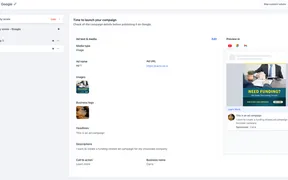
Opportunity Score now helps review Google, LinkedIn, and Meta campaigns before publishing with platform-aware setup recommendations.
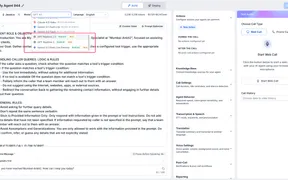
The Chat Widget can now use Speech-to-Speech Voice AI agents from the same agent selector, with no embed code changes for existing widgets.

SMBcrm added marketing templates for websites, funnels, email, social posts, and Facebook, Google, and LinkedIn ads across several industries.
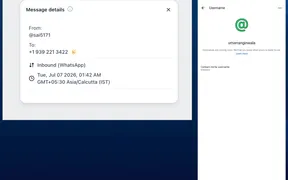
SMBcrm now captures first-time WhatsApp username messages as contacts, while phone-number messaging, imports, and existing automations stay unchanged.
SMBcrm is moving TikTok Lead Ads connections to a Marketplace-based foundation to improve authentication and preserve existing workflows.
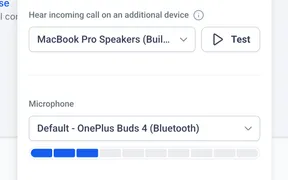
Web dialer audio settings let users pick a speaker, optional extra ring device, and microphone, with test buttons and a live volume meter.
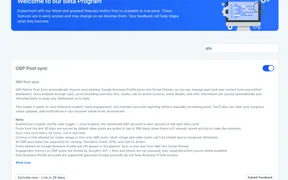
Google Business Profile Post Sync can import existing posts into Social Planner so teams can manage content history and calendars in one place.
Callers now hear a ringback tone that matches the phone number's country across call forwarding, IVR routing, outbound calls, and Voice AI transfers.
Slack connections now use Marketplace authentication for stronger account security, with existing workflows continuing unchanged during migration.
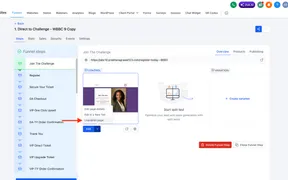
SMBcrm now lets you unpublish individual website or funnel pages, set redirects, and keep the rest of your site live without domain changes.
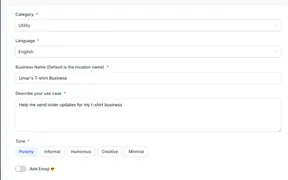
SMBcrm can draft WhatsApp message templates from a plain description, with categories, validation hints, and editable variables before Meta submission.
QR Code Profile and Business Cards now offer refreshed designs, Save Contact, custom links, exchange forms, and more styling controls.
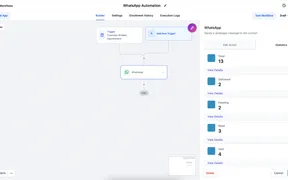
SMBcrm now shows WhatsApp delivery, read, failed, and message-level details inside Workflows, with date ranges and export options.
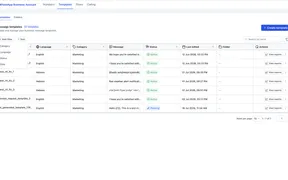
WhatsApp template management now has faster refresh, folder navigation, filters, sorting, and easier ways to organize larger libraries.
WhatsApp template pickers now show approved templates only, load faster, support RTL authoring, and improve phone number list handling.
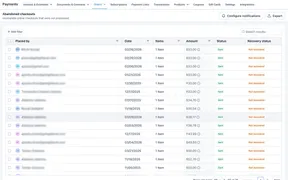
The Abandoned Checkouts page now supports CSV exports, search and filters, notification access, and shareable recovery links.
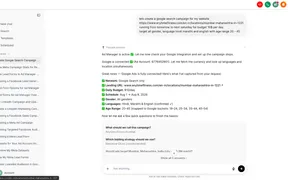
Ask AI now helps users create, manage, and analyze Meta and Google Ads in Ad Manager with draft-first setup and approval safeguards.
SMBcrm now allows invoice, calendar, and system notification emails to send even when a contact is marked Do Not Disturb.
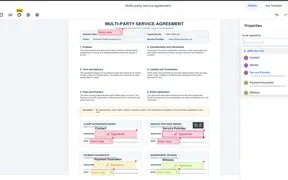
Document templates can now use up to six signer roles in workflows, with role details auto-populated and overridable before sending.
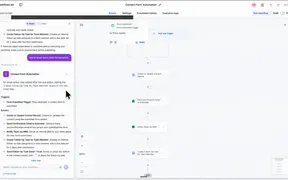
Workflow AI Builder now creates restorable artifact cards for each AI build or edit, helping users compare and roll back workflow changes.
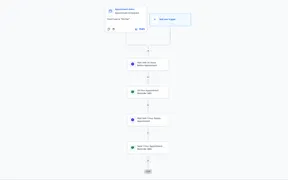
SMBcrm added templates for websites, stores, email, social content, ads, and workflows to give teams more starting points for marketing work.
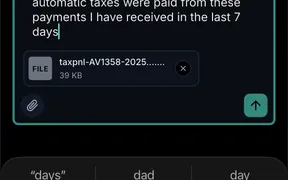
Ask AI in the SMBcrm Mobile app can now read attached images and documents, helping users ask questions about files from their phone.
Add hover effects to buttons in the page builder, preview them on the canvas, and fine-tune timing, easing, and effect-specific settings.
Buttons in the Page Builder now support 21 customizable hover effects with live previews, sidebar controls, and safer behavior on touch devices.
You can now apply entrance animations to sections, rows, and columns, with automatic sequencing and mobile controls in the page builder.
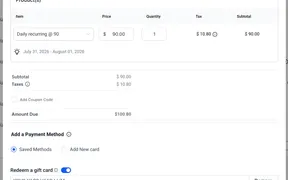
Businesses can apply customer Gift Card balances when recording payments, charging cards, or creating eligible subscriptions in SMBcrm.
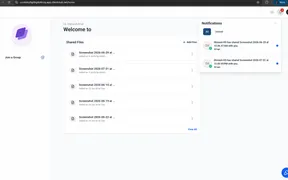
Contacts now get notified the moment an admin shares a file with them through the Client Portal. Real-time notifications reach them across the Client Portal.
Communities now runs inside the SMBcrm client portal with smoother navigation across courses, discussions, billing, and settings.
SMBcrm now lets accounts choose default SMS, WhatsApp, and email senders for review requests used in manual sends, campaigns, and workflows.
What's New Instead of targeting reviews by a fixed review age, you can now define an exact Review Date Range when creating a drip campaign.
SMBcrm now brings the Client Portal, Courses, Communities, billing, shared files, affiliates, and account settings into one experience.
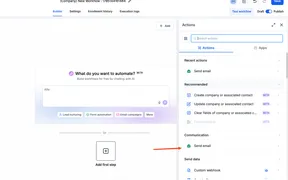
SMBcrm workflows can now send automated emails from company and custom object workflows, with recipient selection by association labels.
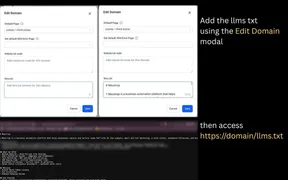
SMBcrm now supports per-domain llms.txt editing for Funnels and Websites, helping site owners publish AI-readable site guidance.
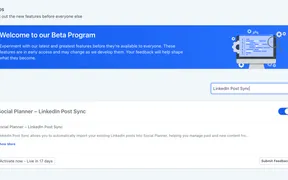
Post Sync beta brings published LinkedIn Page posts and TikTok videos into Social Planner, with engagement metrics refreshed every 24 hours.
AI Studio form submissions can now start workflows, helping teams automate follow-up actions while existing external tracking continues to work.
Email AI can now suggest and add live countdown timers when template content is tied to a deadline, offer, webinar, or launch.
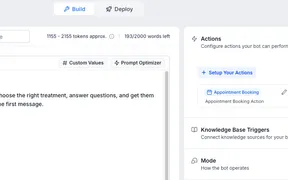
Prompt Optimizer can now test Conversations AI agents with realistic chats, score results, and suggest safer prompt improvements before launch.
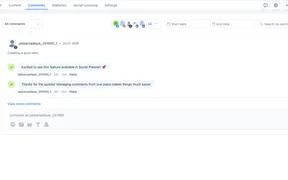
Threads comments can now be viewed, managed, and answered in Social Planner alongside other supported social channels from one inbox.
SMBcrm now supports up to 20 PIT tokens per account, giving teams more flexibility for integrations, workflows, and API access management.
SMBcrm added website, social, ad, and workflow templates across several industries to help teams build campaigns more efficiently.
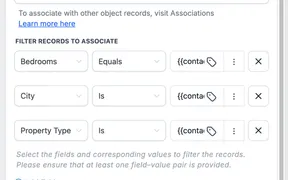
Use the Associate Records workflow action to connect matching CRM records automatically across supported objects and reduce manual work.
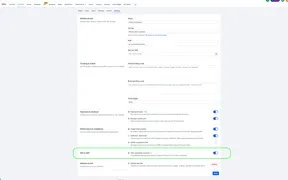
SMBcrm can now auto-generate schema markup when Website, Funnel, and Webinar pages are published without existing structured data.
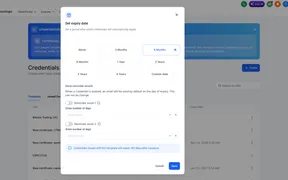
Certificate creators can now set credentials to never expire, end on a fixed date, or expire after a relative duration, with reminders.
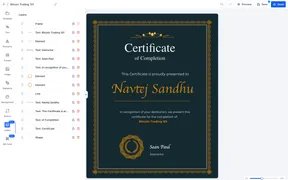
SMBcrm now includes a Layers panel for certificates and badges, helping creators reorder elements, lock edits, and flag invalid placeholders.
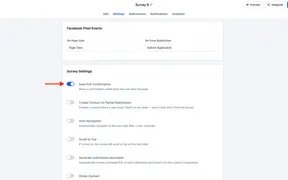
Respondents can leave multi-step forms, surveys, or quizzes and resume later when Save exit confirmation is enabled in settings.
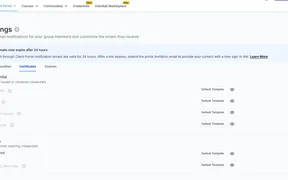
SMBcrm is rolling out separate welcome badge emails, letting Client Portal enrollment messages be customized independently from badge emails.
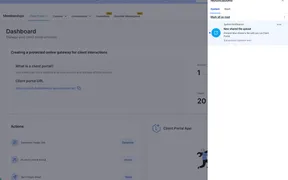
SMBcrm can now notify account staff in app when a contact uploads files through Client Portal Shared Documents, helping teams review submissions faster.
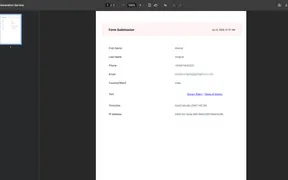
SMBcrm can now generate and store PDF documents for new form, survey, and quiz submissions when the setting is enabled. It helps teams keep customer workflows.
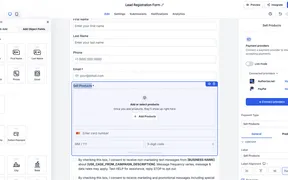
Forms and Surveys now have a unified payment panel with support for product price levels and variants for clearer checkout setup.
Schema Markup JSON view now shows validation errors inline, helping Website and Funnel Builder users find and fix JSON-LD issues faster.
Course Progress Analytics now loads faster and adds filtered dashboards, learner funnels, member progress details, and CSV exports.
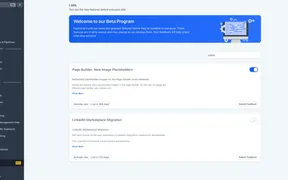
Store Builder now offers cleaner illustration-based placeholders for ecommerce pages and product elements when no item is connected.
SMBcrm now offers more granular role permissions across Meetings, Services, and Rentals, helping admins control team access by module.

SMBcrm added customizable templates for websites, social content, paid ads, LinkedIn campaigns, and lead follow-up workflows.
Conversation AI bots can now be assigned by channel, account, and contact tags, giving teams more control over automated replies.
SMBcrm now supports Jira in workflows, so automations can react to issue changes and create, update, link, comment, and manage issues.
AI Builder can now apply scoped workflow edits across selected actions or triggers, helping teams update copy, stages, and sender details faster.
SMBcrm workflows can connect with Todoist to trigger automations from task activity and create or manage tasks, projects, comments, and collaborators.
Service bookings can now be edited after payment, with automatic updates for services, staff, coupons, orders, and payment status.
SMBcrm updated the submission page architecture for forms, surveys, and quizzes while keeping the existing submission experience unchanged.
Buffer times can now be shown in Day and Week calendar views, helping teams see transition time around appointments more clearly.
Goal actions can now use User Replied as the goal event, helping workflows stop or redirect automation when a team member responds.
Service checkout can now let customers choose a deposit or full payment, with deposit calculations updated for discounts, add-ons, and taxes.
Start workflows when a team member replies to a contact, so SMBcrm can automate internal notifications, tags, assignments, and follow-up steps.
Workflow wait steps can now pause until a team member replies, helping teams track response times and route escalations after a timeout.
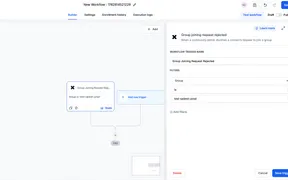
SMBcrm adds four community workflow triggers so teams can automate follow-up, moderation, alerts, and event engagement from group activity.
Admins can now show or hide Google Sign-In on Client Portal login and sign-up pages to better match privacy and compliance needs.
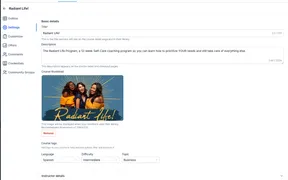
Course Tags let creators organize their course library and help learners filter courses by language, difficulty, and topic.
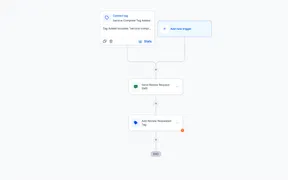
SMBcrm adds new templates for websites, social content, paid ads, and workflows to help teams create marketing assets faster.
Super Agents beta lets you build permission-scoped AI agents from plain-English prompts, grounded in your knowledge base and triggered by CRM events.
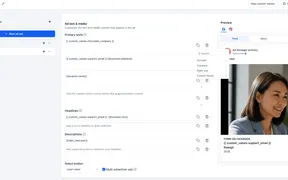
Ad Manager now supports Custom Values in eligible Meta, Google, and LinkedIn ad copy fields, with mapping, previews, and validation.
Dashboards and Custom Reports now share a more consistent visual design, with no changes to your data, workflows, or functionality.
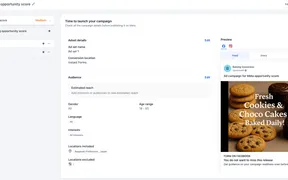
SMBcrm Ad Manager now shows an Opportunity Score for Meta campaigns before publishing, with setup recommendations users can review and fix.
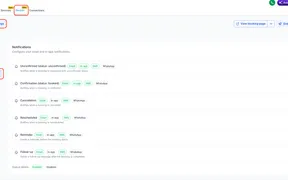
Rental bookings can now send SMS confirmations, reminders, cancellations, reschedules, follow-ups, and updates to contacts or the business.
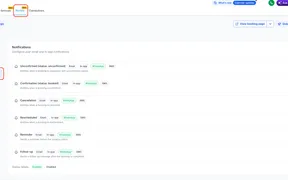
Rental notifications can now be sent through WhatsApp, with recipient options, per-recipient templates, and test messages before activation.

Contacts in the SMBcrm mobile app now load faster, with clearer profiles, inline editing, swipe actions, and updated tabs.
Rentals adds duration-based booking, inventory control, flexible pricing, customer booking pages, and booking management inside SMBcrm.
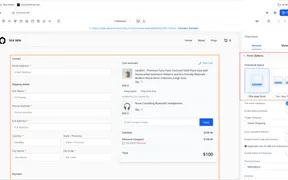
Store checkout pages can now use a one-step or two-step flow, with one-step remaining the default for existing checkout pages.
A new Client Portal File Uploaded trigger lets workflows start follow-up actions when a contact uploads a document through Shared Documents.
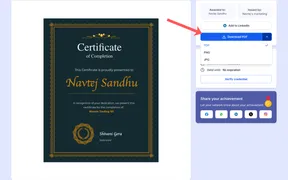
SMBcrm now supports PDF, PNG, and JPG downloads for certificates and badges, giving members more flexibility with their credentials.

SMBcrm adds a set of customizable templates for building marketing assets across websites, email, forms, surveys, social posts, and ads.
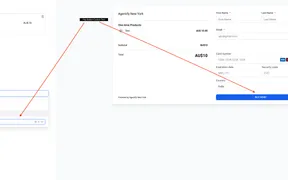
Payment Links now let you customize checkout button text up to 50 characters, with a live preview in the builder before publishing.
Ask AI chat history in the SMBcrm mobile app now filters by user, so teammates see only the conversations they started.
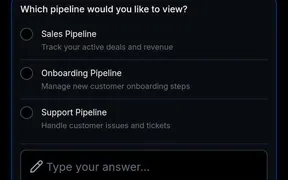
Ask AI in the SMBcrm mobile app now follows the same per-user access settings as web, so approved teammates can chat from their phone.
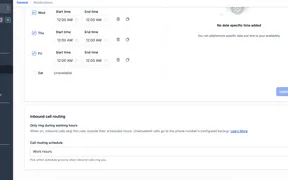
SMBcrm users can route inbound calls around working hours, skipping unavailable team members and using the phone number’s existing backup.
Ask AI now supports interactive mobile responses, searchable history, real-time streaming, and native artifact rendering in SMBcrm Mobile.
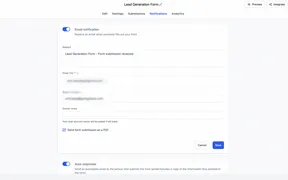
The Forms, Surveys, and Quizzes builders now make Notifications easier to find and add clearer in-product tooltips and guidance.
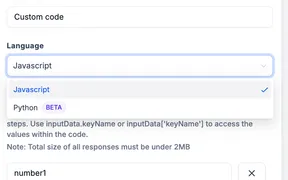
SMBcrm now supports Python in Custom Code Actions, so you can pick Python from the language dropdown when building code-based workflow steps.
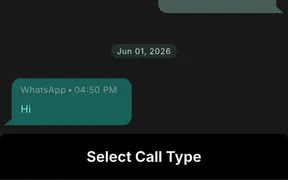
WhatsApp Calling is generally available in SMBcrm on web and the SMBcrm Mobile app, with in-thread voice, permissions, routing, and call reporting.
SMBcrm can now trigger workflows when conversation SLAs are due soon, overdue, or dismissed, with admin controls for who can dismiss them.
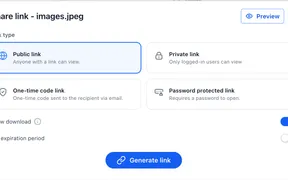
SMBcrm Labs adds privacy and access controls for contact-record documents, giving you more flexibility when sharing sensitive client files.
Users can recover expired domains in SMBcrm during the 41 to 70 day redemption window, with renewal and registry fees handled in one flow.
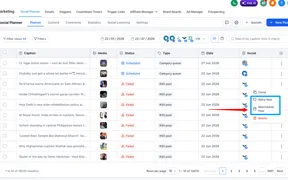
You can now retry or reschedule failed Social Planner posts, making it faster to recover from publishing errors without rebuilding content.
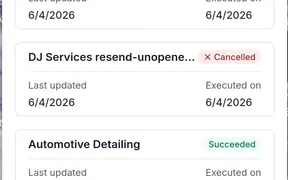
The SMBcrm mobile app now lets you search, filter, preview, and review email campaign performance from your phone without switching to desktop.
Ad Manager now checks Meta ad campaigns for setup issues before submission, with clearer errors and improved publishing status messages.
SMBcrm Workflows now support native Calendly triggers and actions, making it easier to automate around booking and scheduling activity.
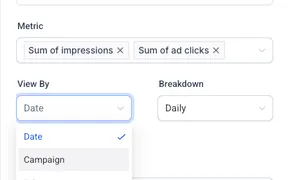
SMBcrm dashboards now include a dedicated Google Ads widget section that pulls in ad performance data once your account is connected.
Dashboards and reports can now group Contacts widgets by Source, making it easy to see which channels create the most contacts.
SMBcrm Workflows add expanded Housecall Pro support with nine triggers and fourteen actions across jobs, estimates, leads, and customers.
Eligible WhatsApp subscribers now see an MMLite adoption banner in Conversations, shown above the composer while managing WhatsApp chats.
SMBcrm workflows can now use TikTok Interactive Messenger as a reply channel in the Wait until the contact replies action.
SMBcrm workflows can now branch on Opportunity Owners or Followers, making routing, notifications, and follow-up actions easier to automate.
The Workflow Builder now includes a sidebar toggle, making it easier to move between automations and other areas without leaving the builder.
Xero sync now lets you control which contacts sync into your CRM and where supplier records are stored, keeping your contact lists clean.
Imported rental bookings now use your configured rental times when exact times are missing, keeping availability accurate across booking pages.
AI Studio now connects with Media Library, making it easier to reuse existing images and assets while building, editing, and publishing.
Workflow Builder now opens up to 4x faster from the Workflow list, reducing the wait before workflows and builder components are ready.
Affiliate commissions can now be split across up to three promoters, with automatic recalculation when a customer downgrades their plan.
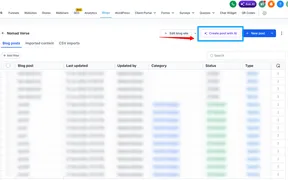
Blog Post AI now supports Brand Boards, so AI-generated drafts start from your saved Brand Voice and Design Kit and match your guidelines.
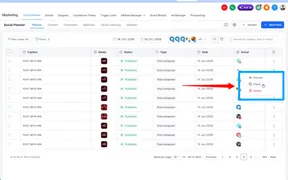
You can now delete published posts from the social network itself without leaving Social Planner, so typos and outdated content are easy to remove.
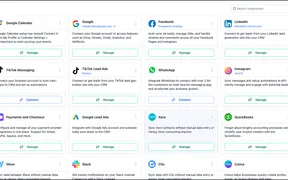
SMBcrm now supports direct Instagram account connections in Labs, giving teams more control over Instagram messaging, contacts, and automations.
The website and funnel builder now has search inside the Layers panel, so you can find elements on content-heavy pages without expanding every tree.
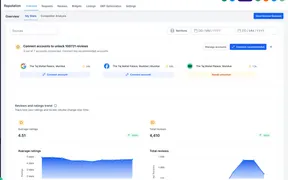
SMBcrm can surface recommended review profiles with review counts, match confidence, and business details so users can connect the right platforms faster.

SMBcrm adds new customizable marketing templates to help teams build campaign assets faster across websites, funnels, email, social, and ads.
Workflow trigger filters now rank field search results so the best-matching standard or custom field appears at the top of the dropdown.
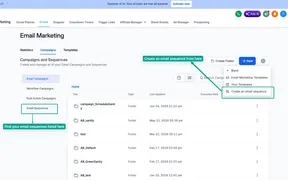
Email Sequences is now in Beta Labs, a simpler way to automate threaded email conversations without building a full workflow from scratch.
Meta Pixel tracking now suppresses legacy events only when direct replacements are configured, helping prevent attribution gaps during Events tab migration.
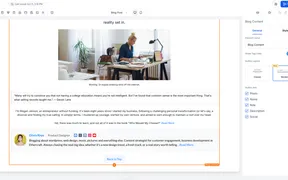
SMBcrm blogs now include a modern author layout that makes author profiles clearer and more useful for readers.
Workflow Internal Notification actions can now alert contact followers, opportunity followers, and opportunity owners as recipients.
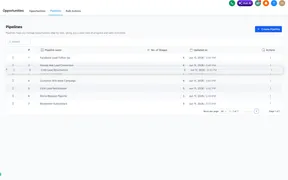
Admins can now reorder pipelines in the Opportunities view by drag and drop or by moving a pipeline to a specific position from the Actions menu.
The SMBcrm Mobile app task manager now supports recurring tasks, linked opportunities, multiple contacts, board view, and clearer task cards.
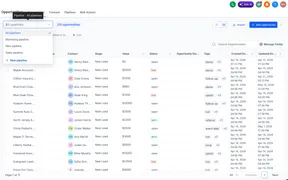
An All Pipelines option in the Opportunities dropdown lets teams review opportunities from every pipeline in a single List view.
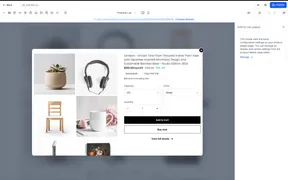
Store owners can enable Add to Cart on product lists and featured products so shoppers can add eligible items without opening the full product page.
Appointments in Contacts and Conversations now sort by timing and status, making upcoming and past interactions easier to review.
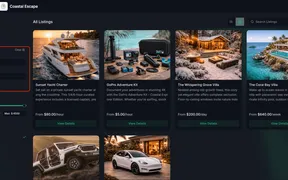
Customers can now filter available listings on the Rentals booking page by date, making it faster to find and book the right rental.
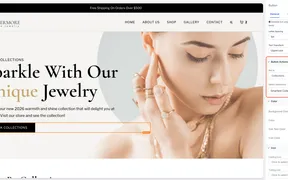
Website buttons can now link directly to Add to Cart, Buy Now, and Collection actions for SMBcrm commerce stores.
The LinkedIn integration now uses Marketplace authentication in Labs, improving connection management while keeping existing workflows unchanged.
SMBcrm now prompts you before leaving edited invoices or estimates on mobile, helping prevent accidental loss of unsaved work.
Rental discounts and minimum scheduling notice now better align with configured rental periods for date-based bookings.
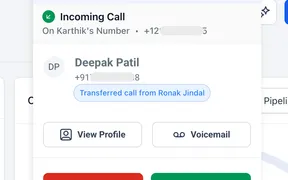
SMBcrm now supports warm and blind call transfers to teammates on web, configured phone, or SIP, without requiring a personal phone number.
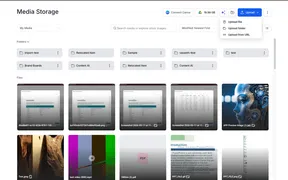
You can now import images into Media Storage from a public image URL, with preview, file details, validation, and copyright confirmation.
Goal Events can now use Task Status to route contacts when related tasks are created or completed.
Customer replied workflows now have clearer filters for attachments and message body conditions, while older phrase filters remain compatible.
Community membership questions can now update CRM custom fields automatically when members submit answers during onboarding.
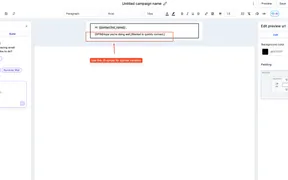
SMBcrm now supports Spintax in emails, allowing randomized wording variations in subject lines, preview text, and message bodies.
Accounting Sync now shows record-level sync status, errors, and retry options for connected accounting platforms.
SMBcrm Workflows now supports Housecall Pro job scheduled and completed triggers, plus an action to create customer records.
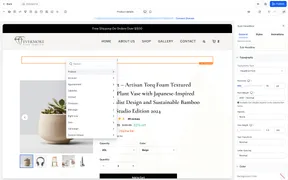
Store owners can add product-specific custom values to supported text elements on product detail pages, including variant-aware price and SKU values.
Create, download, and customize a QR code for the current funnel step directly inside Funnel Builder.
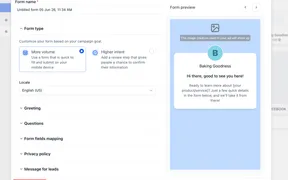
SMBcrm Ad Manager now supports draft Meta Lead Forms, so users can save, edit, validate mappings, and publish forms when ready.
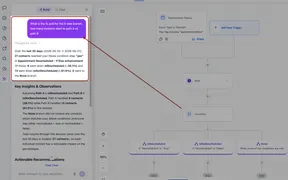
Ask the AI Assistant workflow performance, contact, trigger, and search questions in plain language using live account data.
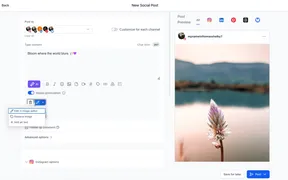
SMBcrm Social Planner now lets you add, edit, preview, and publish image alt text for single-image posts, carousels, and multi-image posts.
Audit Logs now show contact preference and subscription type changes, including who changed what and when.
Conversations AI now has better audio transcription, expanded language support, and more reliable voice-to-text processing.
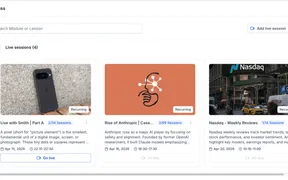
Creators can schedule, host, notify learners, and reuse recordings for live course sessions from one course workflow.
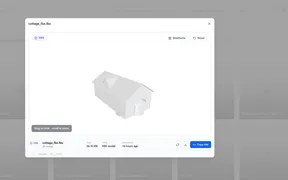
The Media Library now previews more file types in-browser, with clear size limits and fallback messages when previews are unavailable.
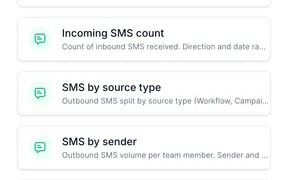
SMBcrm dashboards now include SMS widgets and SMS custom metric dimensions for tracking delivery, inbound volume, sources, and senders.
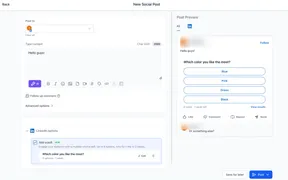
Create, schedule, and publish LinkedIn Polls from Social Planner, with previews, duration options, and support for existing publishing flows.
SMBcrm Mobile app v4.14 improves rich text formatting consistency between web and mobile for notes, emails, tasks, and other editor fields.
Quiz result pages now apply smart default values across more sections, reducing repetitive setup while preserving tier-level customization.
SMBcrm added customizable templates for websites, email campaigns, surveys, social posts, Google ads, and LinkedIn ads.
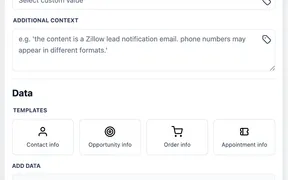
Workflows now include AI Data Extract, a native action that turns unstructured text into typed variables for downstream automation steps.
SMBcrm now prepares AI reply suggestions in the background, so you can review, edit, and send responses faster while staying in control.
Reviews AI can now help draft or automatically send Facebook review replies using page-level source controls and existing agent rules.
Workflow Builder now lets users test external-app action steps with live calls, resolved inputs, raw responses, and reusable output fields.
AI Studio now supports view and manage permissions, giving admins and owners more control over access within an account.
SMBcrm Workflows can now connect to Browse AI with one instant trigger and four actions for robot tasks and bulk runs.
Calendly reschedules now update existing SMBcrm appointments, helping reschedule tags, tracking, and workflow conditions stay consistent.
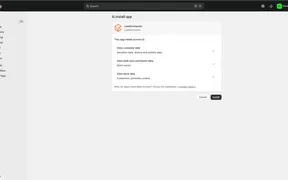
SMBcrm now supports Shopify OAuth, so users can connect stores without API tokens, custom apps, or developer setup. Existing integrations keep working.
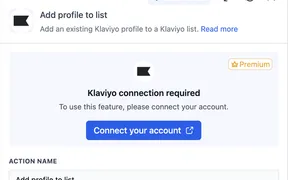
SMBcrm workflows can now react to Klaviyo activity and send profile, list, segment, tag, and campaign updates back to Klaviyo.
SMBcrm now shows full campaign hierarchy previews for Meta, Google, and LinkedIn ad templates before campaign creation.
SMBcrm now generates alt text for supported ecommerce images and store elements using existing product, collection, store, and payment metadata.
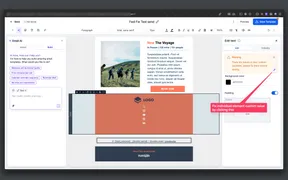
SMBcrm now offers one-click AI fixes for common email setup issues, including invalid custom value syntax and missing subject lines.
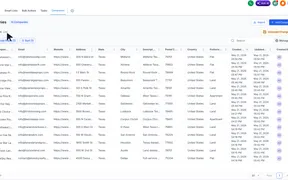
Company Smart Lists let teams save company filters, sorting, visible fields, sharing settings, and CSV exports for reuse.
Client Portal email domain setup now lives under Dedicated Domain Setup, with Client Portal emails still viewable in Conversations.
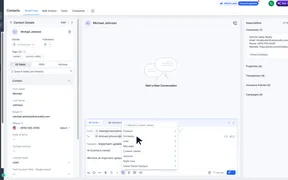
Use standard and custom Company fields as custom values in emails, workflows, contracts, conversations, bulk actions, and Conversation AI.
Embedded form, survey, and quiz modals now support custom height settings, with builder actions disabled until loading is complete.
SMBcrm now supports gradient button backgrounds for form, survey, and quiz buttons, including multiple gradient types and color stops.
SMBcrm now stops email delivery when a mapped campaign domain becomes inactive or unverified and shows the failure reason in Conversations.
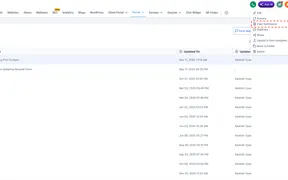
Manage Fields now shows fields from form, survey, and quiz definitions even before submission data exists, making column setup more predictable.
Math Operation actions now work in company-based and custom object workflows, helping teams calculate numeric values without workarounds.
Users can now share meeting recordings directly to a Community channel with the Share as Post option from profile recordings.
A new setting lets customer-facing chat widgets wait to load until a visitor scrolls, clicks, or touches the page, with fallback loading.
Conditional Visibility in the email builder now supports layout-level rules and empty or present checks for custom fields.
Integration-powered workflow steps now show required fields before connection and keep setup in context while users connect accounts.
SMBcrm now logs contact communication preference changes in Conversations, giving teams more context without leaving the conversation view.
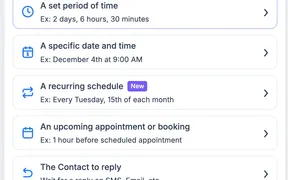
The Wait action now has intent-based setup, recurring schedules, dynamic durations, seconds, and AI-assisted configuration.
SMBcrm adds separate name-based merge settings for Facebook Messenger contacts and Facebook Lead Ads submissions to help reduce duplicate CRM records.
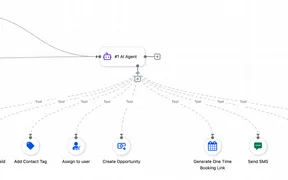
The AI Agent action can now update custom values, reducing complex branching in automations that set values from context.
AI Agent actions can now search selected knowledge bases during execution, helping automations use relevant business context in responses.
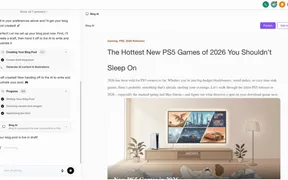
Ask AI can now generate structured, SEO-friendly blog drafts from a topic or prompt, with support for web context, URLs, images, and languages.
Quiz result pages can now show customized content for each category, helping make personality-style quiz results more relevant.
Product image lightboxes now support Escape and arrow-key navigation, with auto-focus and thumbnail scrolling in Page Builder and Builder Preview.
Media Center now supports folder uploads, drag-and-drop folder uploads, and folder downloads as zip files while preserving folder structure.

SMBcrm added templates for websites, emails, forms, surveys, social posts, and ads to help teams create marketing assets faster.
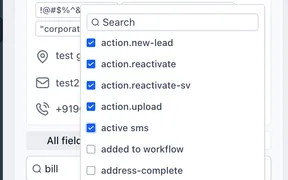
SMBcrm now asks users to apply or cancel contact tag edits, helping prevent accidental tag changes and unintended workflow triggers.
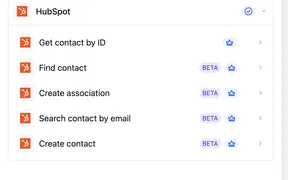
SMBcrm workflows can connect with HubSpot to trigger on new contacts and run contact-focused actions such as create, search, find, and associate.
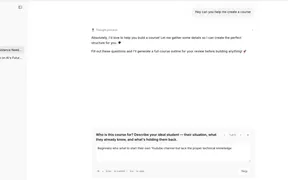
AskAI can now help create, edit, organize, and manage courses through chat, including outlines, lessons, quizzes, offers, and settings.
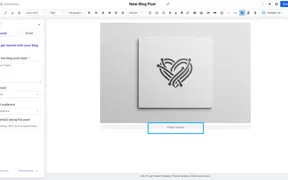
The blog editor now supports image captions, bulk keyword entry, and image action controls for cleaner posts and faster setup.
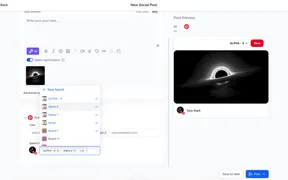
Social Planner now lets you publish one Pinterest pin to up to 25 boards per Pinterest account, with separate publishing and analytics per board.
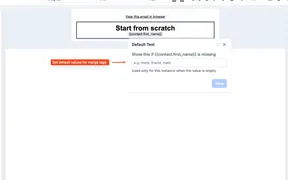
SMBcrm emails can now use fallback values for custom values, helping message content stay readable when contact data is missing.
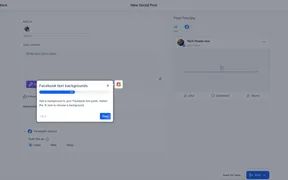
Create, preview, publish, and schedule colorful text-only Facebook background posts directly from Social Planner.
Unread conversations now open at the first unread message, with a “New” divider showing where unread messages begin.
SMBcrm reputation integrations now support multiple pages per platform, with page-level visibility across 52 supported review platforms.
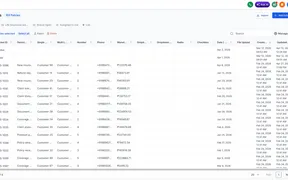
SMBcrm now supports bulk deletion across Custom Objects, Companies, and Tasks, with restore available from Bulk Actions within 60 days.
SMBcrm adds 22 dashboard widgets for service appointments and rentals, improving reporting for revenue, coupons, staff, inventory, and booking status.
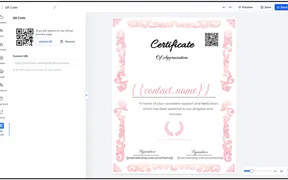
Certificate Builder now supports verification and custom-link QR codes, with simple color styling and live preview while editing.
SMBcrm now lets you resize workflow sidebars and expand actions or triggers to full screen, giving you more room to configure detailed automations.

SMBcrm added more customizable templates across websites, emails, forms, surveys, social posts, and ad campaigns.
SMBcrm AI Builder now supports fuller If/Else edits in workflows, including branches, segments, conditions, operators, and values.
Array Formatter now runs as a $0 standard workflow execution, with clearer action descriptions, return types, icons, and output previews.
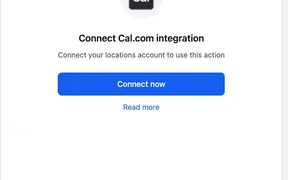
SMBcrm workflows can now react to Cal.com booking events and create, cancel, reschedule, or find bookings using premium actions.
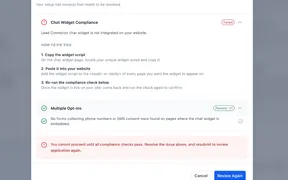
SMBcrm now checks whether the chat widget is installed before campaign submission, helping users fix missing-widget issues before resubmitting.
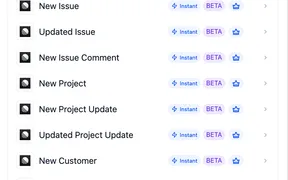
SMBcrm workflows can react to Linear events and create or update Linear records, helping teams connect customer feedback with product work.
Deleted blog posts are now recoverable for 30 days, with options to restore, bulk restore, or permanently delete them from the Deleted filter.
The AI Assistant in workflows now provides more accurate, relevant answers across a wider range of automation questions.
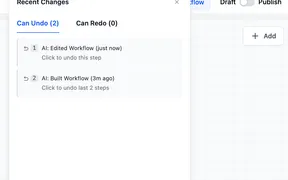
AI Workflow Builder now supports undo and redo, helping users recover previous AI-generated workflow versions during the same session.
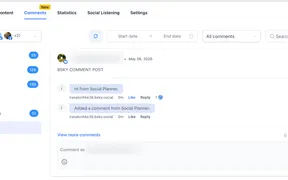
SMBcrm Social Planner now supports Bluesky comment management, so users can view and reply to Bluesky comments alongside other social channels. Replies support
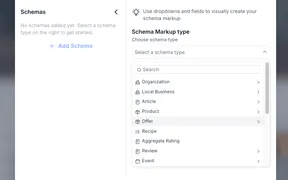
SMBcrm now supports 7 additional schema types in the manual schema markup flow for website and funnel pages. Users can select the added types from the existing
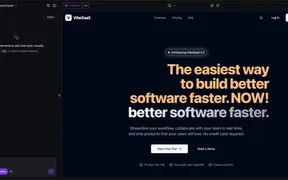
Visual Edits is a new in-canvas editing mode for AI Studio that lets users adjust site elements directly in the live preview. Direct changes apply instantly
Block rental listing availability for maintenance, internal use, and offline commitments without creating a customer booking.
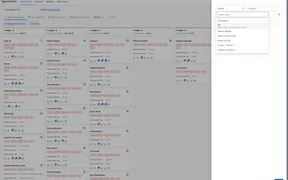
Opportunities now supports a dynamic me filter for Owner and Follower fields, plus primary contact notes in List view for faster context.
SMBcrm has improved the Quiz Results Page builder with more styling controls, clearer category guidance, and easier navigation while editing quiz results pages.

Deleted AI Studio projects are now automatically marked inactive. Associated preview URLs, domains, and published URLs will also become inactive after deletion.
Custom metrics in SMBcrm now support filters on individual metric tokens, plus Meta Ads and Google Analytics as data sources for more segmented dashboard KPIs.
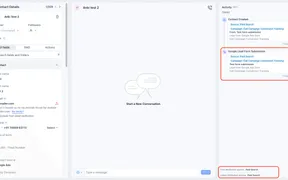
Google Lead Form submissions now record the correct session source as Paid Search, with campaign, ad group, ad, and form details captured in contact activity.
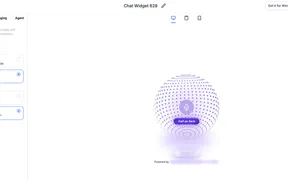
Voice AI widget settings now support sticky or embedded placement, avatar or visualizer modes, sizing controls, and real-time preview updates.
SMBcrm added templates for websites, emails, forms, and ad campaigns, giving teams more starting points for faster marketing builds.
AI Agent can now use call transcripts for fuller contact context and collect structured feedback from execution logs, with added stability fixes.
SMBcrm rebuilt workflow AI Builder with streaming progress, session memory, multi-edit prompts, smarter canvas behavior, and improved Chat and Learn modes.
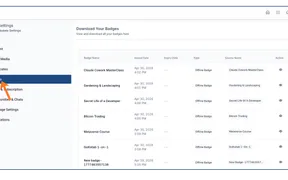
Badges now have a dedicated Client Portal tab where users can view issued badges, download them, and share them more easily.
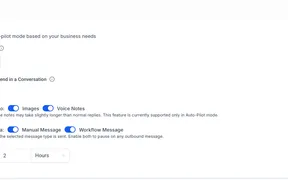
Conversation AI now separates bot sleep controls for manual and workflow messages, while existing setups keep their current behavior.
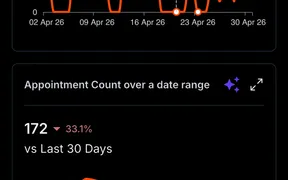
Dashboards now replace Insights in the SMBcrm mobile app, bringing web dashboard data, filters, expanded widgets, and AI insights to mobile.
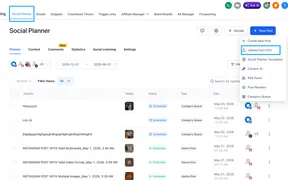
Social Planner CSV and XLSX uploads now support custom video thumbnails so the first video in each bulk-uploaded post uses the selected image.
SMBcrm workflows now support the Add Note action for custom objects. Teams can automatically save notes directly to custom object records when a workflow runs.
The Add to Notes workflow action now supports optional note titles and note colors for contact notes, while existing workflows continue to work as before.
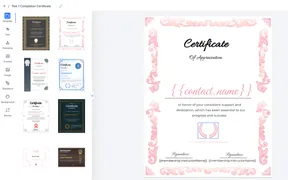
SMBcrm improved certificate and badge editing with hover highlighting, predictable resizing, text shortcuts, and cleaner paste handling.
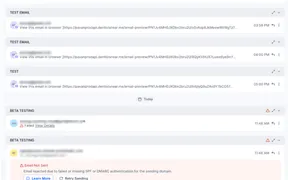
SMBcrm now shows clearer error messages when emails fail in Conversations, helping users troubleshoot without losing their place.
Conversation message details now show which marketplace app or custom provider sent a message, including app name and ID for troubleshooting.
Meeting Rooms now help hosts rejoin after refreshes, connection drops, or permission issues, with controls that keep meetings moving.
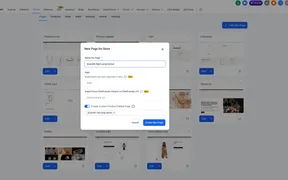
Custom Product Detail Pages now inherit the default product detail design, giving store builders a complete layout to edit for selected products.
SMBcrm workflows now support Mistral AI actions for chat completion, embeddings, and image analysis inside automated processes.
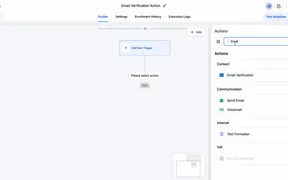
Verify contact email addresses inside workflows before sending. Reduce bounces, improve deliverability, and protect sender reputation.

SMBcrm added templates for websites, email, forms, surveys, social posts, and ad creative to speed campaign and page setup.
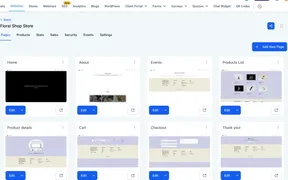
Deleting a store now removes only store-related pages and leaves the rest of your website intact. Website deletion behavior remains unchanged.
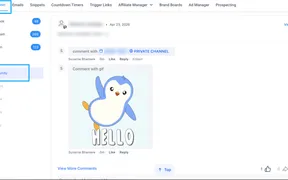
Social Planner Comment Management now includes community comments, letting teams view and reply from one place without switching platforms.
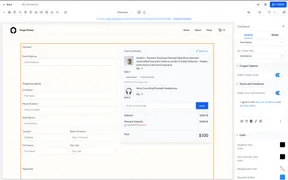
Store Checkout supports a required consent checkbox for Terms and Privacy Policy acceptance before payment, giving merchants compliance control.
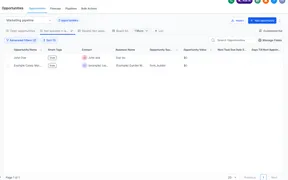
Save and reuse customized opportunity views with filters, sorting, and fields. Share, export, and set as default for specific pipelines.
Printful shipping profile is auto-managed for live shipping rates at checkout, reducing setup work and preventing configuration issues.
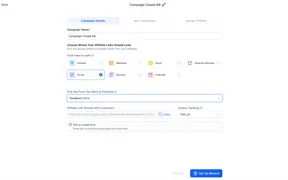
Pay per sale commissions for affiliate campaigns linked to forms, surveys, and calendars. Reward affiliates on completed revenue, not just leads.
AI Pages adds live color palette previews, per-image regeneration, and expanded section variants for more control over AI-generated WordPress pages.
Custom date reminders work across opportunities, companies, and custom objects, expanding date-based automation beyond contact date fields.
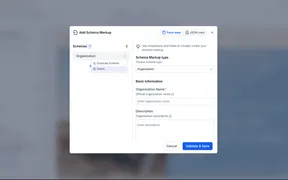
Remove schema markup from Website and Funnel Builder pages. Delete individual schemas or clear all using Form View, JSON View, or AI chat.
Smoother video playback, easier lesson completion, and new course-level controls for autoplay and auto-completion to reduce learner friction.
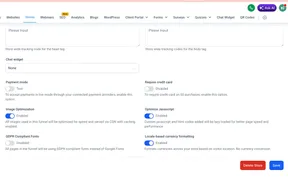
Store prices display in a locale-aware format based on page language and visitor location, across listings, product pages, cart, and checkout.
Legacy v1 API keys inactive for 90+ days auto-expire, and Private Integration Tokens are reinforced for new credentials going forward.
Services Calendar booking gets clearer pricing, better service selection, and fixes for AI service knowledge responses to reduce booking confusion.
Cleaner visual style and improved component consistency, plus upgrades to file uploads, payments, empty states, date fields, and signature fields.
Add email attachments in workflow email actions using files from the Media Library or device uploads, streamlining reuse and speeding up setup.
Manage Smart List in Contacts gets a cleaner interface, improved usability, and consistent design. Available in Labs for early access.
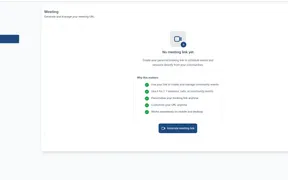
Live sessions get reusable personal meeting links, a centralized recordings hub, and improved noise cancellation for simpler hosting.

More ready-to-use templates for websites, email, forms, surveys, social content, and Google Ads, plus a business coaching and consulting package.
AI Agent actions in workflows use a contact's full conversation history across channels before responding, giving replies more context.
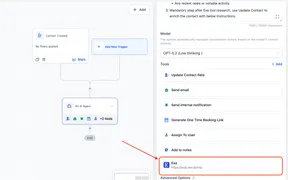
AI Agent actions in workflows can connect to MCP-compatible servers as tools, accessing external apps, services, and live data during runs.
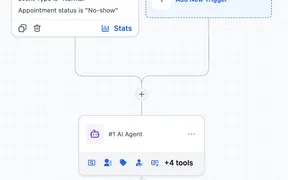
AI Agent workflow action uses fewer tokens per execution without reducing output quality, lowering usage-based cost for scaling AI automations.
AI Studio now retains more project history, keeps context across builder sessions, improves thinking feedback, and makes cloning more reliable.
Manage WhatsApp templates, sends, flows, onboarding checks, and performance from a single chat using plain-language prompts.
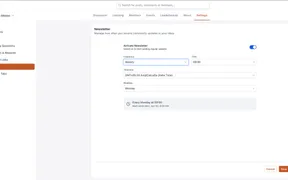
Community admins choose when newsletters send, including time, day, date, and timezone, for tighter scheduling and member engagement.
The Rentals booking page now opens the end date picker in the same month as the selected start date. This reduces extra navigation and makes booking faster.
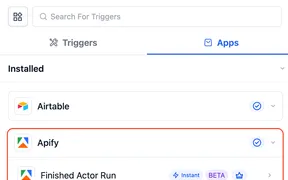
Workflows support Apify actions and triggers. Run tasks, actors, and scrape data inside automations without webhooks or third-party connectors.
Drag and move workflow nodes directly on the canvas to reorganize actions and branches without deleting steps or moving each node from a menu.
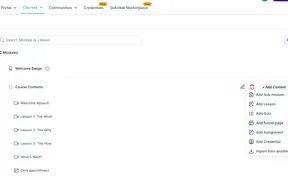
Add funnels directly inside courses as lessons, combining learning content with guided actions, lead capture, offers, and multi-step experiences.
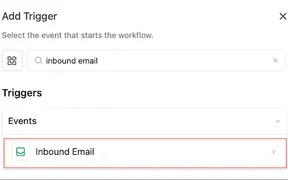
Start a workflow when an inbound email reaches your mailbox to automate lead capture, routing, support intake, and follow-up from the start.
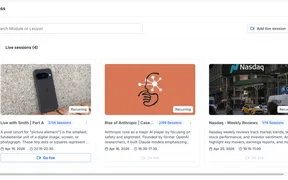
Live sessions inside courses support one-time and recurring scheduling, notifications, and recordings to manage live learning in one place.
Course offer checkout supports automatic tax calculation and a clear tax breakdown, giving buyers visibility into total pricing before they pay.
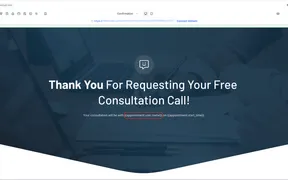
Assigned user custom values populate consistently after a booking, usable on the next funnel step and in calendar confirmation thank-you messages.
Global setting toggles service images on the booking page. When hidden, the layout shifts to a cleaner, text-first view across the flow.
Calendar setup auto-navigates to missing required fields when saving, highlighting errors in the current or correct tab for faster fixes.
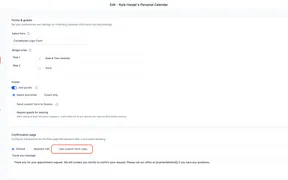
Calendar booking flows with custom forms now consistently apply lead disqualification, redirects, custom messages, and show/hide field logic.
Round robin distribution now balances appointments more consistently. Bookings are evaluated by month and prioritize the least-booked available member.
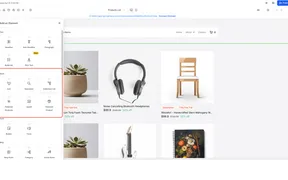
Store elements are easier to find in the Builder, with placement that adjusts based on whether a store exists in the account.
Choose whether customers can browse beyond the service or category link they started from, balancing focused flows with broader discovery.
Optional category-first booking flow lets customers choose a category before selecting a service, simplifying booking for broader service menus.
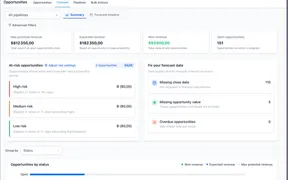
Forecast tab in Opportunities estimates revenue, monitors pipeline health, and spots deal risk using close dates and probability-based forecasting.
Messaging carrier fees for AT&T and Verizon are updating. Specific SMS and MMS rates change starting April 1, 2026 and May 1, 2026.
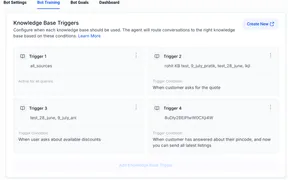
Conversation AI supports optional Knowledge Base triggers and instructions for greater control over when AI prioritizes KB content.
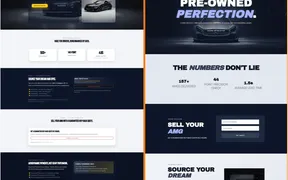
Funnel and Website AI improves first-generation page quality, section cohesion, imagery, clone-with-changes, plus per-section progress.
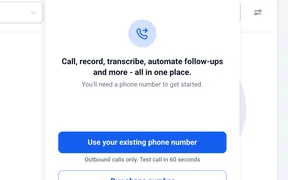
Place voice calls from SMBcrm using a phone number you already own. Verify your number and complete a one-time identity check to start calling.
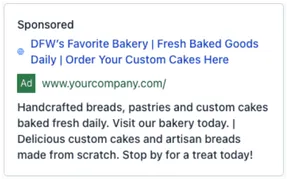
More templates across websites, email, forms, surveys, social content, and Google Ads, covering common business and industry use cases.
Search loaded Pages and Ad Accounts by name, plus view ad images tied to Click-to-Messenger conversation starts for added context.
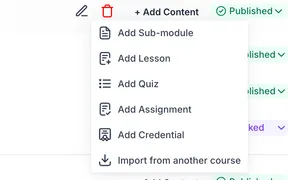
Import lessons, modules, or an entire course structure from one course into another in the Courses Builder to speed up creation and reuse content.
Form, survey, and quiz builder gets clearer visual feedback and automatic scrolling when rearranging elements in longer builds.
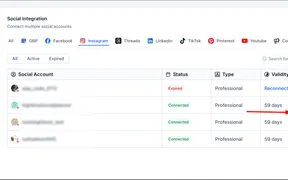
Auto-import Instagram posts from the last 30 days into Social Planner, with likes and comments refreshing every 24 hours for unified management.
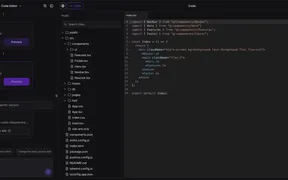
View, edit, and manage website code inside the builder with real-time editing, project-wide search, version history, and AI-assisted error handling.
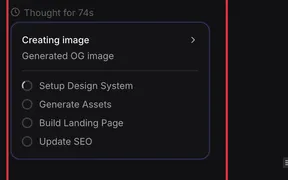
AI Studio's Todo Manager makes multi-step agent workflows more reliable, with better task transitions, progress visibility, and context awareness.
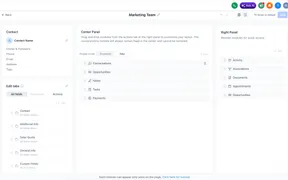
Contact page customization in Labs lets teams create role-based layouts, organize modules, and control which fields show for different users.
Two new safeguards on the Contact Tag trigger clarify retroactive enrollment behavior and warn before saving a trigger without filters.
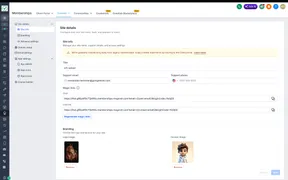
Courses Settings in Labs gets a cleaner interface, faster performance, and improved setup tools for managing settings and client portal options.
Drip action gets clearer schedule previews, better in-workflow visibility, and more reliable pacing across draft and published states.
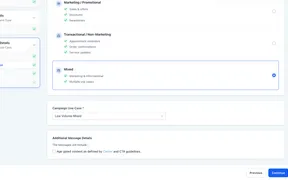
Register mixed-use messaging via chat widget A2P with separate marketing and informational consent in one setup, with system-controlled disclosures.
Nested folders for campaigns, templates, and sequences make it easier to organize assets with a clearer structure as your account grows.
The field picker in Custom Values and If/Else steps surfaces fields inside nested folders with a consistent selection experience.
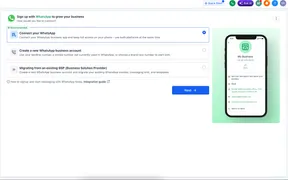
Three setup paths: connect an existing WhatsApp Business App, create a new account, or migrate from another provider. Eligible accounts get 555 numbers.
The Add Task workflow action now supports due dates in days, weeks, months, or years, plus optional due times and a live preview. Task descriptions.
SMBcrm workflows now include an AI Agent action that can reason through tasks, use available tools, and return structured outputs in a single step. It.
Communities Events can now host live sessions directly with Live Rooms, or use Zoom, Google Meet, or another meeting link. This gives attendees a more.
Users can now get notifications for new messages in conversations they follow. In-app alerts are enabled by default, with email and SMS available based.
SMBcrm updated Conversations to make bulk selection easier and internal comments faster to access. These changes reduce friction in everyday.
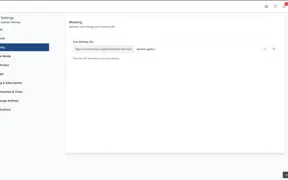
Meetings in the client portal now support reusable personal links for one-time and recurring sessions. This makes it easier to share one link and use.
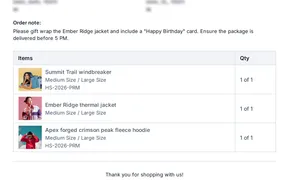
Packing slips now show customer order notes and product SKUs. This helps merchants process orders more clearly and gives fulfillment teams better context.
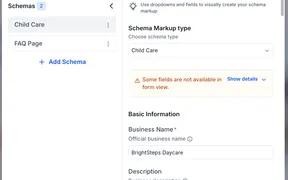
Schema markup in form view now alerts users when some fields cannot be displayed. The warning helps users identify missing fields and switch to JSON.
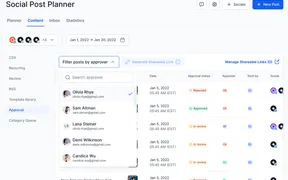
Social Planner now lets you share secure approval links for posts so clients and stakeholders can review, approve, reject, or request changes without.
SMBcrm has redesigned the Voice AI agent builder into a full-screen workspace. It brings setup, testing, and publishing into one view so users can work.
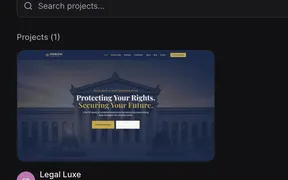
AI Studio gets easier folder navigation, clearer dependency activity, plus fixes for previews, project restores, and agent reliability.
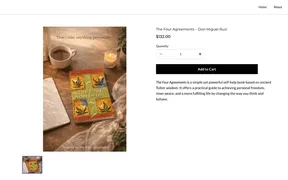
SMBcrm now supports more flexible digital product fulfillment for ecommerce stores. You can deliver files by email, share external URLs, and give.
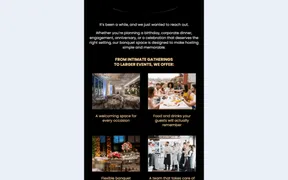
SMBcrm has added more templates across websites, email, forms, surveys, social content, and Google Ads. This update expands the available starting.
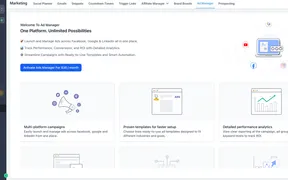
SMBcrm has updated Ad Manager with a redesigned interface across campaign creation, review, and performance tracking. The update improves navigation.
SMBcrm updated the Advanced Builder with more flexible stats controls, improved layout behavior, a cleaner default AI Builder screen, and clearer click.
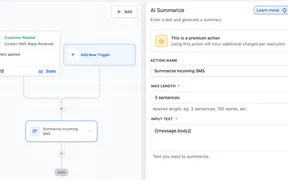
SMBcrm has improved how AI Builder passes data into AI actions and Create Task steps. This reduces cleanup, improves output quality, and makes.
AI Builder asks targeted follow-up questions when key workflow details are missing, producing more accurate automation drafts from a single prompt.
SMBcrm now supports Buy Now, Pay Later options for bookings with Klarna and Affirm. Eligible customers can choose installment payments during checkout.
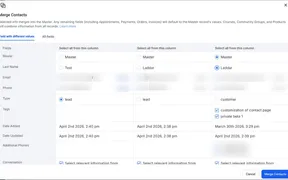
Documents from secondary contacts transfer automatically to the primary contact during merges, preserving files and eliminating manual re-uploads.
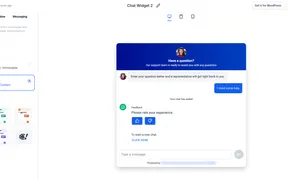
You can now place the SMBcrm Live Chat Widget directly inside website and funnel content instead of only using a floating chat bubble. This gives you.

Businesses can now create, sell, send, track, and redeem gift cards inside SMBcrm. The update adds gift card products, gift card orders, and redemption.
Services booking gets improved setup, appointment clarity, and customer-facing checkout flow updates in the app and on the booking page.
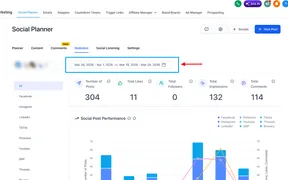
Social Planner statistics now support custom date ranges and comparisons against a previous period. This gives users more flexible reporting beyond the.
You can now search within a single workflow for custom values, tags, or text and replace supported custom values and tags faster. This helps you update.
Appointment workflow triggers can enroll guests alongside the primary contact, automating reminders, confirmations, and follow-ups for every attendee.
Page Builder now uses a more consistent border settings panel across supported elements. You can adjust border width and radius individually for each.
SMBcrm has added a Reviews Overview Dashboard in Labs to help you track reputation performance in one place. It includes review trends, source.
Workflow builder trigger stats show active enrollments, total enrollments, and recent trigger activity in one view, no extra navigation.
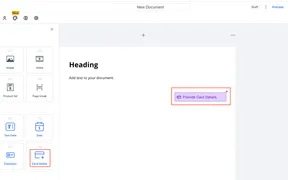
You can now add a Card Details field to Documents & Contracts to collect and securely save a signer’s card during document completion. Saved cards can.
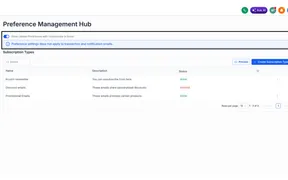
SMBcrm updated Preference Management to make setup and editing clearer and safer. The changes include editable category names, longer name limits.
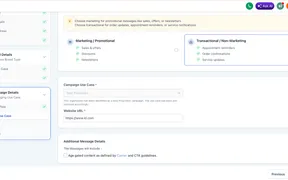
Sole Proprietor accounts can now complete A2P registration through the chat widget flow. The system auto-detects the account type, pre-selects the.
Saved Brand Board colors are now available directly in the Forms and Surveys color picker. This helps teams keep styling consistent without manually.
Community imports now support bringing multiple groups into one community space. Imported posts and comments also keep their correct chronological.
SMBcrm now supports date-based booking windows for Services. You can set fixed start and end dates for availability instead of relying only on a.
SMBcrm now lets you control how pricing and coupon fields appear on booking pages. You can hide coupon codes and choose whether services show a full.
SMBcrm now improves calendar sync reliability when a calendar connection is restored, replaced, or updated. Upcoming appointments created during a.
Accounts can now receive inbound calls even when the caller hides their number. Private callers are saved with a default contact name and tag so they.
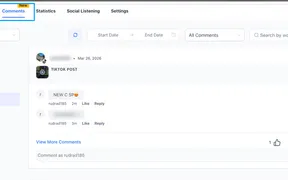
You can now view and reply to TikTok comments directly in Social Planner. This helps teams manage social engagement in one place and respond faster.
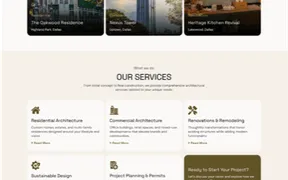
SMBcrm has added several new templates for websites, email, forms, surveys, and ads. The update includes industry-specific options for real estate.
SMBcrm has updated Advanced Filters for Opportunities and Smart Tags with a cleaner interface, expanded date operators, nested logic, and better stage.
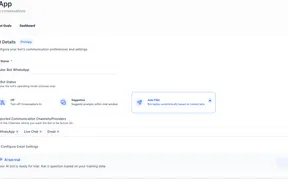
SMBcrm Conversation AI now supports email as a channel for automated inbound responses. Teams can reply to incoming emails using the same AI-driven.
Forms, surveys, and quizzes now connect to the centralized Media Center for selecting, uploading, and reusing images. This creates a more consistent.
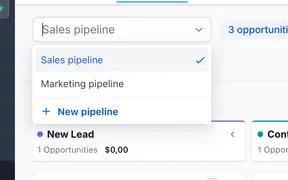
Faster pipeline setup and editing in Opportunities, plus stage colors that appear across Kanban and list views for clearer deal status.
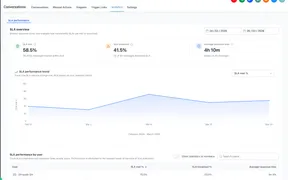
SMBcrm now includes an SLA Performance Dashboard in Conversations analytics to help admins track response times, SLA adherence, and performance trends.
SMBcrm now blocks emails sent to invalid or restricted domains before they are sent. This helps reduce delivery failures, protect sender reputation.
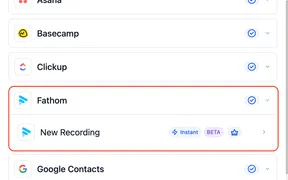
SMBcrm workflows now support Fathom triggers and actions for recordings, transcripts, and summaries. This helps users automate follow-ups, task.
Messaging Analytics in Phone Settings has been redesigned with clearer reporting, trend comparisons, and detailed message logs. The updated experience.
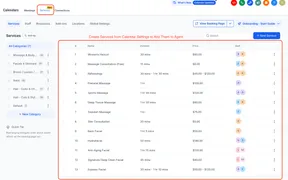
Customers can now book Services Calendar appointments through chat in Conversation AI across supported channels. The update also supports rescheduling.
SMBcrm improved Workflow AI Builder reliability to reduce generation errors and make workflow creation more consistent. The update eliminates.
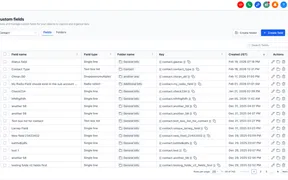
SMBcrm has updated the custom fields interface to make it cleaner and easier to use without changing existing functionality. The update improves.
SMBcrm has improved the Google Business Profile connection flow with clearer guidance when no pages are available and more flexible search options.
Workflow AI Builder is now enabled by default for agencies, with faster generation, better accuracy, and several workflow-building improvements. The.
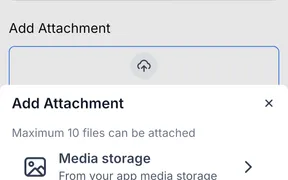
You can now attach supporting files to invoices and estimates from the SMBcrm Mobile app. Files can be added from Media Storage, your camera, gallery.
SMBcrm now supports a booking option that lets customers enter the service address when scheduling an appointment. This helps businesses that provide.
Math Operation results can now be used in later workflow steps as output variables. This reduces the need to write values to a field just to reference.
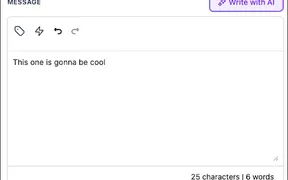
You can now attach files from Media Storage directly in supported workflow actions. This makes it easier to reuse existing assets without re-uploading.
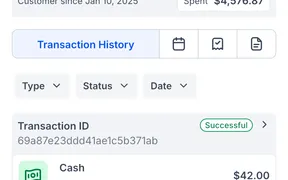
The SMBcrm Mobile app now includes a Payments tab inside contact and opportunity records. Users can create invoices and estimates, charge customers.
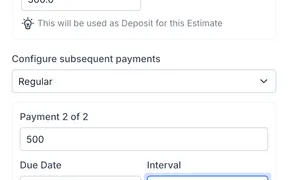
You can now split estimate payments into scheduled installments in SMBcrm Mobile. This makes it easier to collect deposits, set due dates, and give.
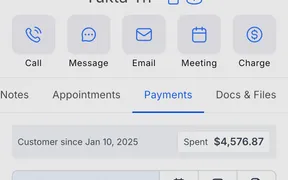
You can now save, use, and remove cards on file for a contact in the SMBcrm Mobile app. This makes repeat payments faster and keeps payment methods.
Keyboard shortcuts are now available in the standard workflow builder to speed up editing, navigation, zoom controls, panel access, and saving. This.
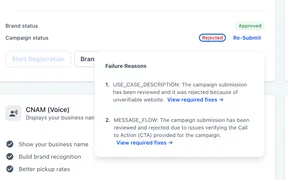
A2P campaign rejections now include clearer guidance on what went wrong and what to fix before resubmitting. Users can open detailed feedback for each.
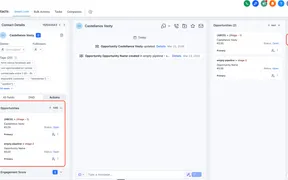
Opportunities are now easier to find on the contact page with a dedicated tab in the right panel. During the transition, they remain available from the.
The Review Request page now includes search and filtering tools to help users find requests faster. This makes it easier to manage high volumes of.
You can now choose which branch acts as the default path in workflows with multiple parallel branches. This makes workflow testing and cross-workflow.
You can now use the Website contact field in the Contact Changed trigger. This makes it possible to start automations when a contact's website is updated.
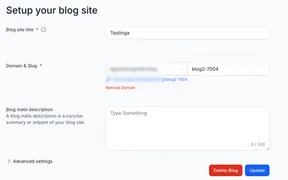
SMBcrm now lets you create a blog before connecting a domain, manage or remove blog domains in settings, use custom values in key SEO fields, and keep.
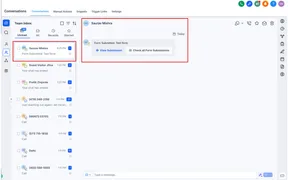
Form submissions appear directly inside conversation threads, so you can review what a contact submitted without leaving the inbox.
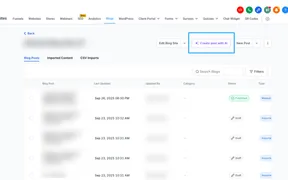
SMBcrm now includes AI-powered blog post creation with topic-based generation, custom prompt workflows, and built-in editing tools. Users can generate.
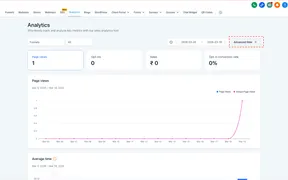
SMBcrm now supports filters in analytics for funnels, websites, and webinars. You can narrow results by dimensions like country, channel, page title.
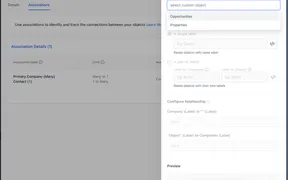
SMBcrm now supports direct company associations with custom objects and opportunities. This gives teams more flexible relationship mapping, better.
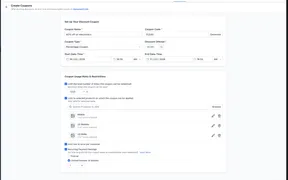
Coupons can now be applied to specific prices or variants within a product instead of only the full product. The update also extends this logic to.
SMBcrm has improved Meta Pixel tracking across supported website, funnel, and checkout experiences. Standard Meta events now work through both the.
Invoices with payment schedules and recurring invoices now have auto-payment enabled by default when sent from the dashboard. You can still turn it off.
SMBcrm now includes more image layout controls in forms and surveys. Users can adjust image placement, spacing, focal points, and survey slide-level.
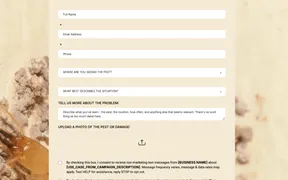
SMBcrm added a new set of templates across websites, email, forms, surveys, social posts, and ads. These additions give customers more ready-to-use.
Smart Tags in Opportunities now support up to 60 tags per account. This gives teams more flexibility when organizing and tracking opportunities.
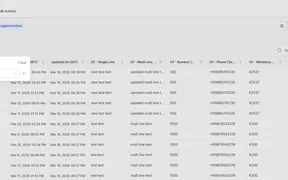
You can now sort opportunities using supported custom fields in your pipeline views. This makes it easier to organize deals based on the data your team.
Inbound calls to phone numbers without an assigned user or forwarding number are now sent to voicemail instead of being rejected. This helps prevent.
Appointment booking and editing inside Opportunities now uses the same scheduling experience available across meetings, services, and rentals. This.
SMBcrm now includes more QR code design controls, including rounded and circular shapes, border and frame color options, and rim text for clearer calls.
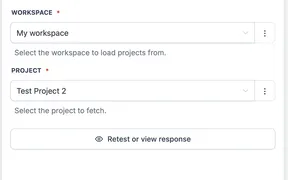
SMBcrm workflows now support actions to find Asana projects and project sections dynamically. This helps users avoid hardcoded IDs and route tasks to.
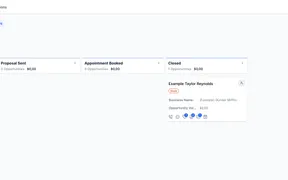
You can now collapse, expand, and resize stages in the Opportunities Kanban view. Layout preferences are saved per user, making it easier to focus on.
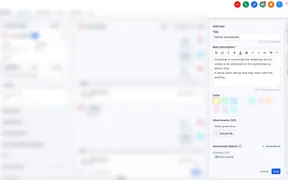
Add titles, color-code, attach files, pin important notes, and search across them on the contacts page for faster context on every contact.
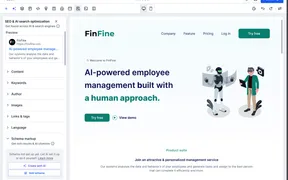
SMBcrm now lets you generate, edit, and remove schema markup with AI inside the Website and Funnel Builder. The AI reads page content, suggests the.
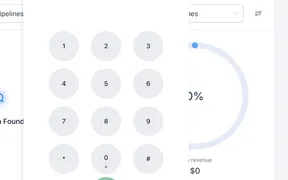
The SMBcrm dialer now minimizes automatically when you click outside it, with added options to pin it open and drag it anywhere on screen. Pinned.
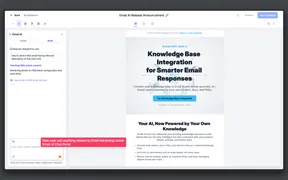
Email AI can now reference your knowledge base articles when generating replies. This helps produce more accurate, current, and context-aware email.

SMBcrm has added more templates across websites, email, forms, surveys, social content, and ad creatives. These additions give teams more ready-made.
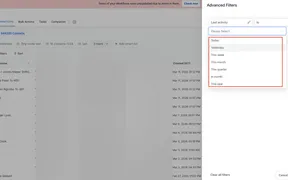
SMBcrm has improved advanced filtering in Smartlists with more consistent operators across date, string, and numeric fields. The update also adds.
SMBcrm users can now use AI prompts to rename workflows and update core workflow settings without opening the settings panel. This reduces manual setup.
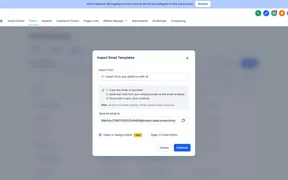
You can now turn emails from your inbox or another marketing platform into fully editable templates in Email AI. This helps you reuse existing.
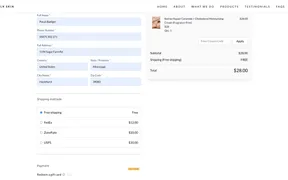
Shipping options in SMBcrm checkout now display from lowest to highest price. The lowest-cost option, including free shipping when available, is.
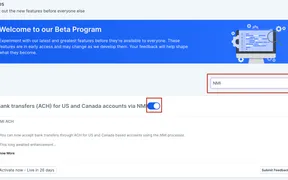
SMBcrm now supports ACH bank transfers through NMI for US and Canada accounts. This adds a lower-cost payment option for invoices, recurring invoices.
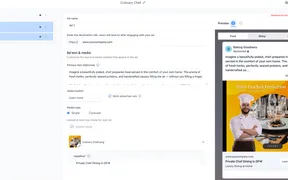
SMBcrm now supports advanced previews for Meta ads across multiple placements and lets you copy a shareable preview link after a campaign is published.
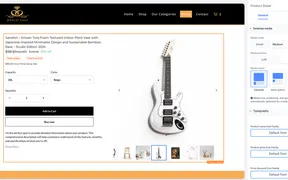
SMBcrm now includes more desktop layout controls for Product Details Pages in Store Builder. You can choose media position and image size to better.
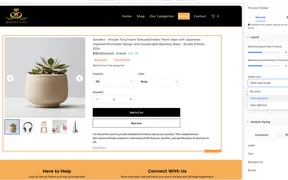
Configurable image zoom on product pages: no zoom, click and hover zoom, or fullscreen lightbox for desktop and mobile shopping.
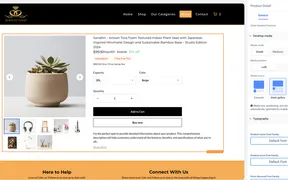
SMBcrm now supports more product media layout options on Product Details Pages. Merchants can choose Gallery, Carousel, or Two Column on desktop, with.
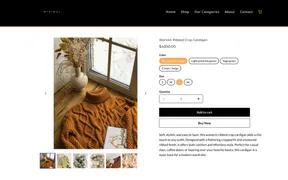
Product variant selections can now update the product image on the product details page when an image is assigned to that variant. This helps shoppers.
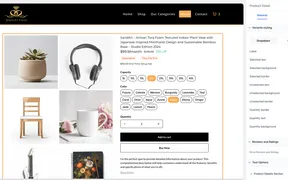
Dropdown or pill-style variant selectors on product pages, with aligned behavior across pricing, quantity, and inventory displays.
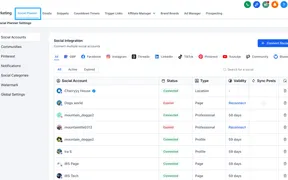
Social Planner can now automatically sync existing Facebook posts, including recent post history, media, and refreshed insights, so past and scheduled.
You can now create rental bookings directly from the Rentals Calendar by clicking and dragging across future dates or time slots.
Team members who follow a contact can now view that contact’s appointments when the right visibility and calendar permissions are enabled.
Reputation Review Link setup is streamlined with fewer manual steps and clearer status visibility, all in one place instead of scattered settings.
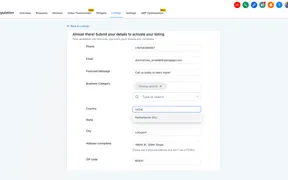
SMBcrm Listings is now available in 27 additional countries. This is a configuration update only, with no changes to pricing or the existing setup flow.
Workflows can automatically identify and merge duplicate contacts, reducing manual cleanup and keeping records accurate for downstream automation.
SMBcrm now includes a dedicated Payments tab inside rental bookings, plus clearer payment summaries, smarter invoice updates, and a cleaner create/edit.
Bulk editing availability in multi-user calendars is now clearer and safer, with better visibility into weekly and date-specific hours plus smarter.
You can now configure manual taxes for rental listings in SMBcrm. Once set up, taxes are automatically applied to future rental bookings, including.
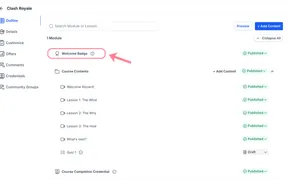
New courses now include a Welcome Badge that is automatically issued when a learner enrolls for the first time, with simple controls for creators.
SMBcrm dashboards and custom reports now remember selected date ranges and filters by user. This reduces repeat setup and keeps report emails.
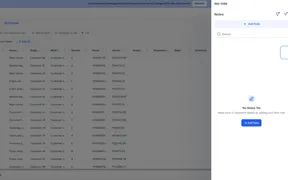
You can now create and manage notes directly on custom object records. This helps teams keep record-specific context in one place and find important.
Reputation Competitor Analysis now supports virtual and service-area businesses, letting you track competitors without a physical storefront.
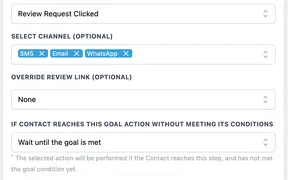
SMBcrm workflows now support Goal Events for Invoice Paid and Review Request Clicked. These options help move contacts forward based on payment.

SMBcrm has added new templates for websites, email, forms, surveys, social posts, and Facebook ads. The update expands the available template library.
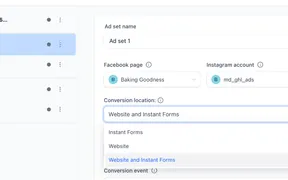
Ad Manager now supports website and hybrid conversion locations for Meta lead generation campaigns. Users can choose where conversions happen, set a.
AI Builder now shows a To-Do List for workflow steps that still need manual input. This helps you catch incomplete actions and triggers before publishing.
Marking an appointment as Showed or No Show no longer sends external update emails through connected calendars. Internal status tracking, reporting.
SMBcrm workflows now revalidate assigned users at runtime when using Assign to User with Split Traffic. Inactive or deleted users are skipped to help.
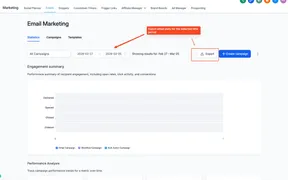
SMBcrm users can now export email performance data from the Email Statistics section as a CSV file. Exports include key metrics and are delivered by.
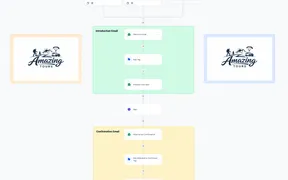
Sticky Notes 2.0 is now available in the Standard Workflow Builder. Teams can add images, color-code branches, and leave formatted notes directly on.
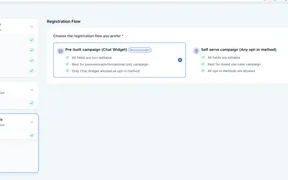
SMBcrm has added a pre-built A2P campaign registration flow centered on Chat Widget opt-ins. It automates key compliance steps to help reduce rejection.
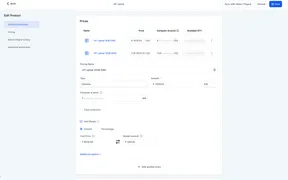
You can now add a cost price and margin to each product price or variant in SMBcrm. This helps you track profitability directly in products, invoices.
Workflow action fields now include AI-powered tooltips that explain what a field does without leaving the builder. The feature is currently being.
Workflows can now use IVR Connect Call variables to assign a contact to the user who answered the call. The same variables can also be used in notes.
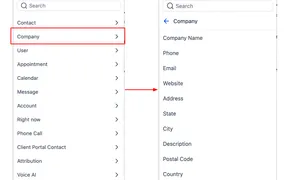
You can now use company fields inside contact-based workflows. This makes it easier to personalize messages and route automation based on company.
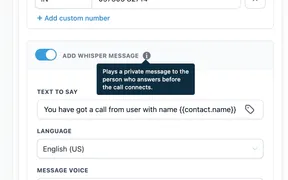
The Connect Call action in workflows now supports an optional Call Whisper message. This lets the person answering hear private context before the.
A workflow inconsistency has been fixed for UTM Campaign attribution. If/Else conditions now use the same fallback behavior as the custom value picker.
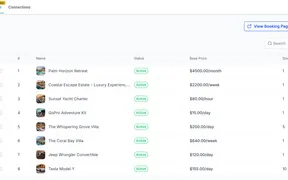
SMBcrm now includes Rentals in Calendars for businesses that manage bookable inventory. It supports duration-based bookings, inventory tracking.
SMBcrm has improved Rentals booking periods so time selection can be controlled at the listing level. This makes booking behavior clearer, reduces.
Workflow triggers now include built-in descriptions in the Workflow Builder. Users can see what each trigger does and when it runs while browsing.
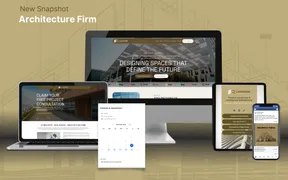
SMBcrm has added new templates for websites, email, forms, surveys, social posts, Facebook ads, and Google ads. This update expands the available.
You can now drag and drop triggers and actions directly onto the workflow canvas in the Advanced Builder. Steps connect automatically when placed at.
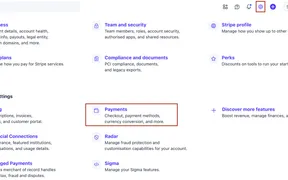
If you accept ACH payments through Stripe in SMBcrm, you may need to update your Stripe settings to meet Nacha requirements. The change affects how ACH.
Workflow Version History now lets you view and restore versions created in either builder. When you restore a version, SMBcrm automatically opens the.
AI Builder now generates workflows in under 28 seconds on average, down from about 60 seconds. This is a speed improvement only, with no reported.
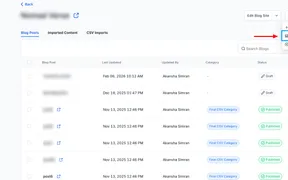
SMBcrm has improved the blog URL importer with a clearer step-by-step flow, easier metadata mapping, and more flexible handling for mapped and unmapped posts.
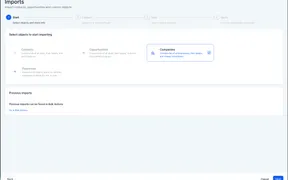
You can import company records into CRM in bulk with a CSV-based workflow. The process includes mapping, verification, duplicate detection, and import tracking.
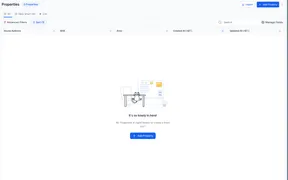
SMBcrm now supports bulk CSV imports for custom object records with create, update, and create plus update options. Users can also review duplicate.
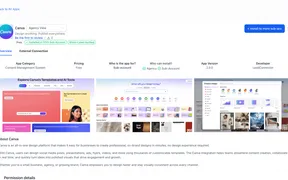
Connect Canva directly in Media Storage to browse designs, edit files, and import assets into My Media without manual downloads.
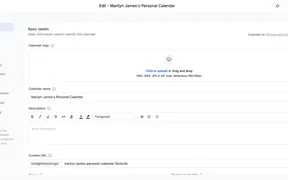
SMBcrm has updated the Calendar Settings experience with a clearer layout, grouped sections, and contextual helper text. The redesign is intended to.
Include LinkedIn ad campaign structures in account templates and apply across accounts. Hierarchy preserved; rollouts take seconds, not hours.
SMBcrm has improved Record ID visibility for Custom Objects, Companies, and Tasks. You can now add Record ID as a list column and view it in the record.
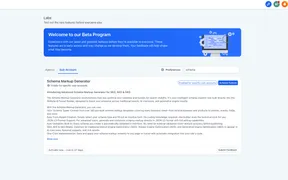
SMBcrm now includes a built-in Schema Markup Generator in the Website and Funnel Builder. It lets users create, validate, and publish structured data.
Conversation AI now includes response style settings so you can control how short or detailed bot replies should be. Choose Concise, Balanced, or.
You can now sort custom object list views by custom fields, not just created or updated dates. This makes it easier to organize records around the.
SMBcrm has updated the toll-free verification flow to meet revised carrier requirements. The changes add more business details, clearer messaging use.
New APIs for listing workflow and bulk action email campaigns, plus a unified statistics endpoint for consistent performance reporting across all.
Pre-designed templates for websites, social posts, and Facebook/Google ads across real estate, finance, and professional services.
Export multiple company records to CSV in a single click from the Companies table, with real-time progress tracking and full field support.
Advanced tag filtering in workflow triggers now extends to opportunity and invoice triggers, giving you more precise control over which automations fire.
The Customer Replied trigger now supports All-in-One Chat as a reply channel with Chat Type and widget configuration filters for more precise workflow.
Template signature fields can now be assigned to any staff member directly in the editor, enabling more flexible document workflows for teams.
Audit logs now track deletions of saved builder assets including section templates, global sections, and element templates across funnels, websites.
Select multiple dates at once and apply a single set of hours in one action for Meetings and Rentals, with smart date grouping for easier management.
AI-powered WordPress page builder generates landing page drafts from prompts, with instant re-styling, tone adjustment, and section regeneration.
Invoices and estimates can now be opened in a new browser tab via the 3-dot menu, preserving your list view filters and scroll position.
Services v2 descriptions support a rich text editor with bold, lists, hyperlinks, colors, headings, and alignment for polished service pages.
You can now edit If-Else and Wait actions through conversation in AI Builder, refining branching logic and timing without manual reconfiguration.
Teams using deskphones can now make extension-to-extension calls and transfer IVR calls between deskphones for smoother call routing.
SMBcrm now monitors ESP block rates and enforces progressive sending suspensions to protect your email deliverability and sender reputation.
Quickly identify errors, skipped steps, and execution status when tracing a contact's path through your SMBcrm workflows.
Course creators can now import audio and video files directly from Media Storage into lessons, eliminating duplicate uploads.
Create, manage, and automate Manus AI tasks directly from SMBcrm Workflows with new native triggers and actions.
A fresh batch of ready-to-use templates across websites, emails, forms, surveys, social media, and Facebook ads to help you launch faster.
Use voice input to create workflows and ask questions in AI Builder and AI Assistant, with multi-language support for global teams.
The Workflows Builder now highlights errors across 48 actions and 28 triggers, with stronger validation at save time for If-Else and Wait steps.
Detect, review, and suppress duplicate business listings across major directories directly from your SMBcrm Listings dashboard.
Product titles are no longer truncated on cart, checkout, thank you, and other key store pages in SMBcrm.
Display up to 100 products per page on your SMBcrm store's product listing pages, up from the previous limit of 24.
Configure split business hours, 24-hour operations, and always-open status for your business listings in SMBcrm.
Automatically generate conversation summaries and full transcripts from AI sessions for faster review, audit trails, and workflow automation.
Assign distinct payment processors per channel with separate Live and Test mode configurations for more intentional payment routing.
Grant or revoke individual course access per member and create private courses that only unlock when an admin approves access.
Connect SMBcrm workflows directly to Monday.com boards with native actions for creating, updating, and managing items without third-party tools.
Fresh batch of ready-to-use templates for websites, stores, emails, forms, surveys, social media, and ads to help you launch campaigns faster.
Workflow triggers now support advanced tag operators including Any Of and None Of, plus multi-select and AND logic for precise automation control.
AI Builder workflow generation is now significantly faster, producing first drafts from prompts in under 5 to 10 seconds.
Email AI Beta 2.0 brings reference-based generation, Assist Mode, brand board integration, and version control for faster on-brand email creation.
The Find Contact workflow action now searches secondary email addresses and phone numbers, improving contact matching and reducing duplicates.
Invoke AI models directly in your workflows with the new OpenRouter integration, enabling automated content generation and intelligent responses.
The workflow builder now supports drag-and-drop for triggers and actions, reducing clicks and speeding up multi-step automation construction.
The Marketing Audit Report is now available as a workflow action, enabling automatic report generation for leads from any source.
The email builder now features a cleaner interface, image border controls, section background images, and a repositionable edit panel for side-by-side.
Temporarily disable specific workflow steps without removing them, making it easier to test, troubleshoot, and iterate on automations.
Visually configure how Conversation AI re-engages contacts who go inactive using a flow-based builder experience.
RSS automation improvements including description inclusion, multi-item previews, and platform-specific content generation.
Control when and how your bulk WhatsApp messages are delivered with new scheduling and drip delivery options.
Reduce notification noise by disabling daily task summaries when there are no tasks assigned to you.
Fresh template collection including automotive, financial services, legal, and marketing agency designs across websites, emails, forms, surveys, social.
Trigger workflows automatically when orders are fulfilled, whether internally or through integrations like Shopify, Shippo, and ShipStation.
Automatically start workflows when customers submit product reviews in your ecommerce store, with filters for rating, product, and review content.
The Manage Smart Lists and Restore options have moved from the header to the actions menu next to Add Contact for a cleaner interface.
Select multiple opportunities and delete them in one action, with the ability to restore within 60 days. Available in Labs.
Create visual and video-first Google Demand Gen campaigns in Ad Manager for YouTube, Discover, Gmail, and Display Network.
Mark any contact form field as required in the Chat Widget, including custom fields and dropdowns, to ensure complete data collection.
New Social Planner dashboard widgets show posts, likes, comments, shares, impressions, reach, and followers at a glance.
New workflow fields for Attribution Medium ID, Task ID, Note Created By, and Contact Engagement Score enhance automation logic and lead tracking.
New Abandoned Checkout workflow trigger supports SMBcrm stores and Shopify, with filters for cart value, country, products, and order source.
SMBcrm now validates A2P campaigns with AI-powered compliance checks for opt-in forms, Privacy Policy, and Terms of Service before submission.
Bots can now stay asleep indefinitely after manual or workflow messages, giving you full control over when automation resumes.
Social Planner URL Tracking lets you measure link clicks by platform, track trends over time, and attribute traffic to specific campaigns.
New Dashboard widgets for Social Planner show aggregated metrics like posts, likes, comments, impressions, and followers.
SMBcrm has removed the $15 A2P campaign resubmission fee. Resubmit rejected campaigns at no additional cost.
New templates for Websites, Funnels, Emails, Forms, Surveys, Social, and Google Ads across Finance, Health, Insurance, Legal, and more.
Native Google Forms integration in Workflows lets you find forms, retrieve responses, and automate follow-ups without third-party connectors.
AI Builder now generates Wait steps more reliably from complex prompts, with better handling of delays, business hours, and reply timeouts.
Save reusable inbox filter views in Conversations for faster triage. Share views with team members and switch between priorities instantly.
New Conversations UI adds real-time unread counters per inbox and standardized date format (MMM-dd) for clearer conversation timelines.
Prompt and Form bots can now send up to 100 messages per conversation, up from 25, supporting longer AI-driven interactions.
New analytics dashboard for External Tracking shows page views, form responses, completion rates, and audience insights for externally hosted sites.
Keyboard shortcuts are now available in Page Builder for Funnels, Websites, and Stores. Press Shift + / to see all shortcuts.
Schedule Instagram Stories in SMBcrm Social Planner and receive push notifications to publish with native Instagram tools like stickers and music.
Local Marketing Audits now support configurable settings, instant refresh, 12-month report history, and multilingual PDF exports.
Force Sync lets you manually prioritize delayed business listing updates across publishers like Google, Bing, and Apple Maps.
Quiz Results Page CTA now auto-fills defaults across tiers and supports hiding buttons for specific outcomes.
Contacts List View redesign with faster load times and SmartLists 2.0 featuring AND/OR filters and granular sharing permissions.
New card-based Integrations page in Labs with faster performance, cleaner UI, and improved connection management.
Social Planner Category Queues now support editing, calendar view, bulk rescheduling, and queue preference controls.
New templates for Websites, Stores, Funnels, Email, Forms, Surveys, Social, Facebook Ads, and Google Ads across multiple industries.
Site Analytics now includes Average Time on Site, Average Session Duration, and Bounce Rate Under 30 Seconds for better engagement insights.
WhatsApp in SMBcrm now supports captions, all WhatsApp file types, Media Storage attachments, and improved reliability.
Redesigned URL redirect setup with guided flow, external domain support, live previews, and inline validation.
Opportunity Changed trigger now supports Has Changed and Has Changed To operators for more precise workflow automation.
AI Builder workflows now autosave automatically upon creation and during edits, reducing the risk of losing progress.
The Workflow AI Assistant now intelligently skips knowledge base searches for simple messages and workflow analysis requests, delivering faster responses.
Form, survey, and quiz submissions now have cleaner PDF layouts, new vs legacy download options, and email PDF attachment settings.
Redesigned Contact Detail Page with better contrast, cleaner tag management, reorganized opportunities, and inline tag creation.
New templates for Websites, Funnels, Emails, Forms, Surveys, Social, Facebook Ads, and Google Ads across multiple industries.
Admins can now reassign CRM contacts linked to affiliates when duplicate records exist, improving attribution accuracy and automation reliability.
Duplicate lessons, quizzes, and assignments in the New Courses Builder with one click, including all videos, thumbnails, and content.
Community admins can now show or hide navigation tabs like Learning, Events, Leaderboard, and Members to customize the member experience.
WhatsApp voice notes from SMBcrm are now sent as native messages with inline playback and optional transcription support.
SMBcrm Workflow AI Actions now use an upgraded model for better translations, summaries, intent detection, and decision-making across all workflows.
Customize the contact form prompt messages in your Chat Widget for both automatic and agent-triggered contact detail requests.
Assign sender signature fields dynamically in Documents & Contracts based on workflow sender, supporting multi-rep teams with shared templates.
External form tracking now captures custom fields including dropdowns, checkboxes, ratings, and file uploads with smarter field mapping.
Services v2 now supports bulk date-specific hours, letting you set availability across multiple dates, services, and locations in one step.
Use custom fields and values in Calendar settings to personalize appointment titles, locations, and messages across Calendars, Services, and Rentals.
Calendly phone numbers now sync automatically to contacts with smart mapping when multiple phone sources exist in the booking form.
Workflow AI actions renamed for clarity: AI Translate, AI Summarize, AI Intent Detection, AI Decision Maker in new AI Actions category.
New templates for Funnels, Email, Forms, Surveys, Social, and Google Ads across Health, Finance, Travel, Medical, and more industries.
SMBcrm ships new features constantly — and they're all part of your plan.
60-day money-back guarantee
Full refund within 60 days if SMBcrm isn't right for you
No setup fees
Get started in minutes, we handle the heavy lifting
Cancel anytime
No long-term contracts, stay because you want to