Improved Product Sales in Forms and Surveys
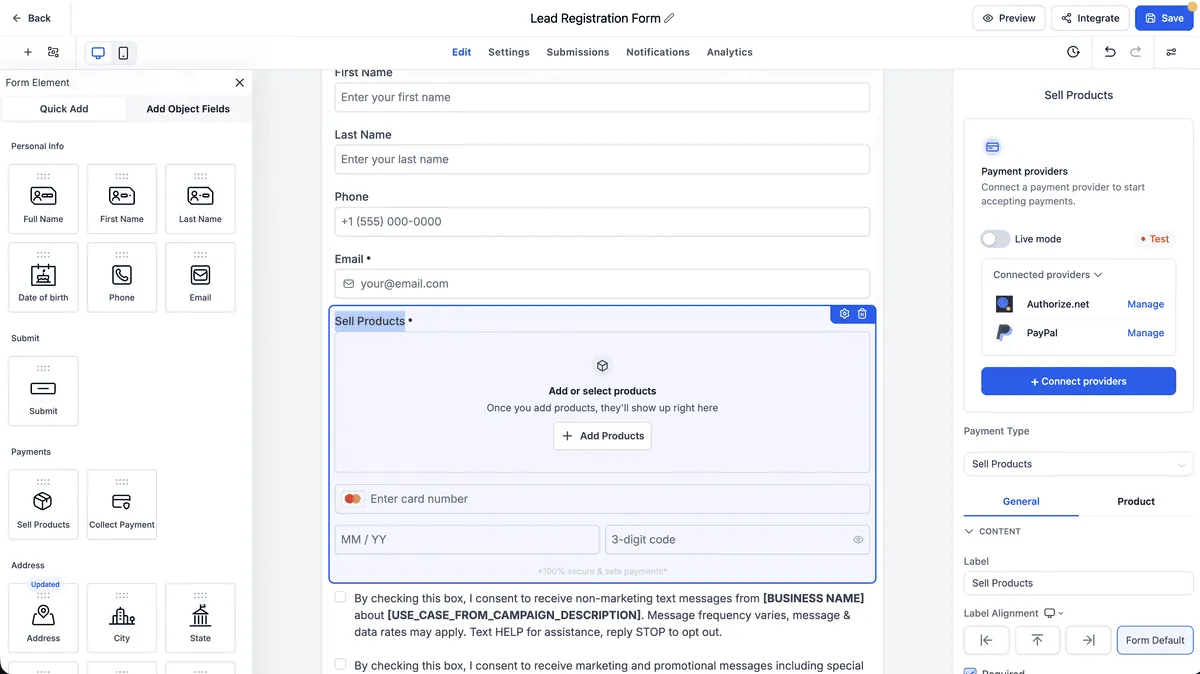
SMBcrm Forms and Surveys now have an improved Sell Products setup that brings payment provider connection, product configuration, pricing, and payment settings into one panel.
For teams using lead capture forms to sell products, this makes setup more direct and gives customers clearer options before checkout.
What changed
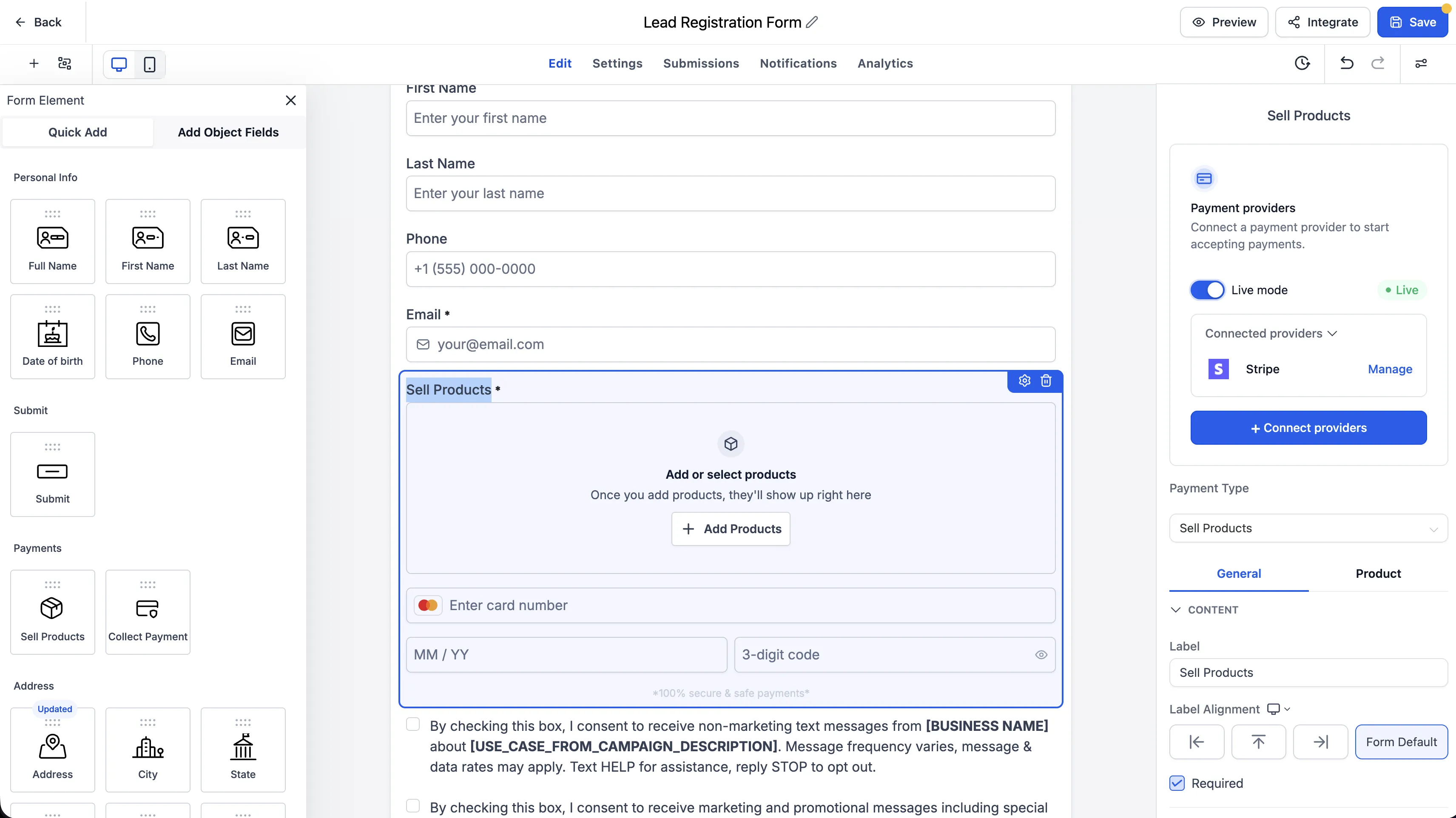
The Sell Products element in Forms and Surveys now includes a unified payment configuration panel on the right side of the builder.
From this panel, you can:
- Connect a payment provider without leaving the builder.
- Select products to sell through the form or survey.
- Configure product pricing and payment settings in one place.
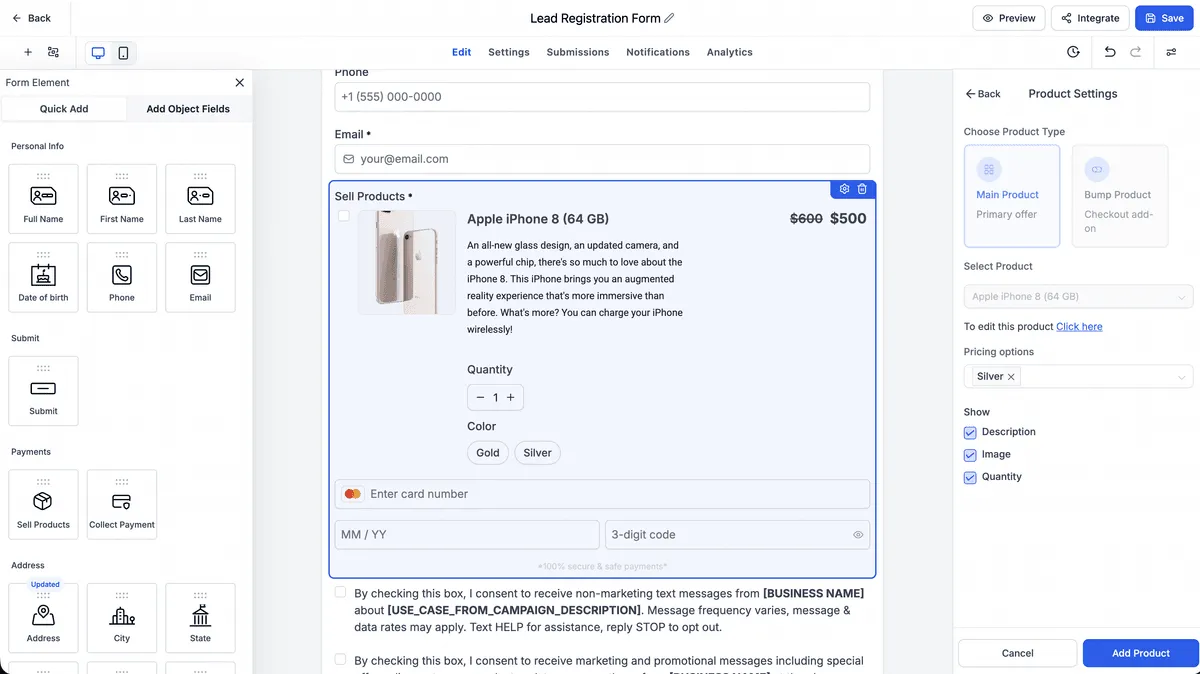
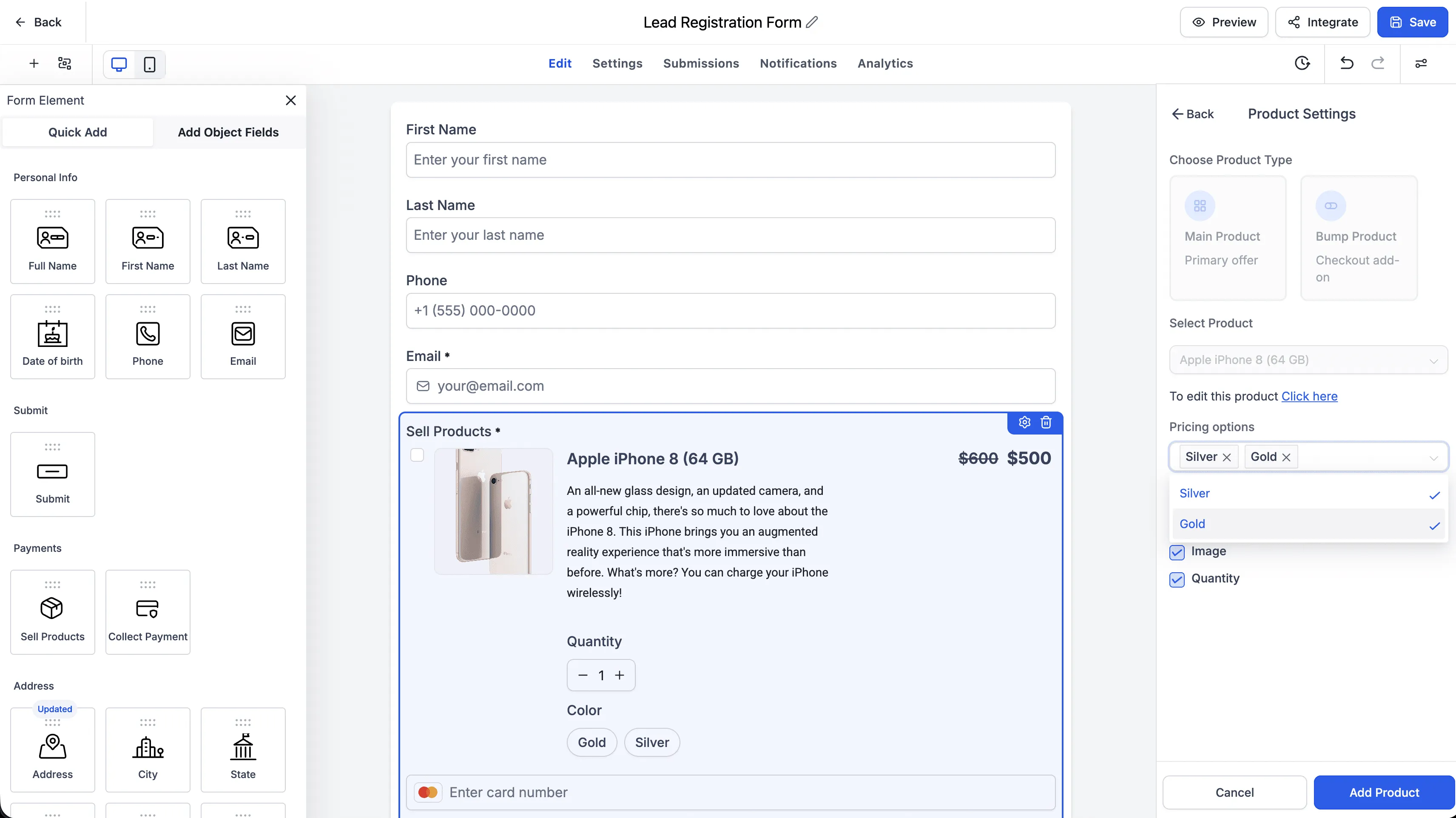
- Enable price level selection for supported products.
- Enable variant selection where product variants are available.
Customer selection and checkout details
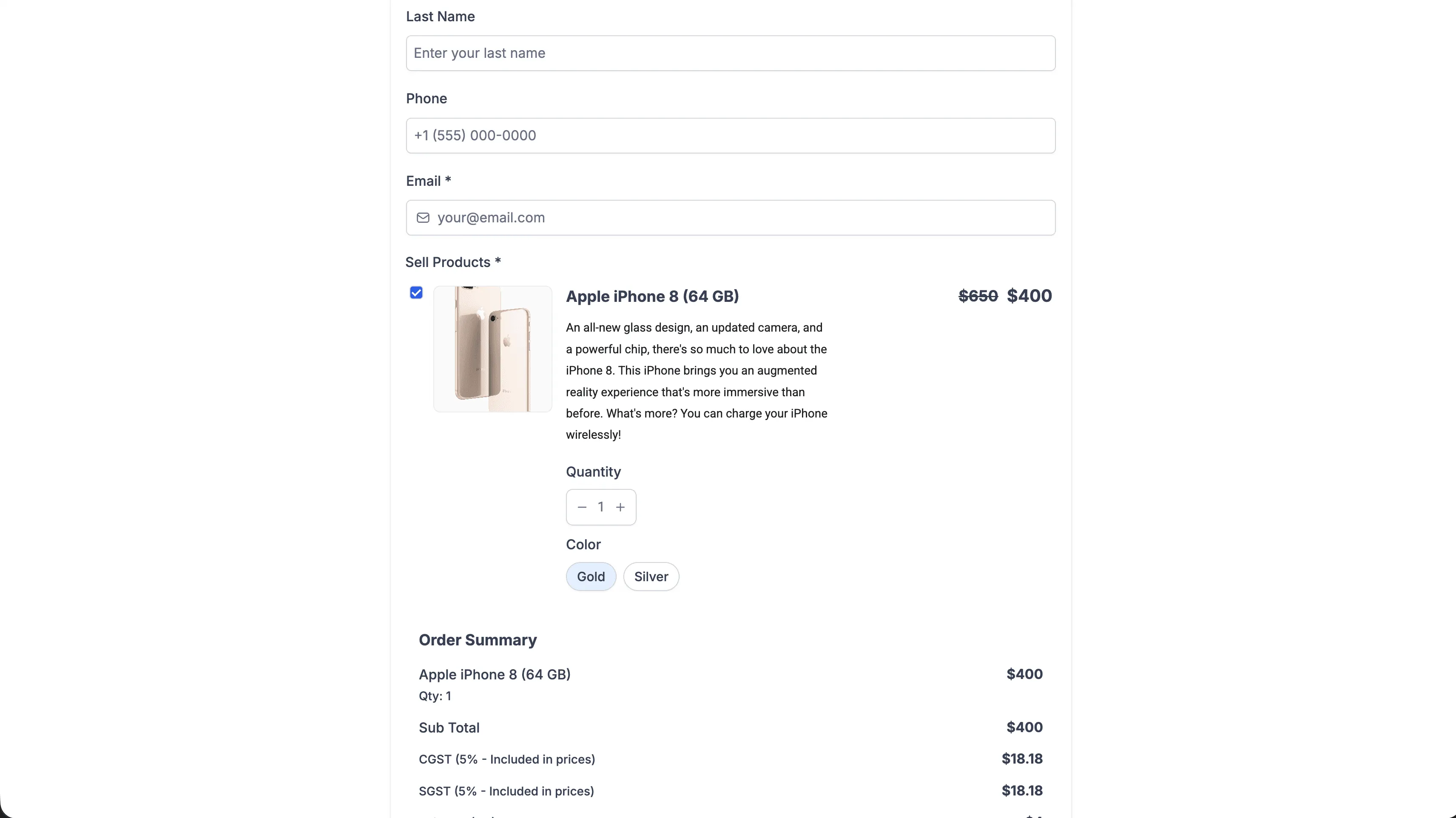
Customers can choose from available price levels and product variants before submitting the form or survey. Their selected options are shown in the payment summary and passed through to checkout, invoicing, and payment processing.
Required price and variant selections are validated before submission, helping reduce incomplete or incorrect purchase details.
Notes
Existing Forms and Surveys continue to work as before. No changes are made to existing Forms or Surveys unless you choose to update their payment configuration.
Price level and variant selection are available for supported products with multi-price or variant configurations. Existing payment settings remain supported across desktop and mobile experiences.
In Case You Missed It
You can also review More Marketing Templates Added to SMBcrm.
Release Images
Need Help Applying This Update?
Want help turning this update into a working part of your CRM, marketing, or automation setup?
Get Started or schedule a demo and we’ll help you map the right next step.