Jira Workflow Triggers and Actions in SMBcrm
SMBcrm now includes Jira as a native workflow integration. With SMBcrm automation, workflows can respond when Jira issues are created or updated, then take actions in Jira as part of the same process.
What changed
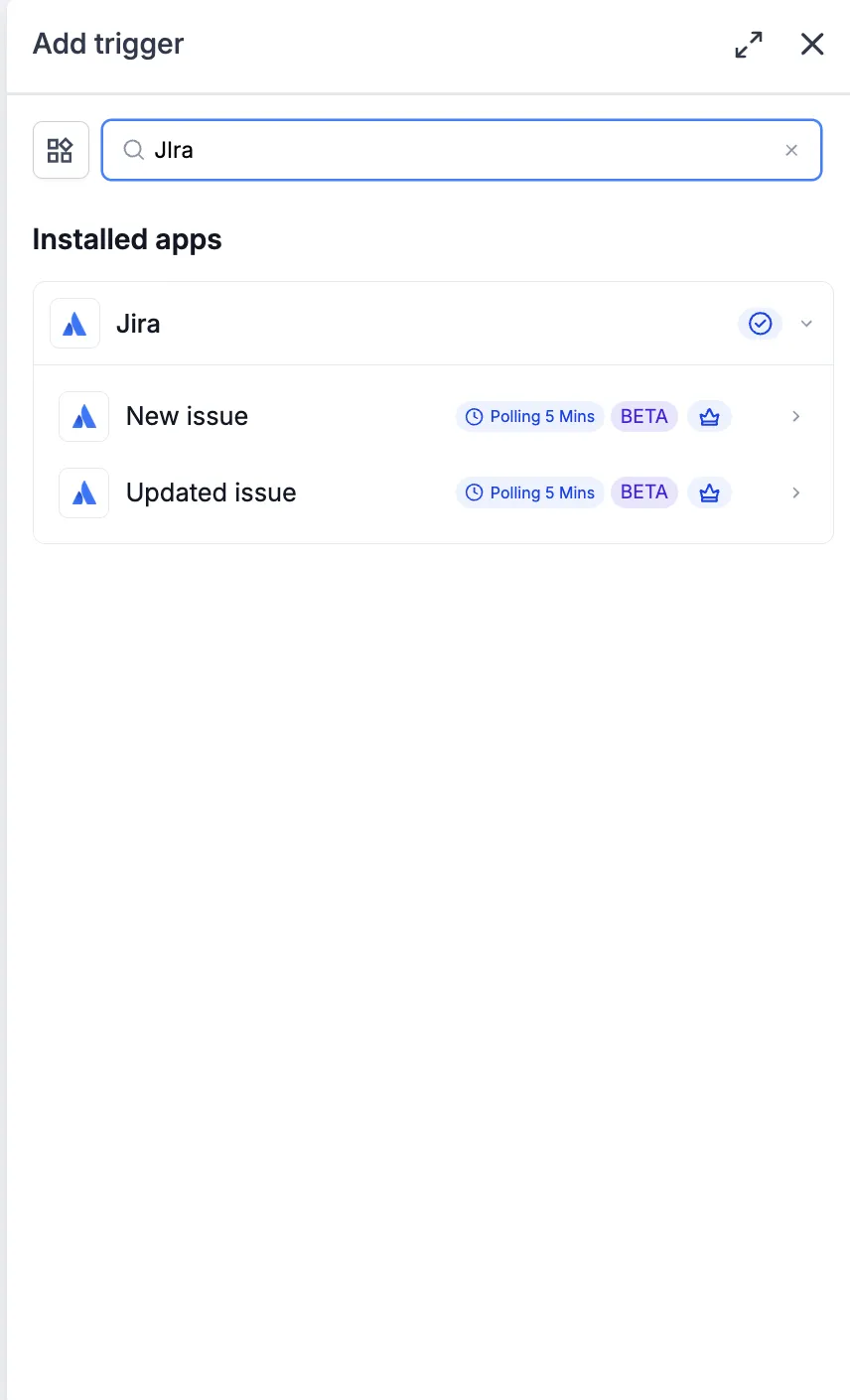
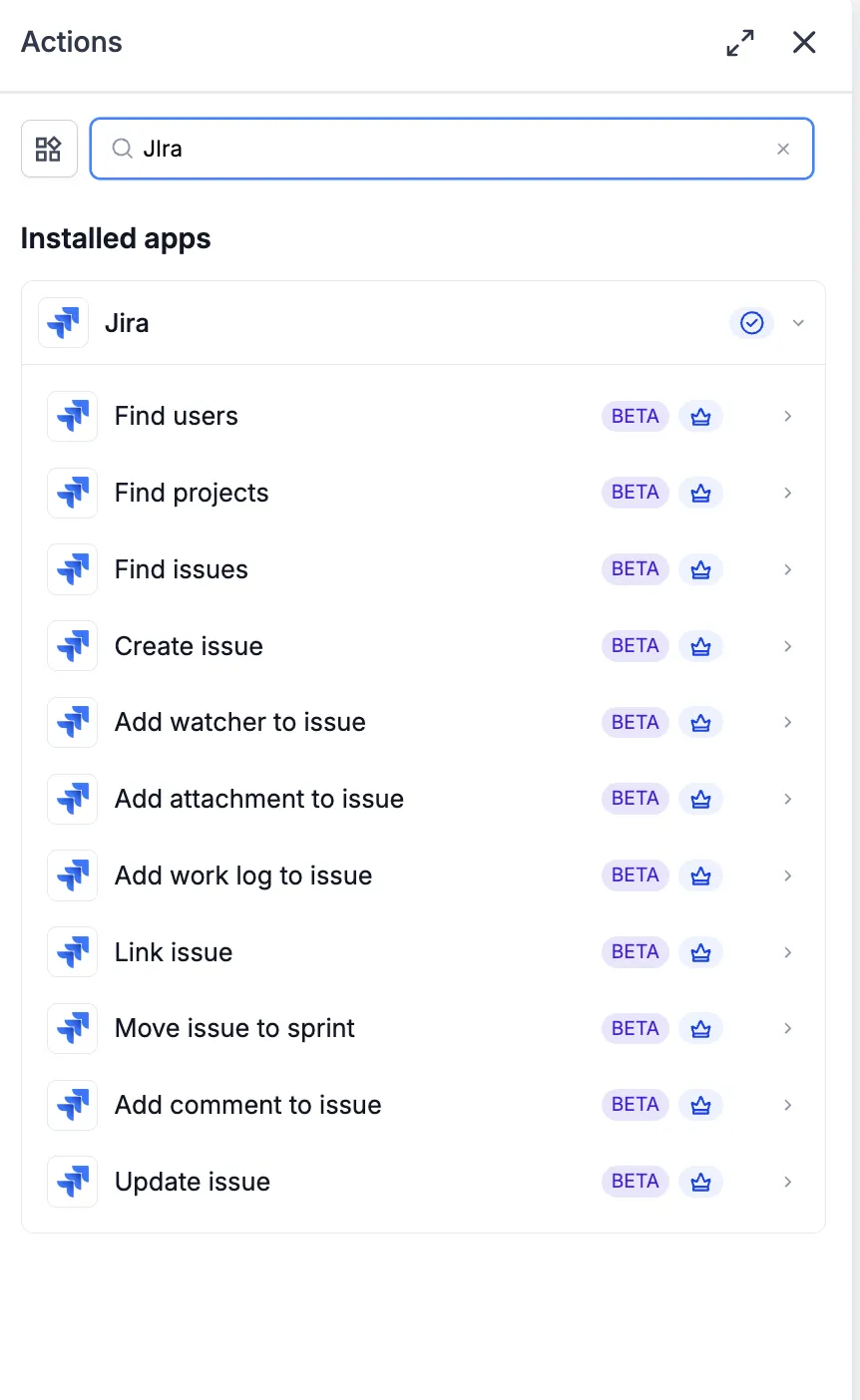
The integration adds two Jira triggers and eleven Jira actions for issue lifecycle work.
Triggers from Jira to workflows
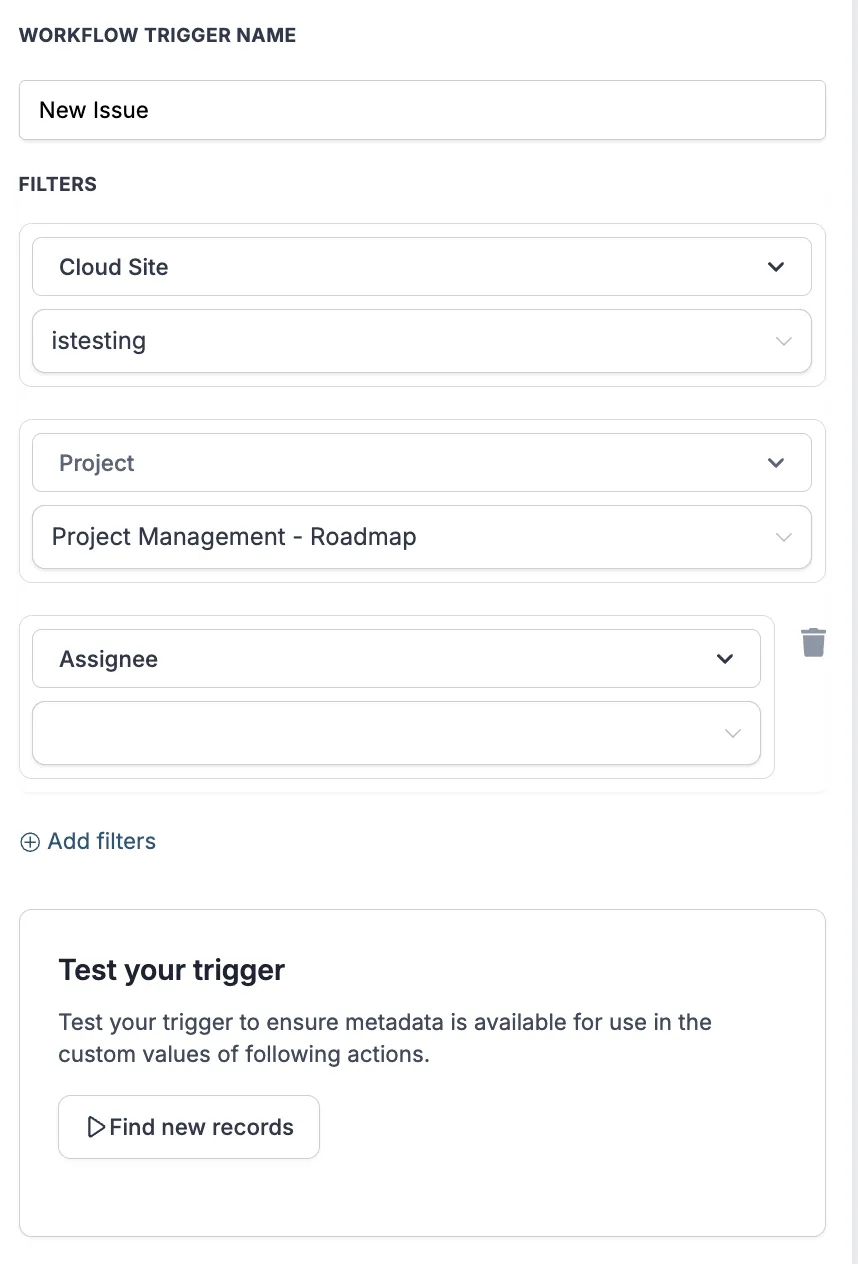
- New issue
- Updated issue
Actions from workflows to Jira
- Find users
- Find projects
- Find issues
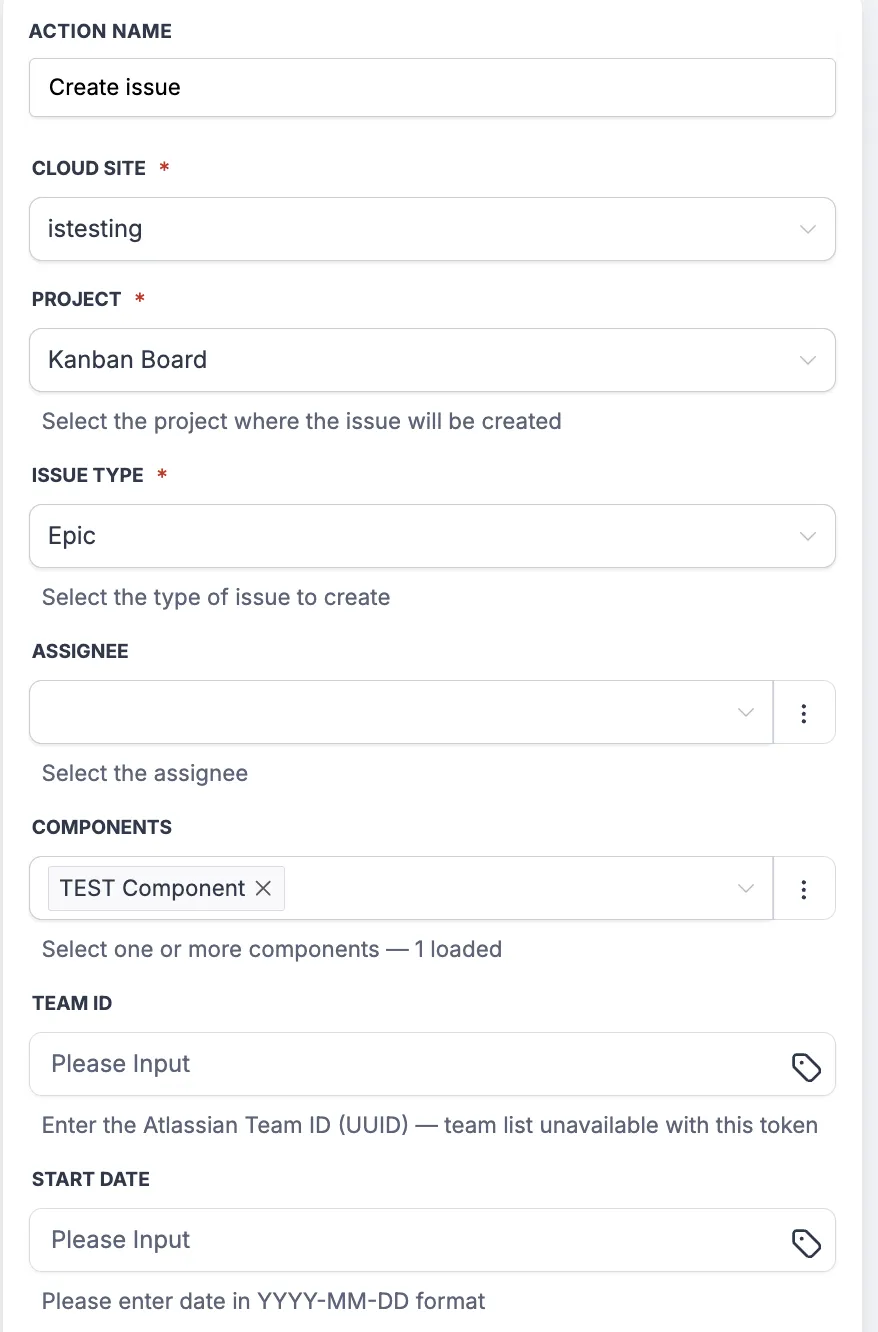
- Create issue
- Update issue
- Add comment to issue
- Add watcher to issue
- Add attachment to issue
- Add work log to issue
- Link issue
- Move issue to sprint
Connection and site selection
Jira connects through OAuth. During setup, users enter a friendly name and the email associated with the Jira account before approving access through Atlassian.
Each Jira trigger and action includes a Cloud Site selector. This helps a connected Atlassian account target the correct Jira Cloud site when the user has access to more than one site. The Cloud Site selection is required for Create issue and can be used as a trigger filter.
Setup steps
- Open the Workflow Builder and add any Jira trigger or action.
- Select Connect your account in the panel.
- In the authentication modal, enter a friendly name, such as Engineering Jira or Support Jira, and the email associated with the Jira account.
- Continue to Atlassian and approve the requested Jira scopes.
- Return to the Workflow Builder and confirm the panel shows the account as connected.
- Select the target Cloud Site for the Jira step.
Example uses
Notify a customer when an issue is resolved
A workflow can listen for an updated Jira issue with a status of Done, find the related contact, and send a resolution message with the fix summary. In the example flow, when an engineer moves an issue to Done in Jira, the workflow matches it back to the customer who reported it and sends the notification within 5 minutes.
Link related Jira issues
A workflow can listen for a new Jira issue, find other issues with a shared external reference, and link them as related or duplicate. This can help reduce duplicate work and keep related reports easier to find inside Jira.
Release Images
Need Help Applying This Update?
Want help turning this update into a working part of your CRM, marketing, or automation setup?
Get Started or schedule a demo and we’ll help you map the right next step.