Reputation Integrations Now Support Multiple Pages
SMBcrm now supports connecting multiple pages per platform across supported reputation integrations. This gives teams more flexibility when managing reviews for multiple brands, branches, or client pages.
What changed
Connect multiple pages per platform
You can link more than one business page under the same review platform, such as multiple Facebook or Yelp listings.
Add as many page connections as needed
There are no caps on page connections, so teams can add the pages they need as review management expands.
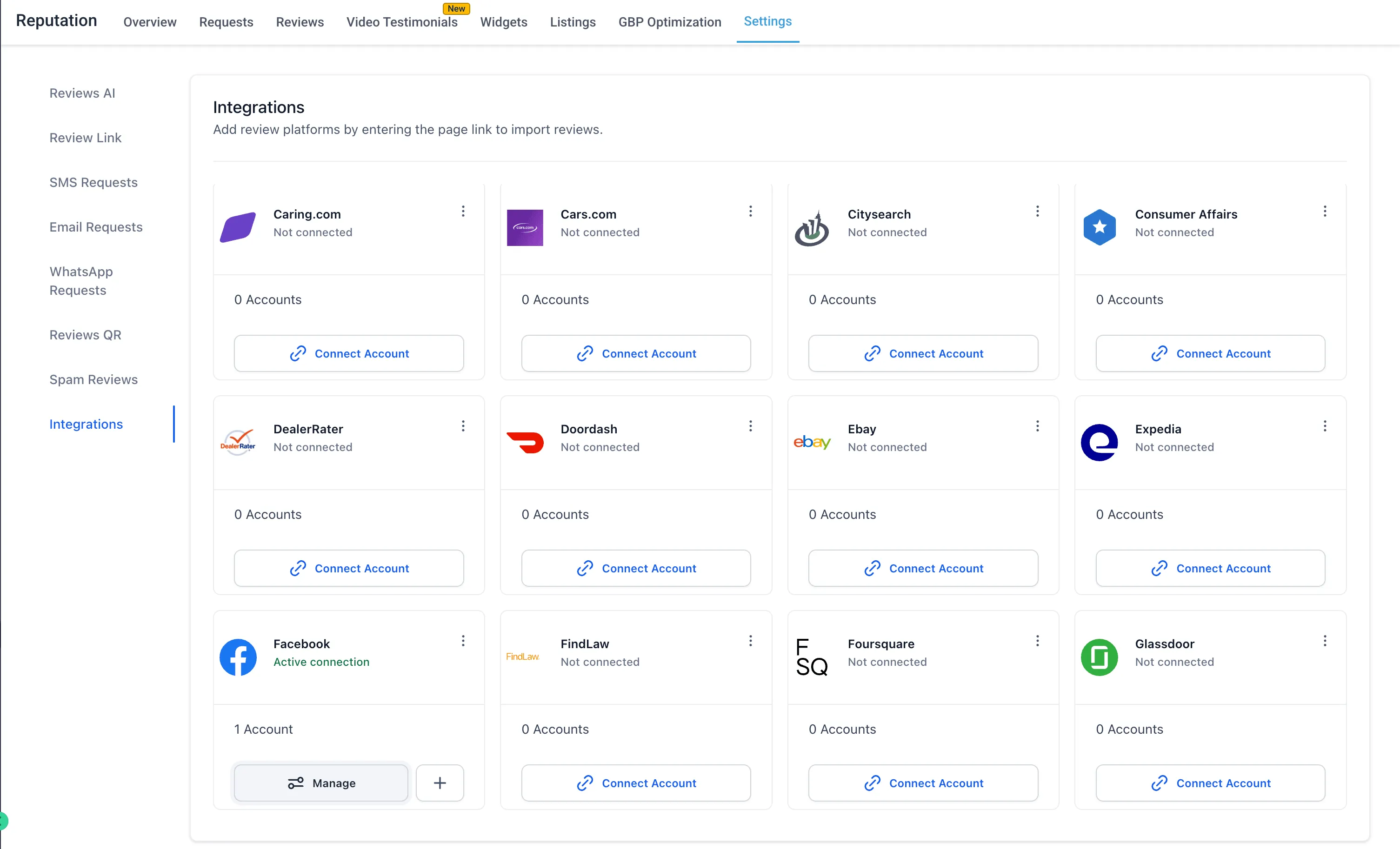
Manage reviews across 52 platforms
Supported platforms include Google Business Profile, Facebook, Yelp, TripAdvisor, Trustpilot, Zillow, Zomato, Airbnb, Amazon, Booking.com, Uber Eats, Glassdoor, Indeed, OpenTable, and more.
Centralized integration management
From the integrations settings, users can:
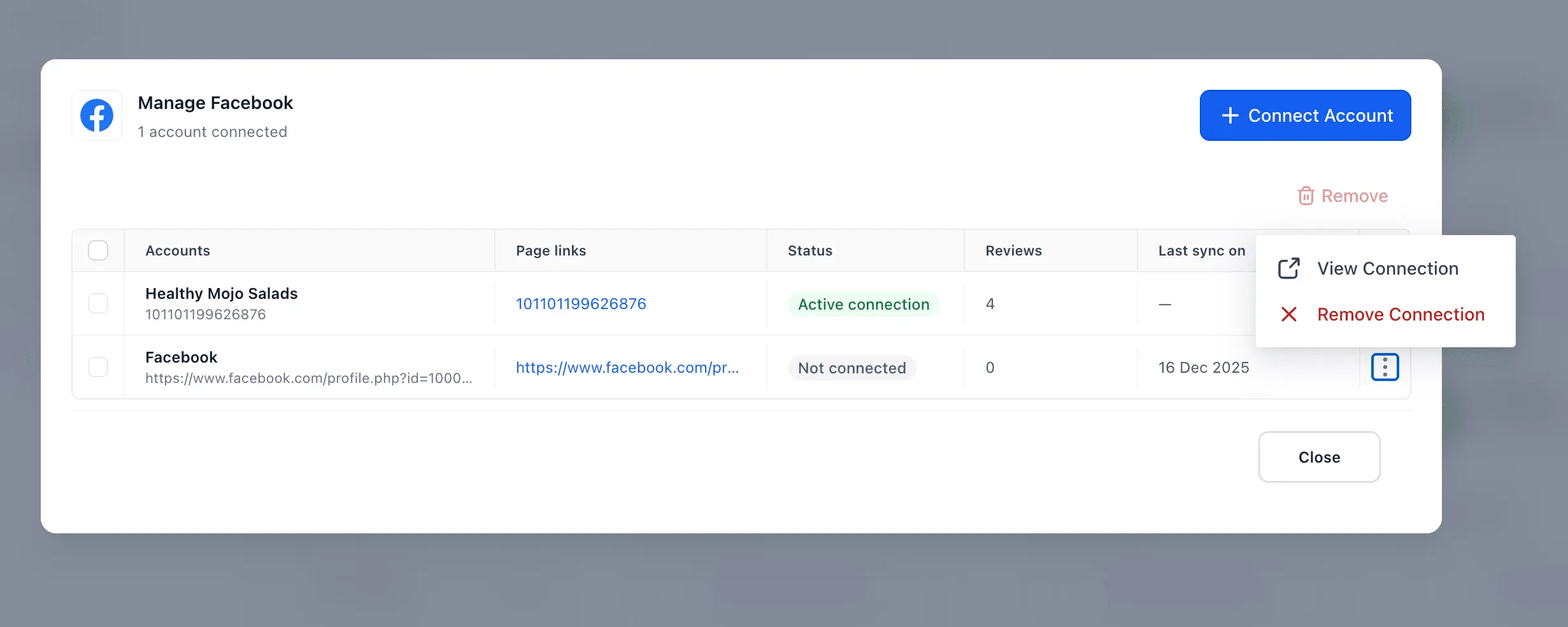
- View all connected pages in one place
- Monitor connection status, including Active or Not Connected
- Manage or remove connections at any time
- Review sync details and page-level information
Page-level visibility
Each connected page can show:
- Page link or reference
- Connection status
- Review count
- Last sync details
How it works
To connect pages:
- Go to Reputation, then Settings, then Integrations.
- Select a platform.
- Click Connect Account.
- Add one or more page links.
- Use Manage to view, monitor, or remove connections.
Why it matters
This update helps teams manage multiple pages from one place, reduce scaling limits for review management, and get clearer visibility into page-level performance.
In Case You Missed It
You may also want to review the recent update on Quiz Results Page Styling and Builder Improvements.
Need Help Applying This Update?
Want help turning this update into a working part of your CRM, marketing, or automation setup?
Get Started or schedule a demo and we’ll help you map the right next step.