SMBcrm has updated how legacy v1 API keys are managed to reduce the risk of unused credentials and support the transition to Private Integration Tokens.
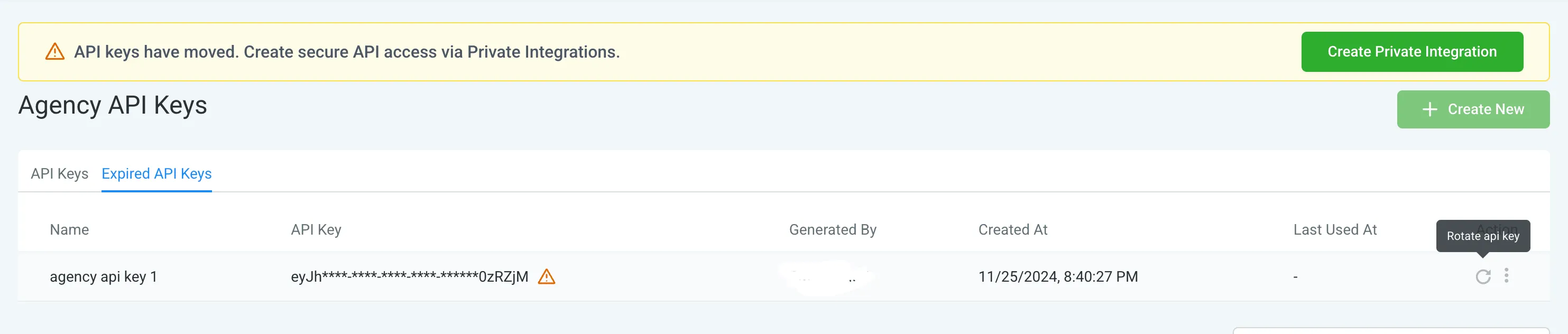
Legacy v1 API keys that have been inactive for more than 90 days are now automatically marked as expired. Active keys are not affected.
What changed
- Legacy v1 API keys inactive for more than 90 days are automatically marked as expired
- This applies to both agency-level and account-level keys
- Expired keys can be made usable again by rotating or refreshing them
- New v1 API key creation is no longer supported
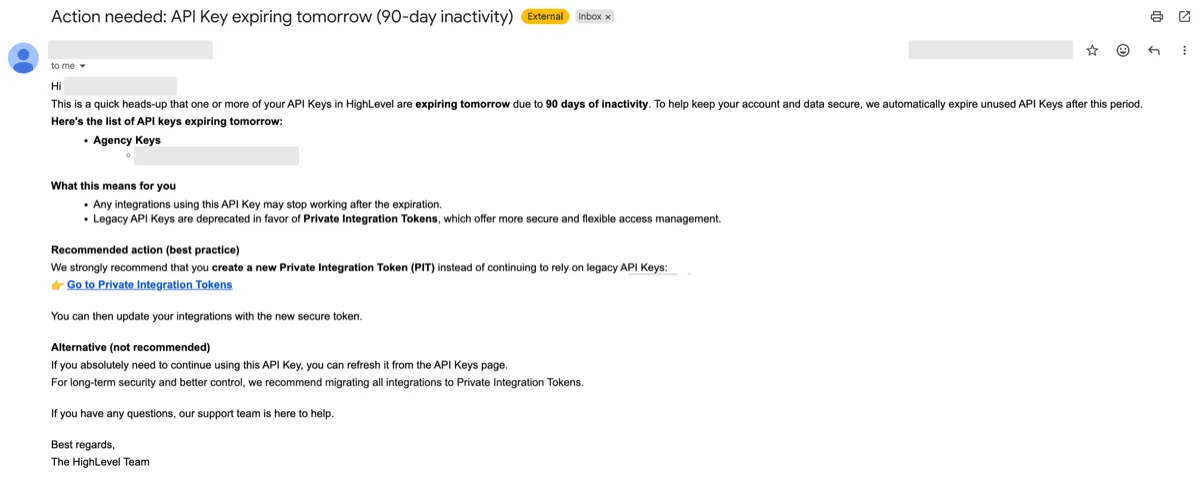
- Email notifications are sent for keys nearing expiration
- Private Integration Tokens should be used for new credentials going forward
Why it matters
This change helps reduce security risk from stale credentials and encourages a more consistent approach for new integrations.
If you still rely on an expired legacy key, you can restore access by rotating or refreshing that key.
In Case You Missed It
You can also read about Ask AI for WhatsApp Campaigns and Template Management.
Need Help Applying This Update?
If you’d like help rolling this out in SMBcrm, visit Support or request a demo.