App QR Codes Route Users to the Right App Store
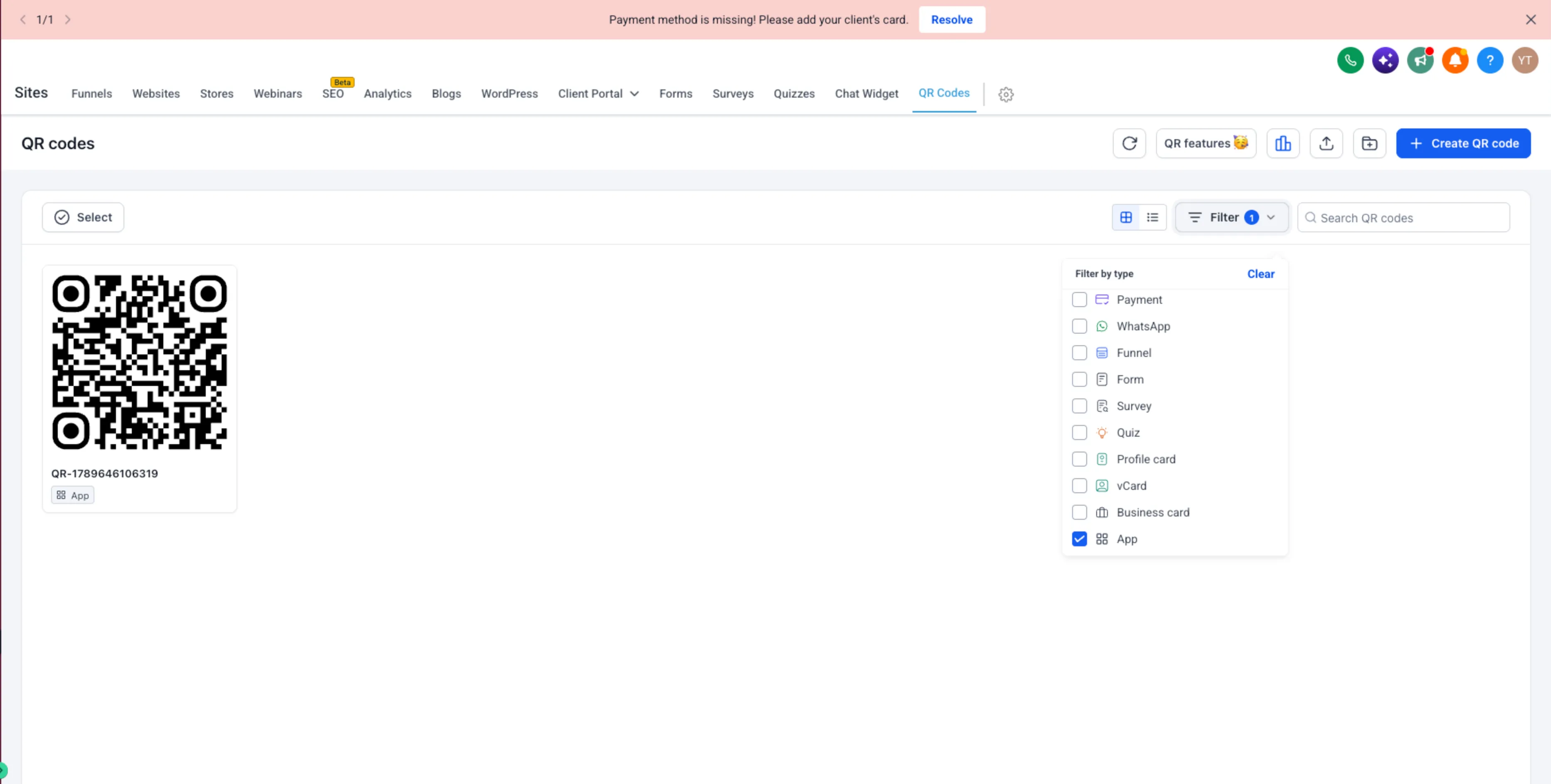
SMBcrm now supports App QR Codes, a QR code type that can automatically send people to the correct app destination based on their device.
What changed
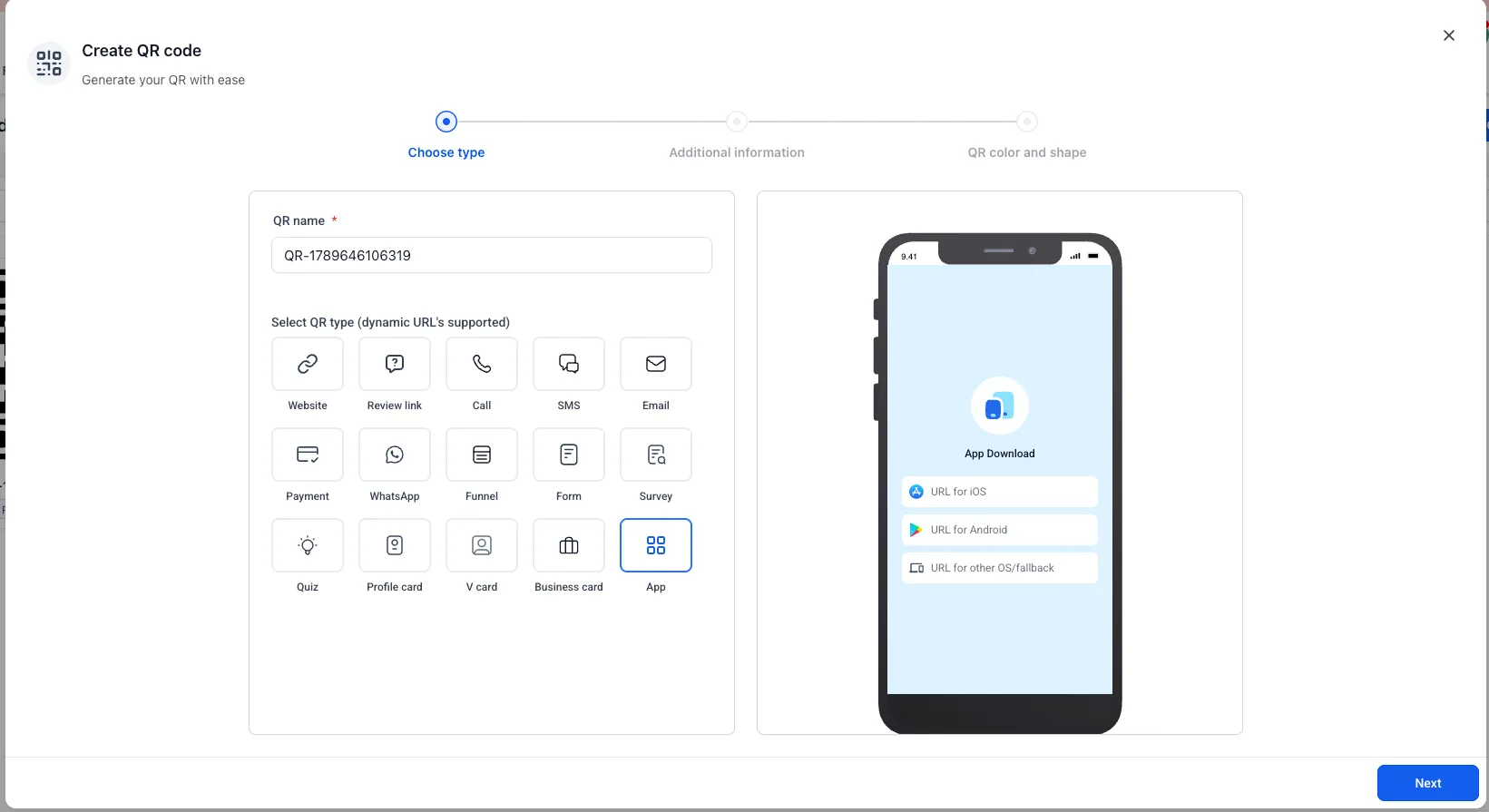
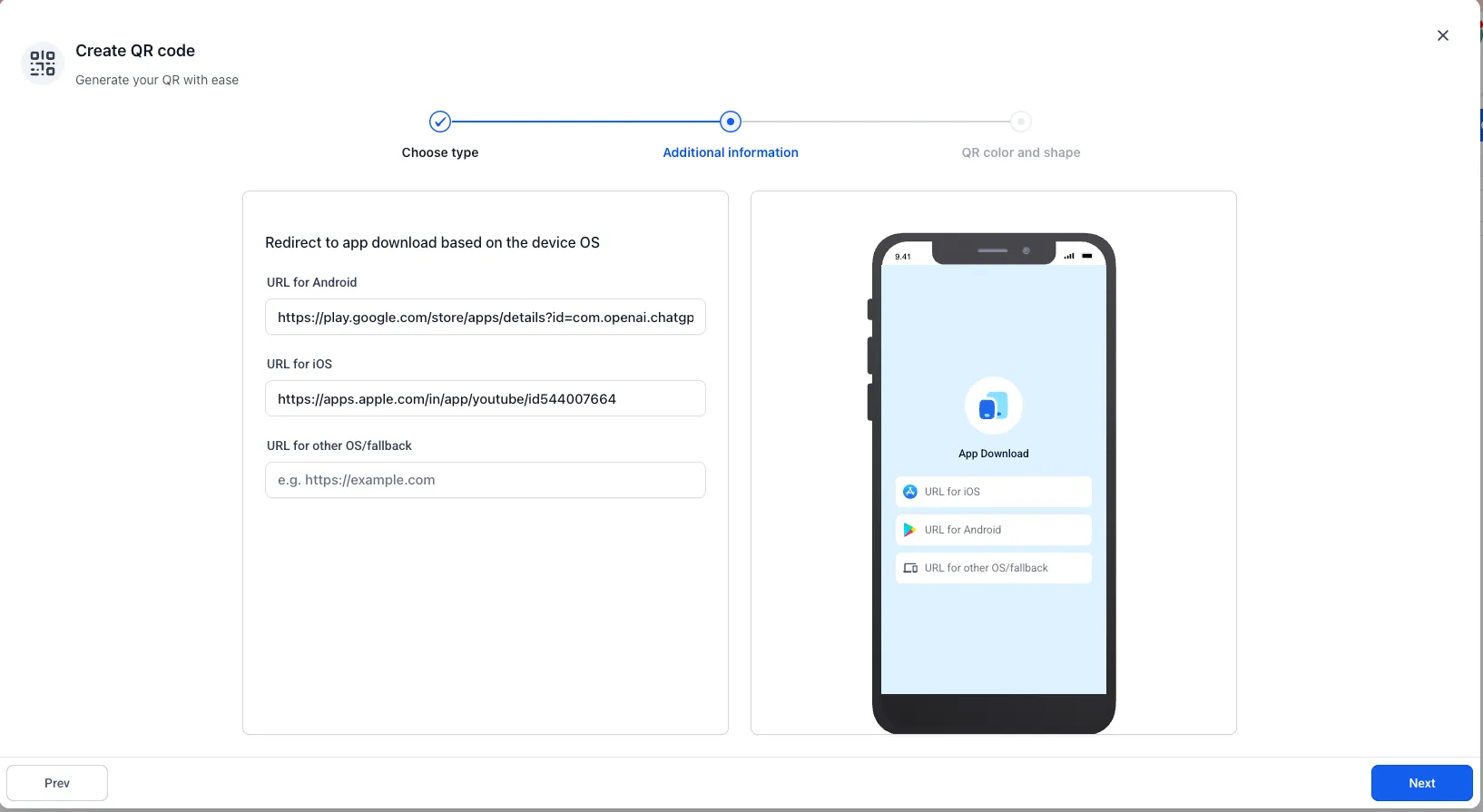
When creating a QR code, you can select the App QR Code type and configure:
- App Store URL for iOS users
- Play Store URL for Android users
- Other Devices URL as a fallback for unsupported or unidentified devices
When someone scans the code, SMBcrm detects the device type and routes them to the matching destination:
- iOS users go to the Apple App Store URL
- Android users go to the Google Play Store URL
- Other or unknown devices go to the fallback URL
Why it matters
App QR Codes reduce the need for separate iOS and Android QR codes or landing pages with multiple download options. Businesses can use one QR code across campaigns, print materials, websites, and other promotional channels while directing users to the right destination.
How to use it
Go to QR Codes, choose Create QR Code, select App, and add the App Store, Play Store, and optional fallback URLs.
The existing QR code design and customization experience remains unchanged.
In Case You Missed It
You may also want to read Workflow Publish Validation Blocks Errors.
Release Images
Need Help Applying This Update?
Want help turning this update into a working part of your CRM, marketing, or automation setup?
Get Started or schedule a demo and we’ll help you map the right next step.