Ask AI Is Now Available in WhatsApp
Ask AI can now be reached from WhatsApp, giving users a way to work with their SMBcrm copilot from a text message instead of opening the app.
This brings Ask AI into a channel many teams already use throughout the day. Once your WhatsApp number is connected, you can message your copilot to handle supported CRM, calendar, content, and follow-up tasks.
What You Can Do from WhatsApp
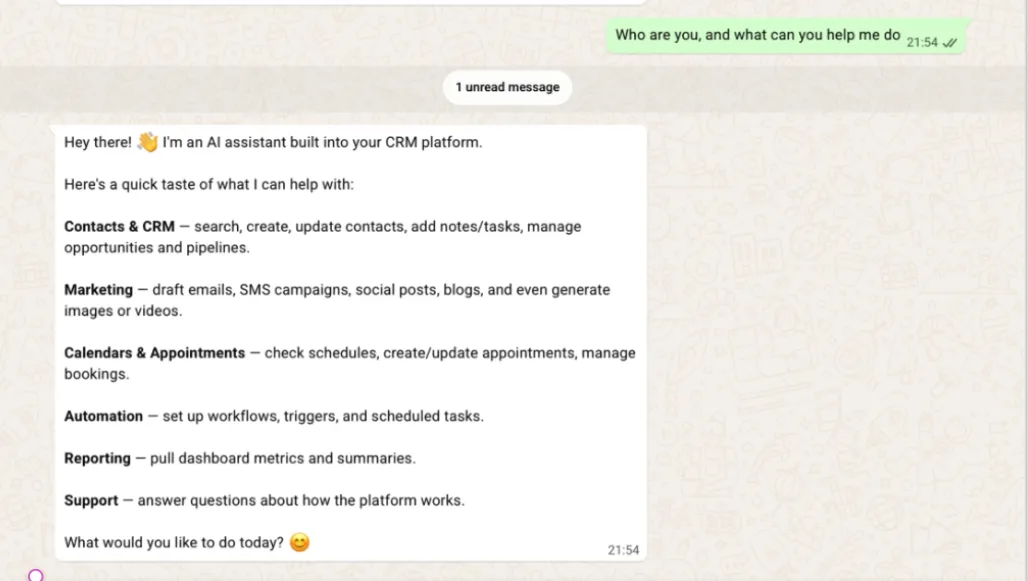
Ask AI in WhatsApp is designed to support the same copilot capabilities available in SMBcrm. You can use it to:
- Look up contacts and opportunities
- Add notes after a client conversation
- Update contact fields
- Move a deal to the next pipeline stage
- Ask what is on your calendar today or what is coming up next
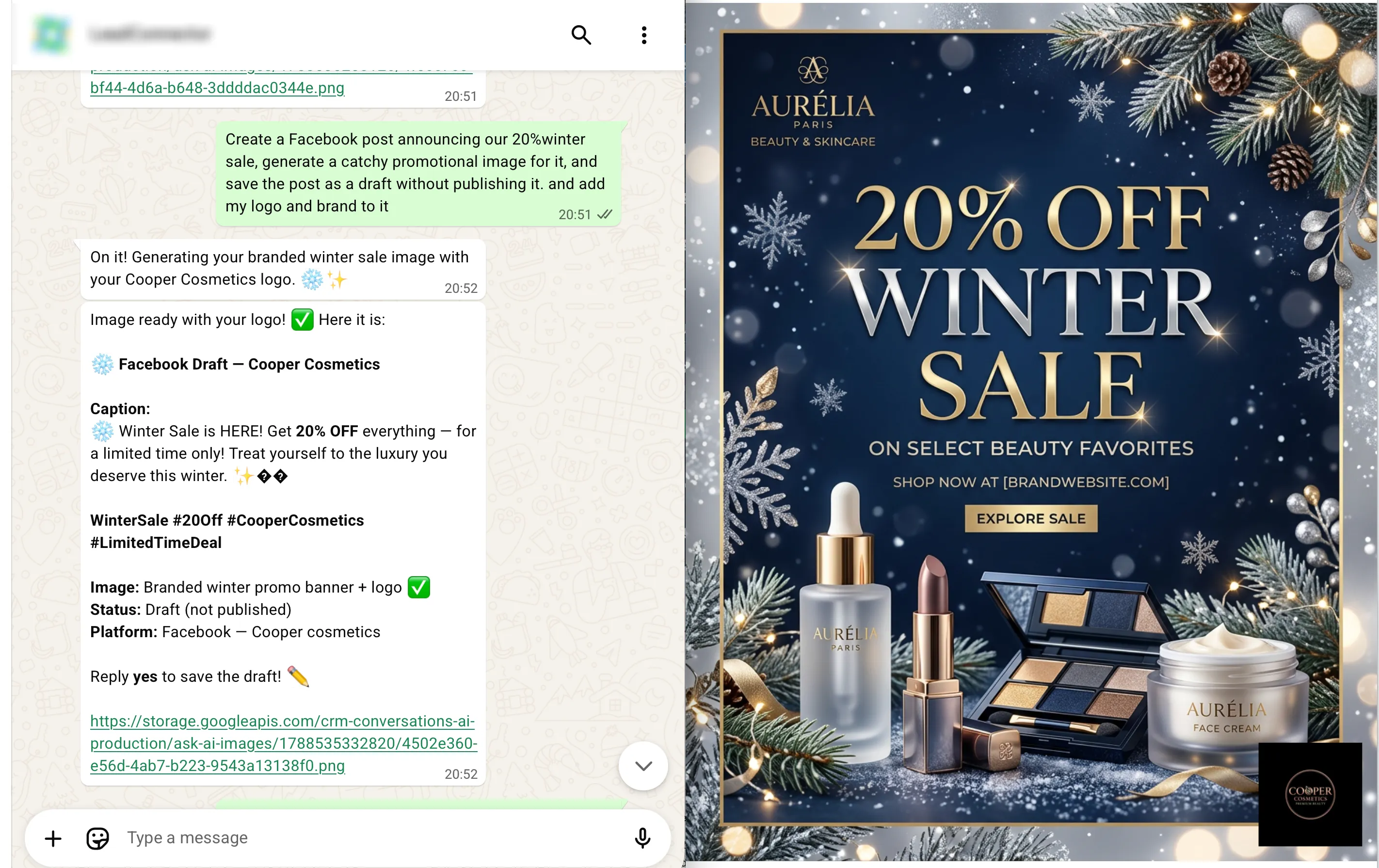
- Draft blog posts, email templates, replies, and outreach content
- Generate images, video, and audio
- Create recurring tasks, such as summarizing new leads every Monday
- Schedule follow-ups from a message
- Use custom skills your team has already configured
- Ask product or account questions and get routed to Support AI when needed
For teams using SMBcrm for AI-powered work and daily customer communication, this makes routine updates easier to capture while conversations are still fresh.
How the Connection Works
Each connected WhatsApp number is private to the person who connects it. Other users cannot see or manage that connection.
If a number is already connected by someone else, the user will see an Unauthorized message. The connection cannot be taken over by another user.
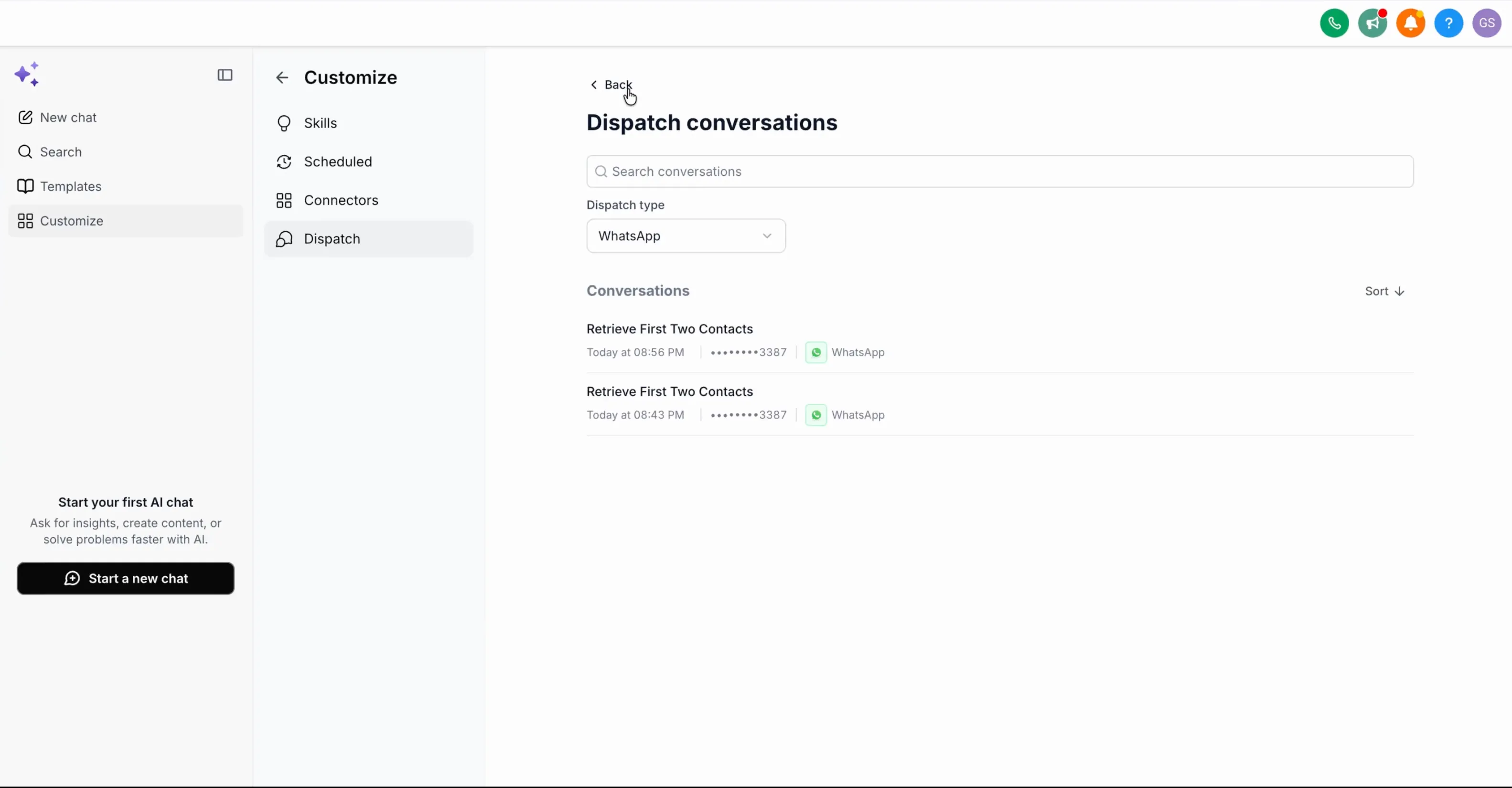
Every WhatsApp exchange is saved in SMBcrm. Conversations appear in the Dispatch tab and in the sidebar, where they are searchable, sortable, and paginated for later review.
If a number is already connected to another account, it can be moved after confirmation without manually disconnecting it first.
How to Connect WhatsApp
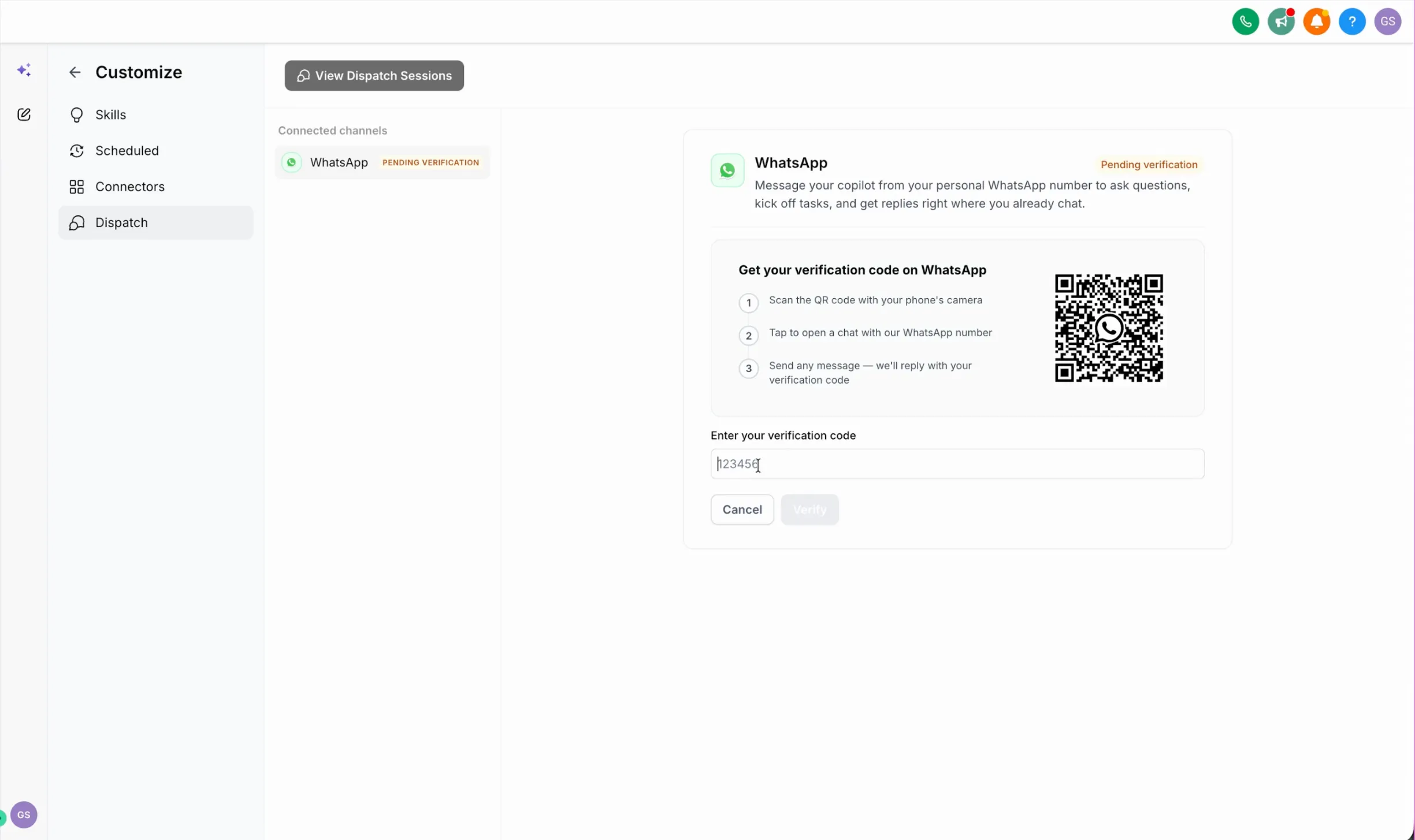
- Open the Dispatch tab, or go to Customize > Dispatch.
- Select Connect WhatsApp.
- Scan the QR code with your phone and send the first message to the number shown.
- Enter the verification code you receive in WhatsApp.
- Message that number any time to reach Ask AI.
Past conversations remain available in the Dispatch tab.
Why It Matters
This update helps users capture CRM work from the place where conversations often happen. Sales teams, field staff, and anyone working away from a laptop can update records, check information, and schedule follow-ups without waiting until they are back at their desk.
It also helps reduce missed details. Notes, deal updates, and follow-up reminders can be added while the context is still fresh.
In Case You Missed It
You may also want to read about how Workflow Publish Validation Blocks Errors before workflows go live.
Release Images
Need Help Applying This Update?
Want help turning this update into a working part of your CRM, marketing, or automation setup?
Get Started or schedule a demo and we’ll help you map the right next step.