Goal Action Now Supports User Replies
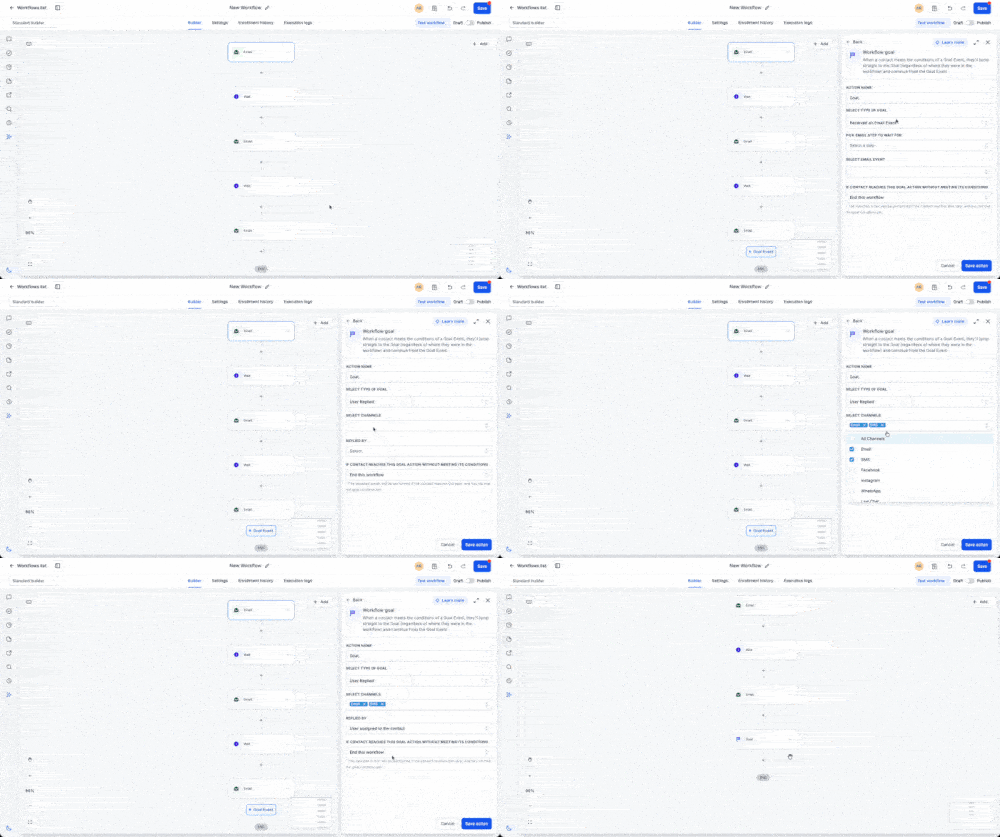
SMBcrm automation workflows can now use User Replied as a Goal event. When a team member replies to a contact through a supported conversation channel, the contact jumps directly to the Goal step and skips intermediate workflow actions.
What changed
The Goal action can now listen for a user reply as the event that completes the goal. This helps a workflow react when human engagement begins instead of continuing scheduled automation.
How to use it
- Add a Goal action to your workflow.
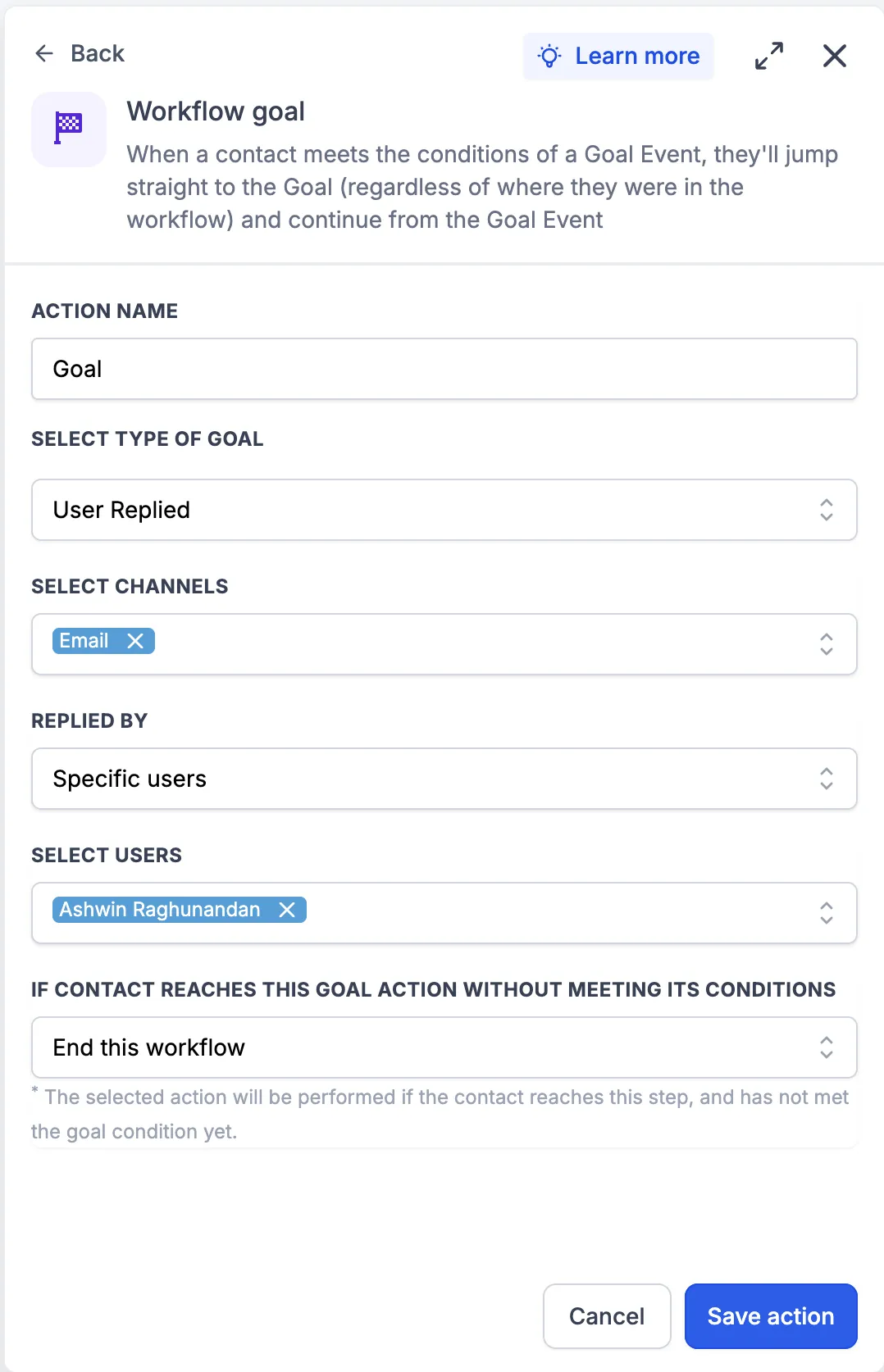
- Select User Replied as the goal event.
- Configure the actions that should run after the Goal is reached.
Why it matters
This update helps prevent unnecessary automated messages after a team member has responded. It can also reduce duplicate communication and move contacts from automated sequences into human-led conversations more smoothly.
Examples
- If a lead is in a 7-day email nurture sequence and a sales representative replies by SMS on Day 2, the workflow can jump to the User Replied goal and skip the remaining nurture emails.
- If a support workflow sends reminders while waiting for an agent response, the contact can reach the User Replied goal as soon as the agent replies, preventing additional reminders.
Notes
- The Goal is reached only when a user sends a reply to the contact.
- Contacts immediately jump to the Goal step and bypass intermediate workflow actions.
- This is useful for ending nurture sequences, avoiding duplicate messaging, and transitioning from automation to human conversations.
Need Help Applying This Update?
Want help turning this update into a working part of your CRM, marketing, or automation setup?
Get Started or schedule a demo and we’ll help you map the right next step.