Layers Panel Added to Certificate and Badge Builder
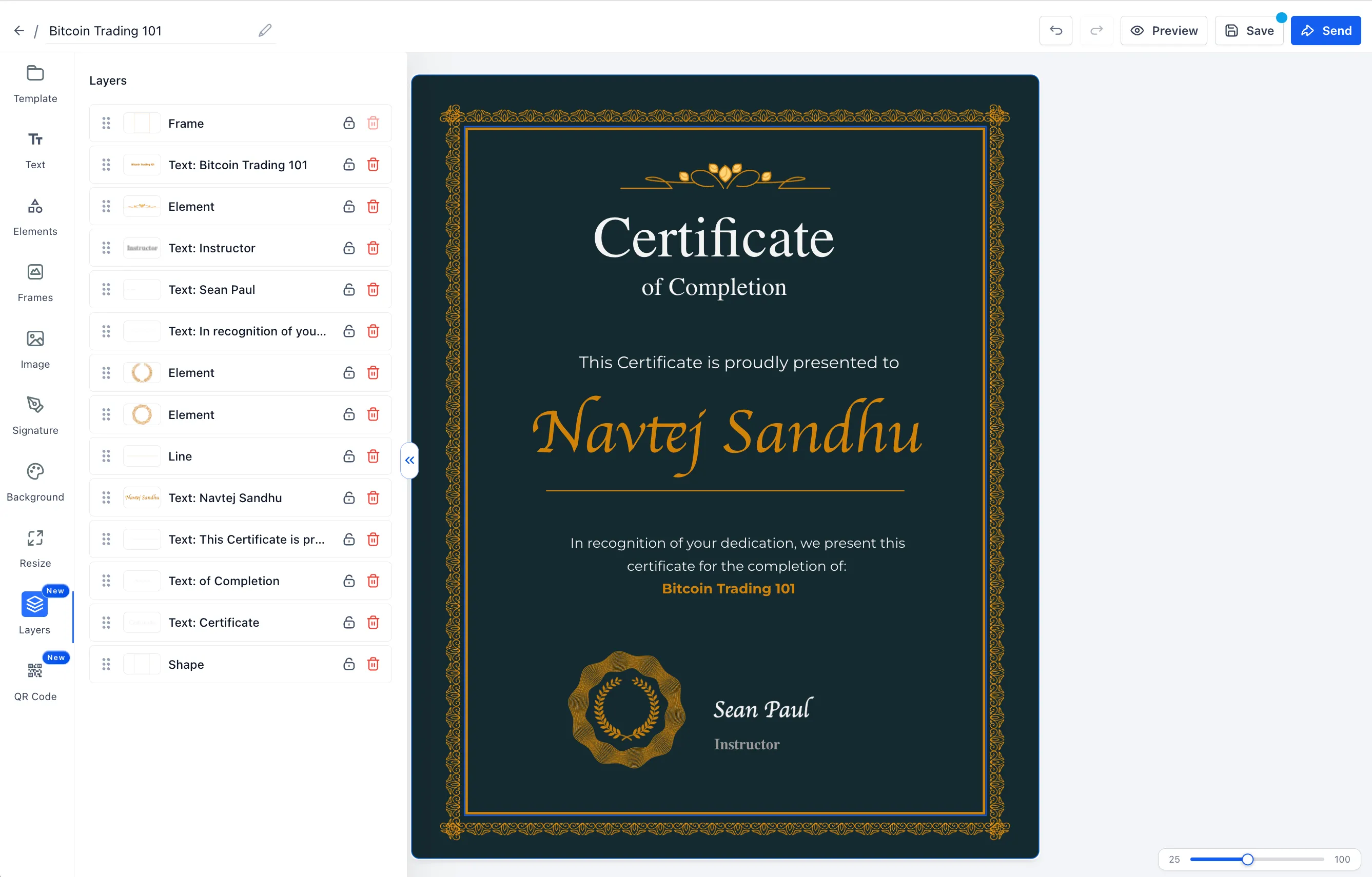
SMBcrm has added a dedicated Layers panel to the Certificate and Badge Builder. Creators can now view the full canvas stack, manage overlapping elements, protect items from accidental changes, and catch invalid custom-field placeholders before publishing.
This update supports faster template editing for certificates and badges inside Memberships & Education.
What Changed
The builder now includes a Layers tab in the left sidebar with a full view of the canvas stack.
From the Layers panel, creators can:
- Click a layer to select the matching element on the canvas
- Drag and drop layers to change stacking order
- Lock or unlock individual layers
- Delete unlocked layers directly from the panel
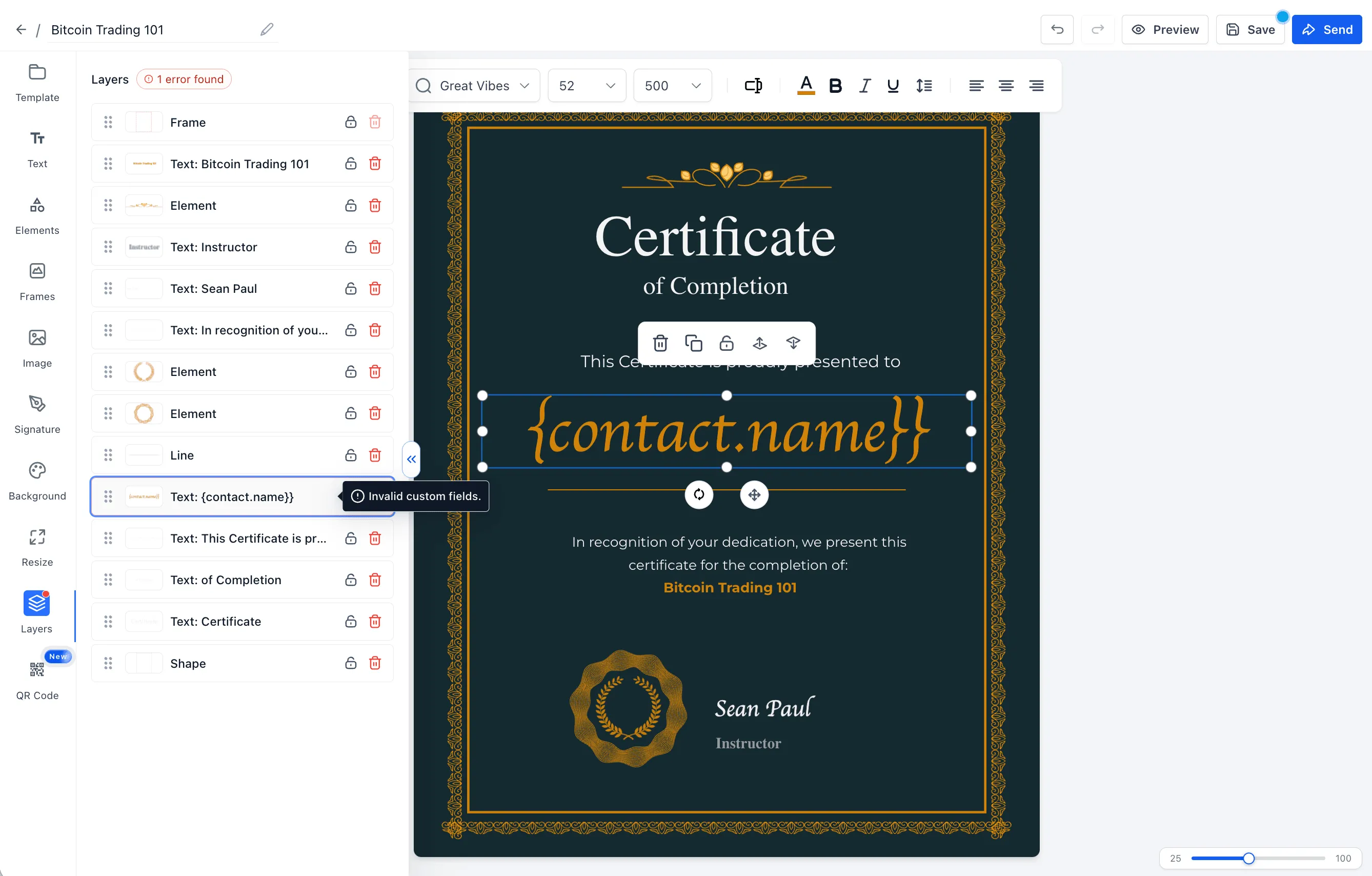
- See invalid custom-field placeholders flagged with an error pill
Lock Protection for Safer Editing
Locked layers cannot be moved, resized, deleted, or edited with shortcuts. This helps prevent accidental changes to important certificate or badge elements while creators continue working on the rest of the design.
Placeholder Warnings Before Publishing
Invalid custom-field placeholders are now easier to spot in the builder. When a manual save detects invalid placeholders, SMBcrm warns the creator so they can fix the issue before certificates are issued. Auto-save behavior is unchanged.
How to Use It
To get started:
- Open the Certificate and Badge Builder.
- Select the Layers tab in the left sidebar.
- Click a row to select an element, drag rows to reorder, lock layers to protect them, or delete unlocked layers.
- Review and fix any invalid custom fields shown in the error pill before publishing.
Need Help Applying This Update?
Want help turning this update into a working part of your CRM, marketing, or automation setup?
Get Started or schedule a demo and we’ll help you map the right next step.