Refreshed Store Builder Placeholder Images
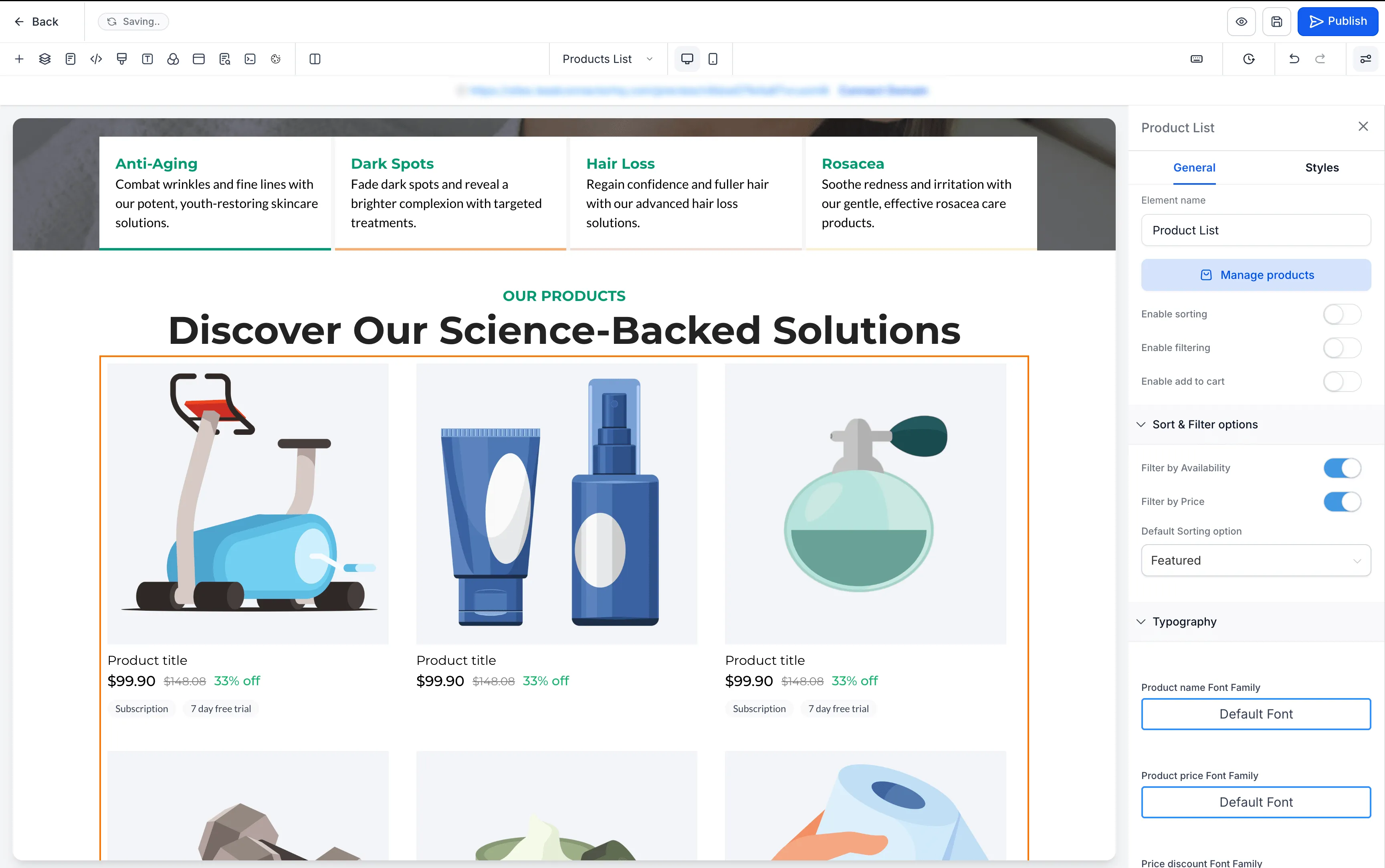
SMBcrm has refreshed the placeholder images used across ecommerce store pages and elements in the Page Builder. The updated illustration-based placeholders are designed to make the editing experience clearer and more consistent when no product or collection is connected.
What changed
The refreshed placeholders are available across:
- Product Listing pages
- Product Detail pages
- Cart pages
- Checkout pages
- Thank You pages
- Featured Product elements
- Featured Products elements
- Upsell elements
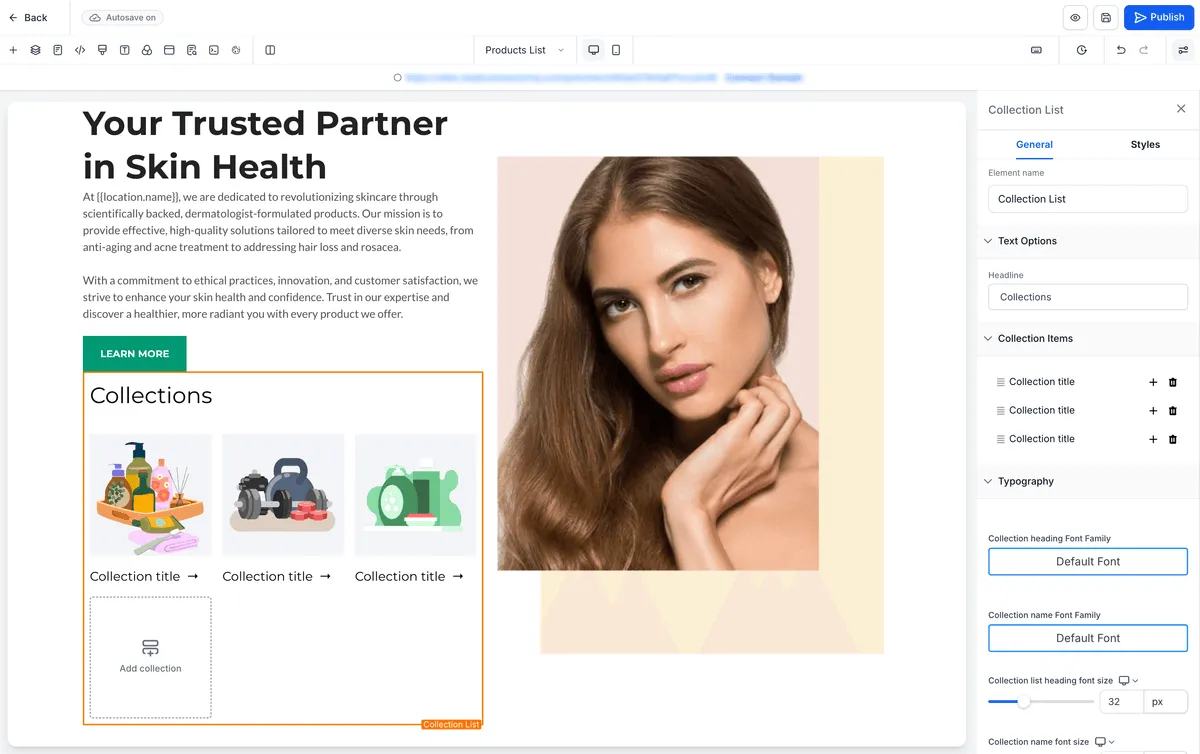
- Collection elements
Placeholder text has also been standardized, including labels such as Product title and Collection title.
Preview improvements
Builder previews now also show:
- Subscription and Free Trial badges below the price on product cards
- A product image placeholder for collections without an image instead of a gray placeholder
How to turn it on
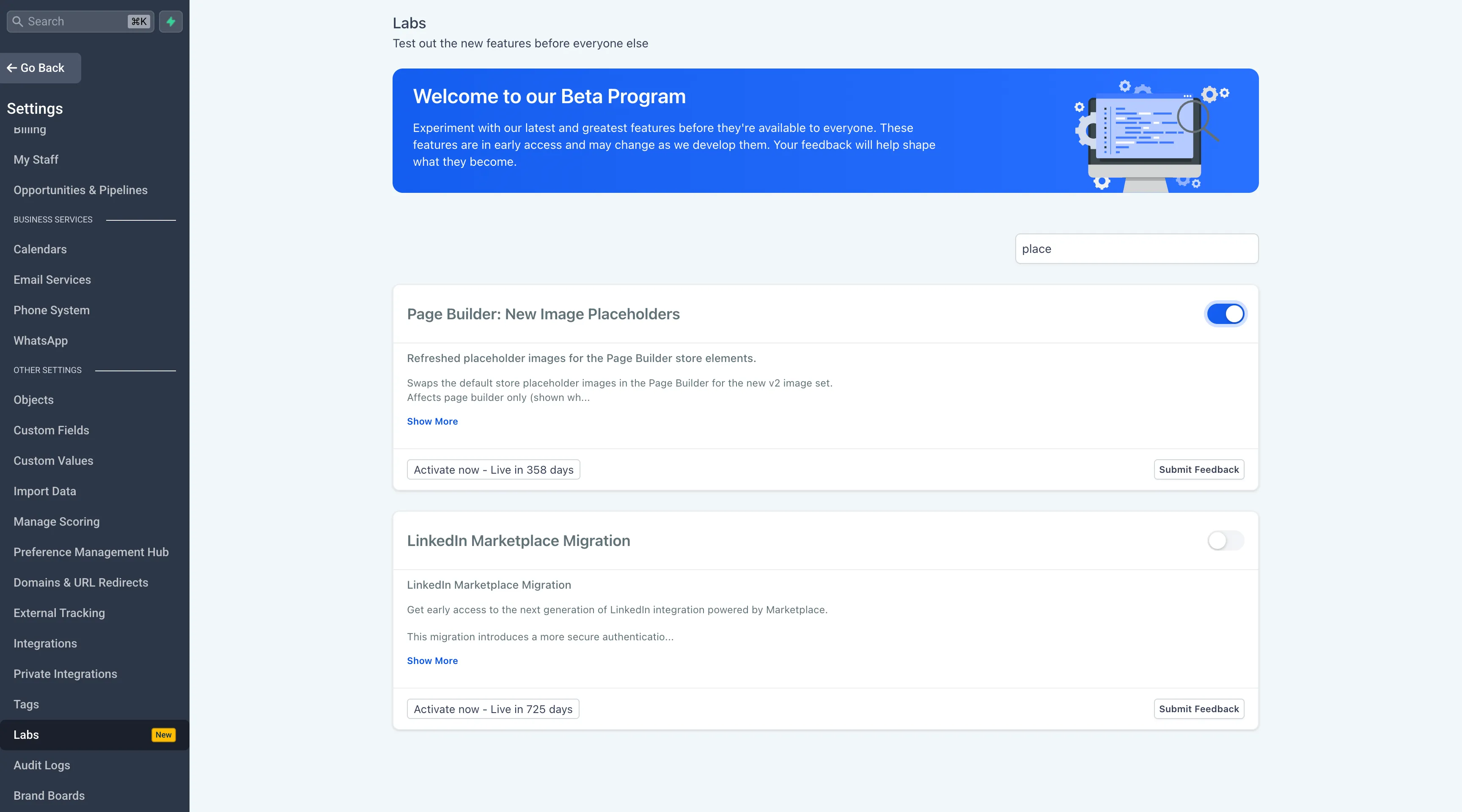
- Go to Admin Portal > Settings > Labs.
- Search for Page Builder: New Image Placeholders.
- Toggle the feature On.
- Reload the Page Builder to see the updated placeholders.
Key notes
- This is a visual-only enhancement with no changes to layouts, functionality, or live store content.
- The update only affects placeholder images shown when no product or collection is connected.
- The Labs flag is enabled per account and can be turned off anytime to restore the original placeholders.
Need Help Applying This Update?
Want help turning this update into a working part of your CRM, marketing, or automation setup?
Get Started or schedule a demo and we’ll help you map the right next step.