Smarter Local Presence Dialing for Outbound Calls
Local presence dialing has been rebuilt to improve how SMBcrm selects caller IDs for outbound calls. The update focuses on smarter matching, broader country coverage, consistent caller ID behavior, and more control over which numbers are used automatically.
What improved
- Expanded country support: Geographic matching is active across the US, Canada, UK, and Australia, using postal code distance calculations instead of static lookup tables.
- Consistent caller ID: Contacts see the same number on repeat attempts, helping build familiarity and support consistent outbound calling behavior.
- Broader outbound coverage: Local presence dialing works across outbound paths including the web dialer and desk phones. Support for the SMBcrm Mobile app is coming soon.
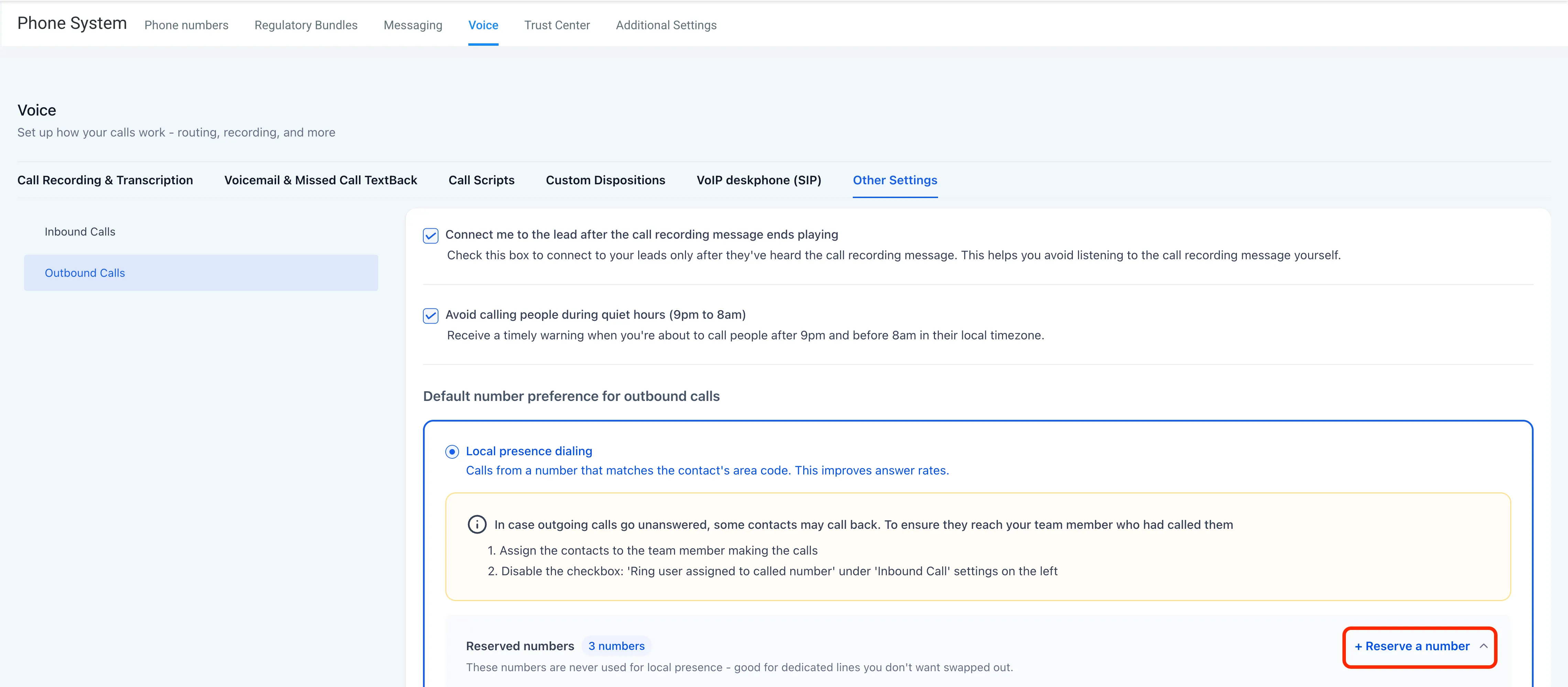
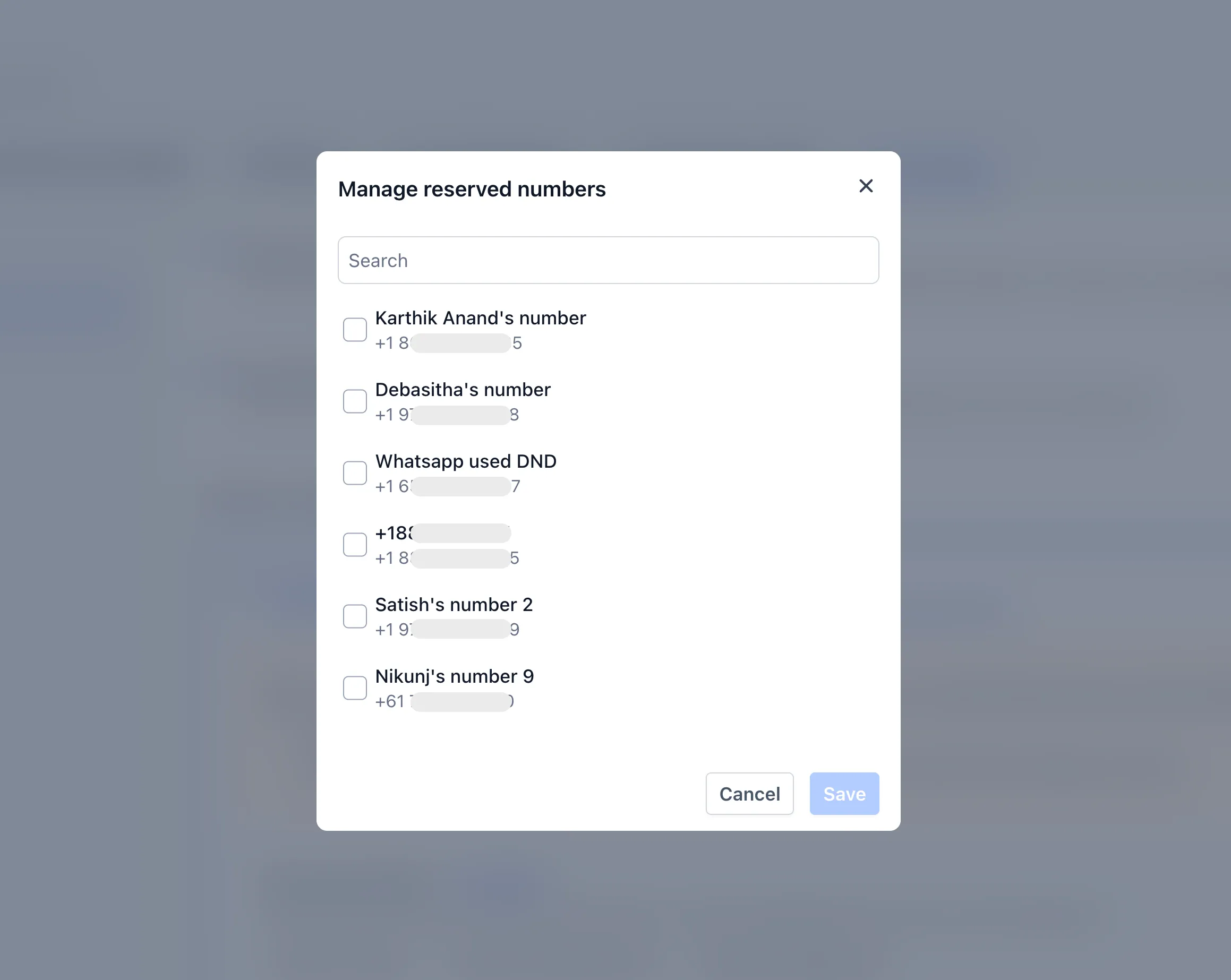
- Reserved numbers: Mark up to 50 numbers per account as reserved so they are not auto-selected, while keeping them available for manual dialing.
- Smarter matching ladder: Calls follow a prioritized matching path: contact ZIP code, area code, overlay code, nearest available distance, same region, then account default.
- Fail-safe routing: Outbound calls are not delayed or blocked if a local match is unavailable or contact data is missing. SMBcrm uses the account default instead.
How to adjust local presence settings
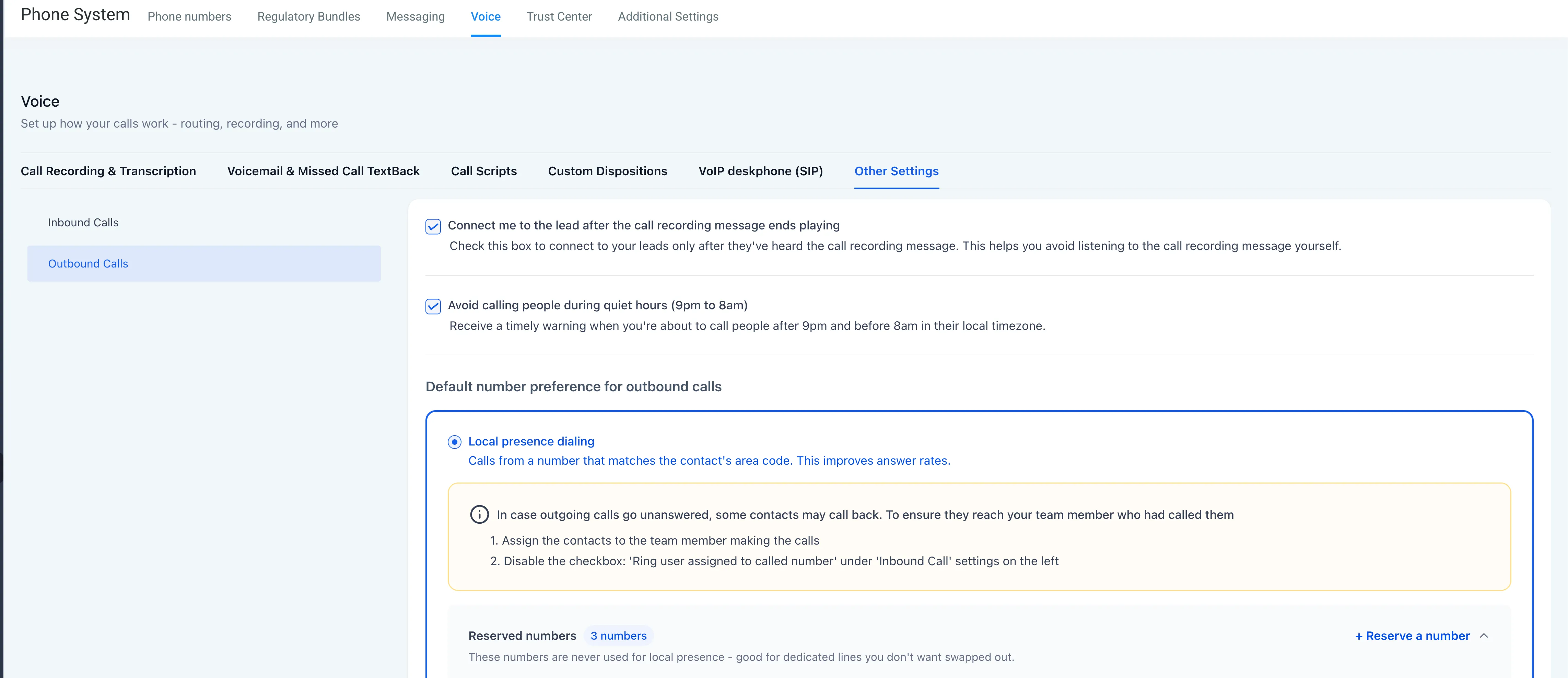
To configure reserved numbers or update local presence dialing settings, go to Settings > Phone System > Voice > Other Settings > Outbound Calls, then scroll to the Local presence dialing section.
Release Images
Need Help Applying This Update?
Want help turning this update into a working part of your CRM, marketing, or automation setup?
Get Started or schedule a demo and we’ll help you map the right next step.