Video Testimonial Automation and Publishing Controls
This update adds automation and publishing controls for video testimonials in SMBcrm, helping teams respond to new submissions and manage which testimonials appear on public widgets.
What Changed
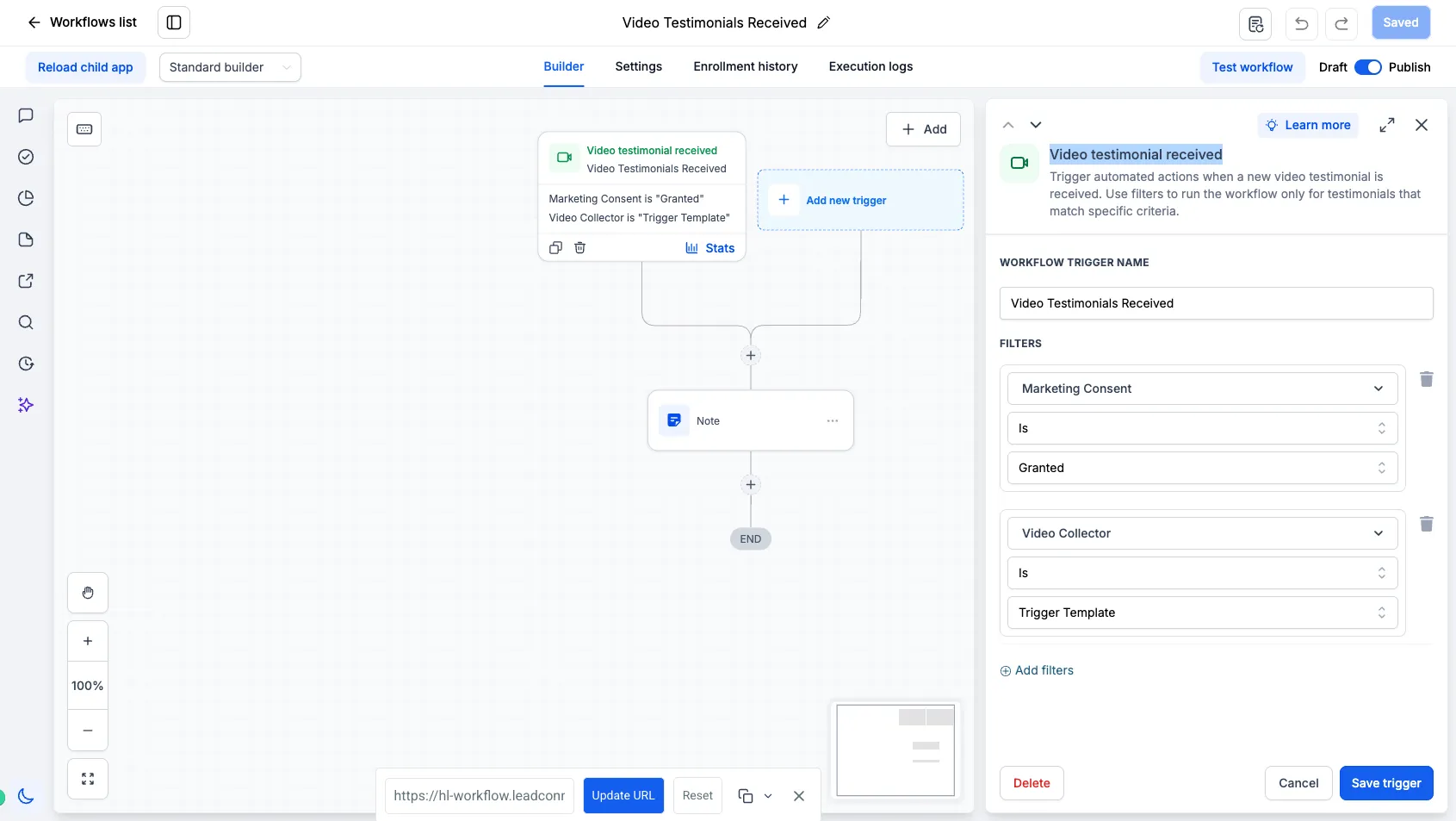
Video testimonials now support a workflow trigger when a new submission is received through a Video Testimonial Collector. Teams can use this trigger to automate follow-up and internal actions as soon as a testimonial is submitted.
Common uses include:
- Notifying internal teams when a new testimonial is received
- Sending a thank-you or follow-up message to the reviewer
- Creating tasks or notes for the team
- Passing testimonial information into webhooks or other workflow actions
- Building different automation paths based on the collector or marketing consent
These updates extend SMBcrm’s Reputation & Growth tools with more control over testimonial collection, automation, and publishing.
Workflow Filters for Video Testimonials
The video testimonial workflow trigger includes filters so teams can decide which submissions should enter a workflow.
Available filters include:
- Marketing consent, based on whether consent was granted
- Video collector, so workflows can run only for testimonials submitted through a specific collector
This supports separate automations for different campaigns, products, events, partners, or testimonial use cases.
Video Testimonial Custom Values
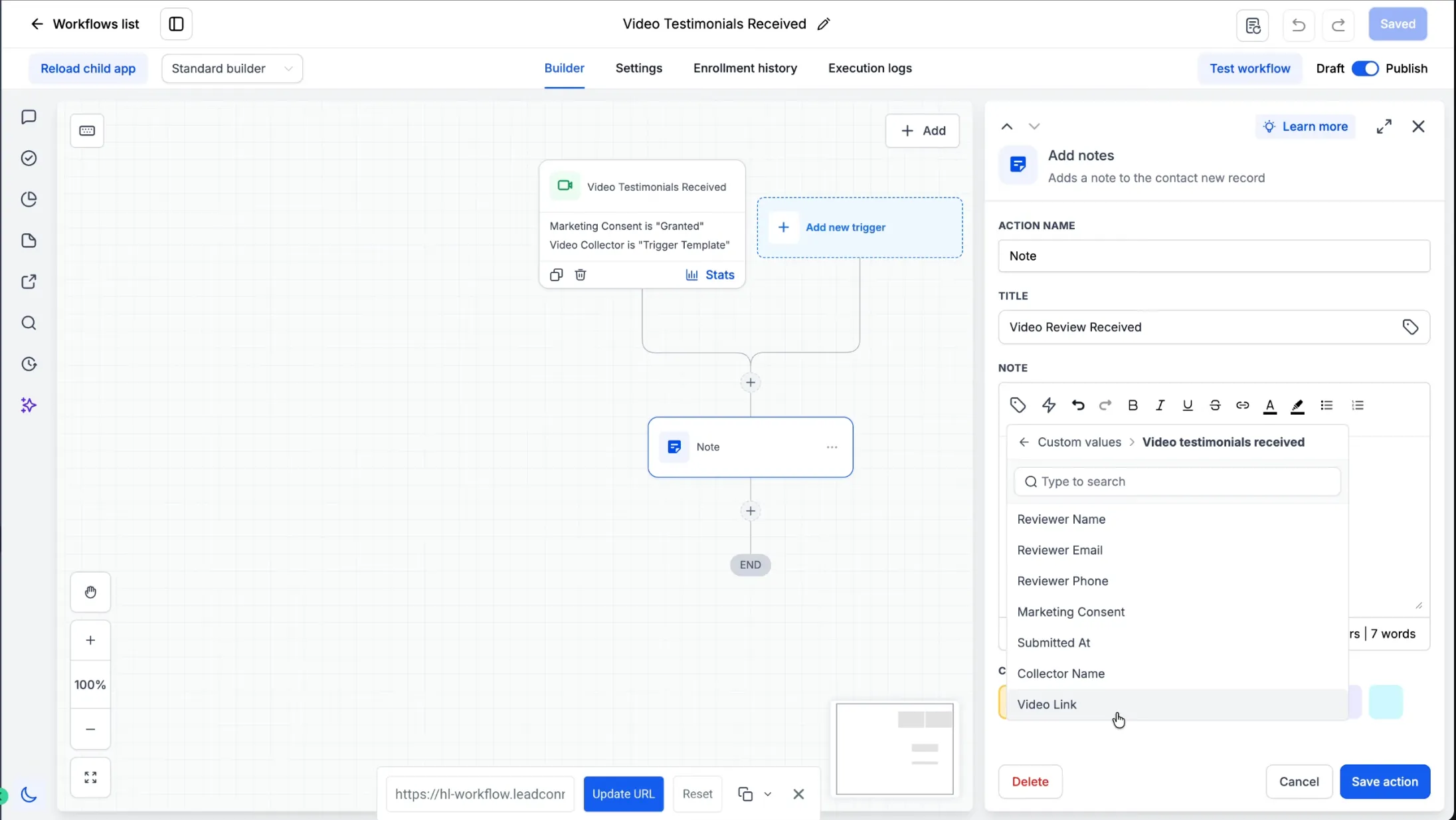
Testimonial data is available as custom values inside supported workflow actions. Available values include:
- Reviewer name
- Reviewer email
- Reviewer phone
- Marketing consent
- Submitted at
- Collector name
- Video link
These values can be used in workflow actions such as internal notifications, notes, emails, SMS, webhooks, and other supported workflow steps.
Approval and Widget Visibility Controls
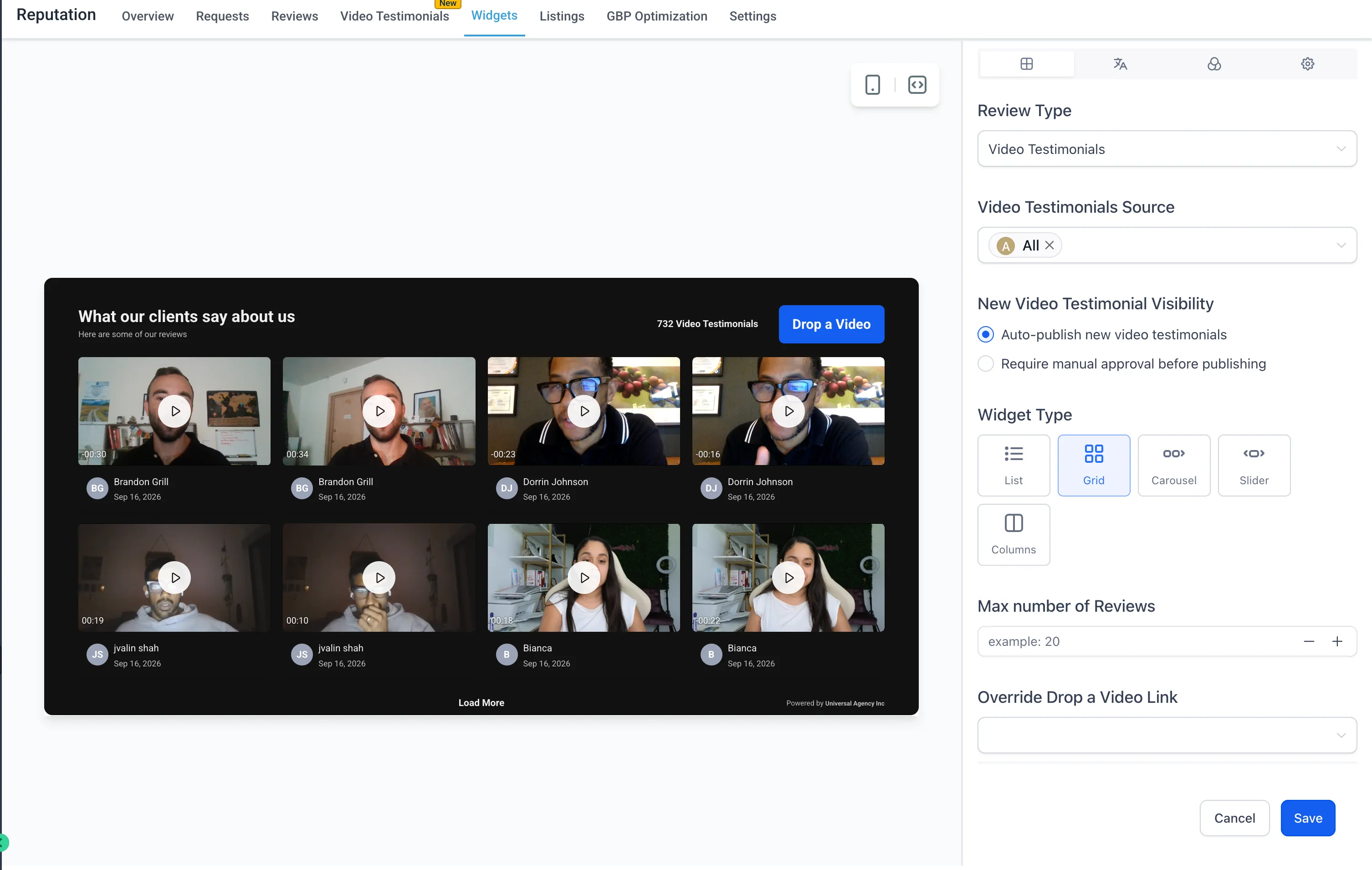
Teams have more control over which video testimonials are displayed on widgets. In Reputation widget settings, users can choose how new testimonials are handled:
- Auto-publish new video testimonials, which displays new submissions on the widget automatically
- Require manual approval before publishing, which holds new submissions for review before they appear publicly
Auto-publishing is the default behavior, while manual approval gives teams a moderation step before testimonials are shown.
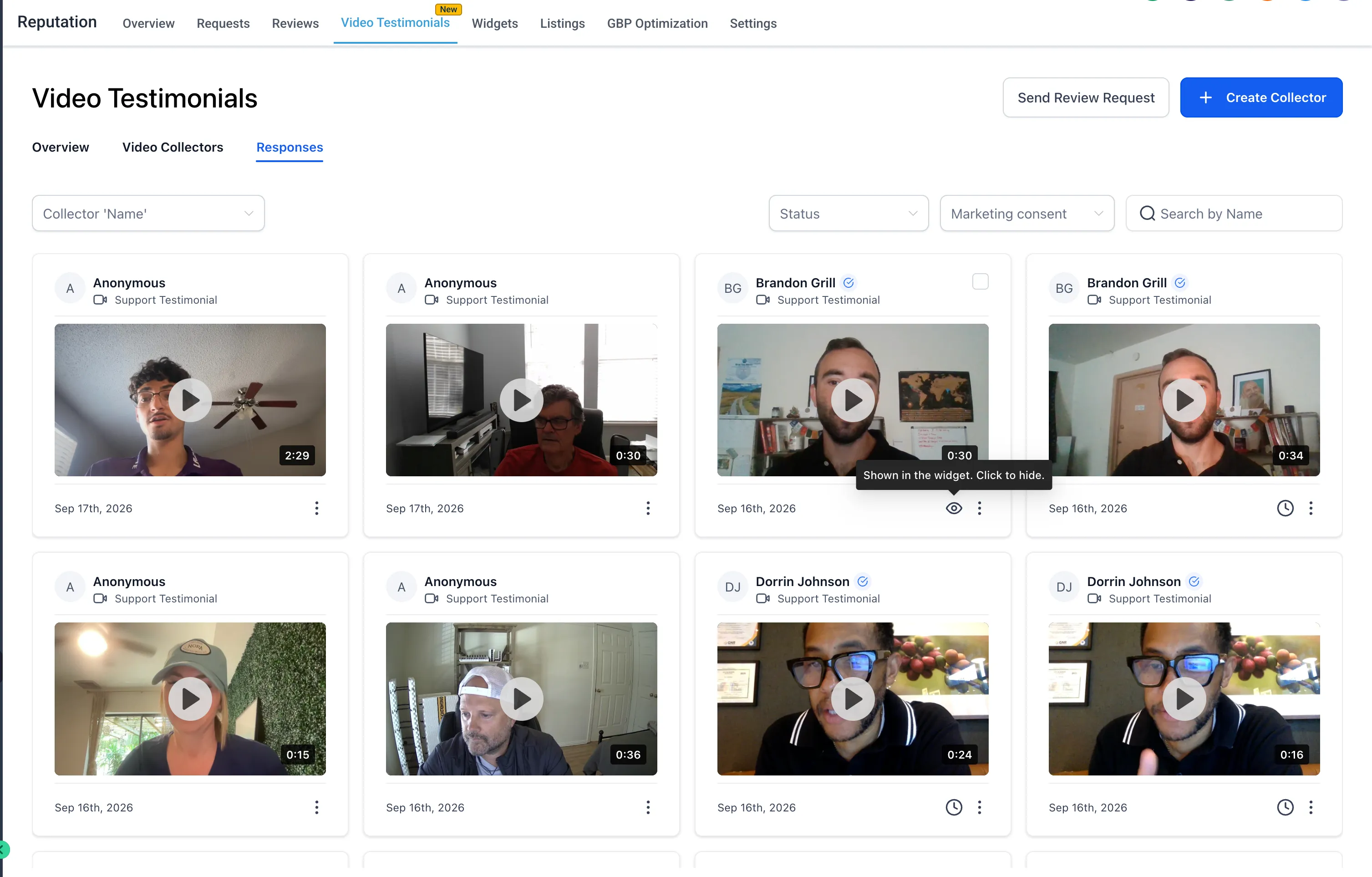
Manage Visibility from Responses
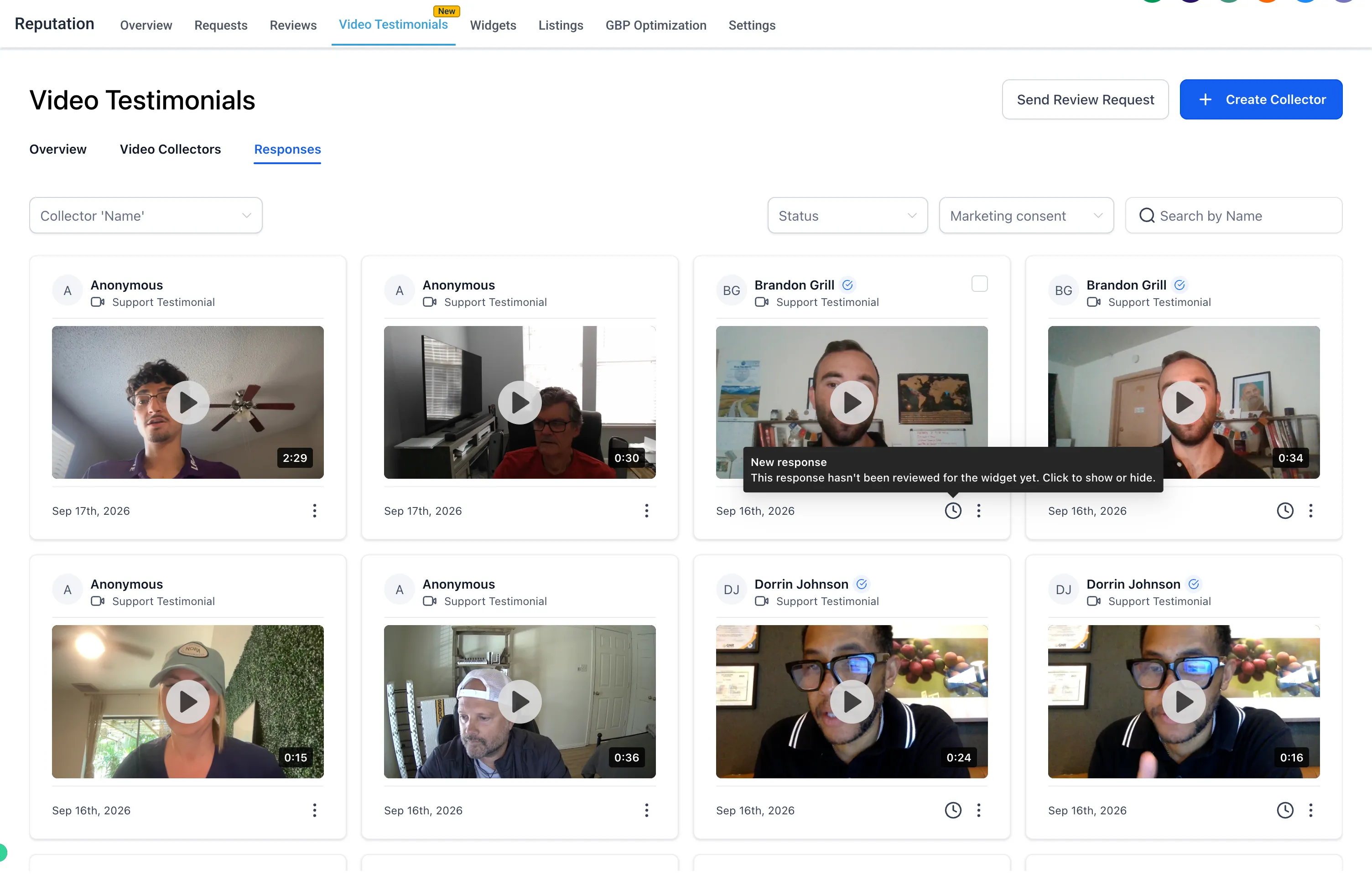
The Video Testimonials Responses page also makes it easier to review and manage each submission. Users can:
- Identify newly received testimonials that have not been reviewed
- See when a testimonial is currently shown on the widget
- Show or hide individual testimonials directly from the Responses page
This gives teams a central place to manage testimonial visibility without editing the widget configuration each time.
Why It Matters
These improvements help teams automate follow-up, use testimonial data in workflows, and control which video testimonials appear publicly. They also support both automatic publishing and manual review, depending on how a business wants to manage its testimonial process.
Release Images
Need Help Applying This Update?
Want help turning this update into a working part of your CRM, marketing, or automation setup?
Get Started or schedule a demo and we’ll help you map the right next step.