Wait Steps Can Pause Until a Team Member Replies
What changed
The Wait action in SMBcrm automation workflows now supports User Replied as a wait condition. In addition to waiting for a contact reply, a workflow can pause until a team member responds to the conversation before continuing.
Combined with an optional timeout, this helps teams build response-time workflows that continue immediately when a user replies or move into escalation steps when the timeout is reached.
How it works
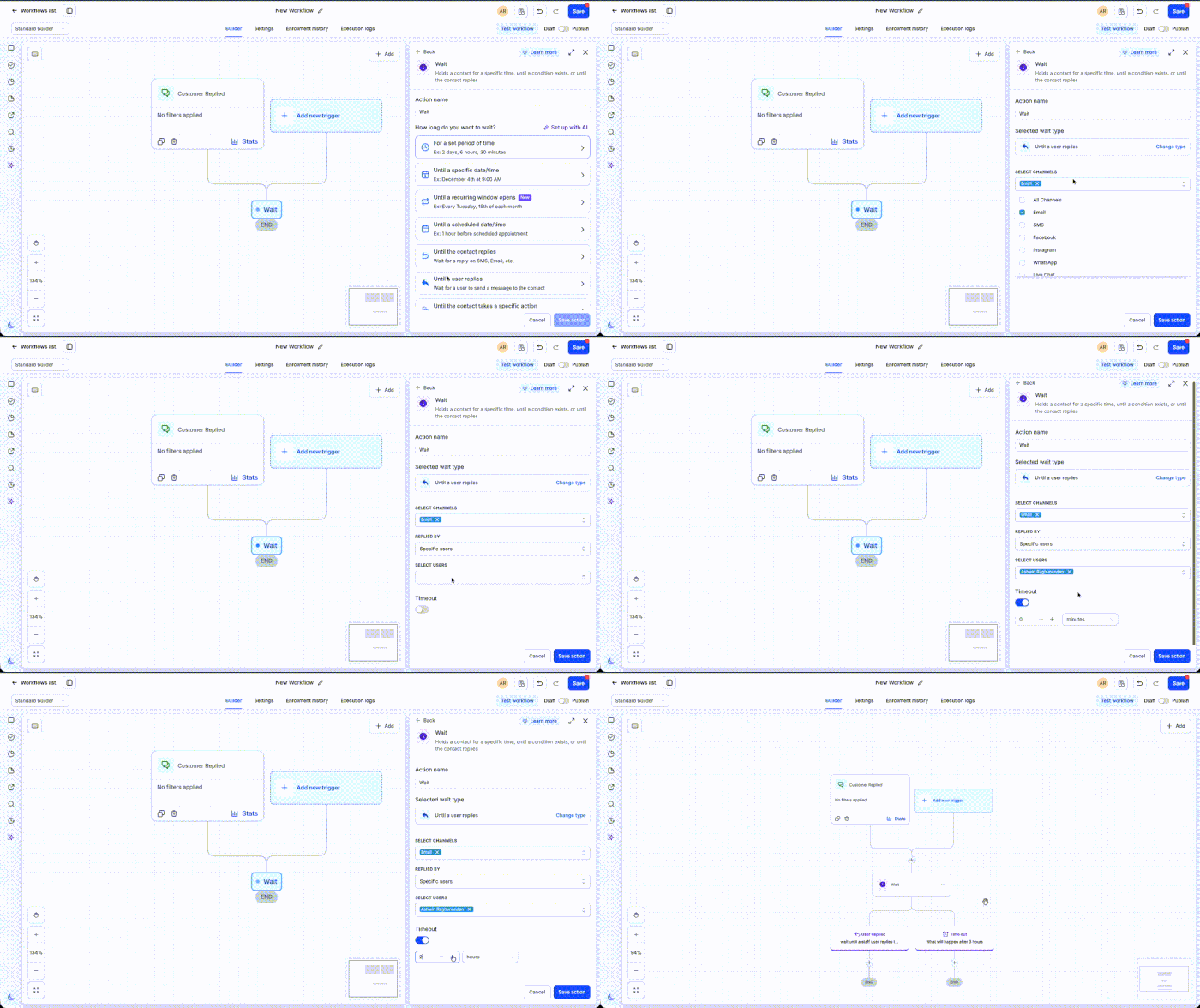
When configuring a Wait action, select User Replied as the condition and set an optional timeout. The workflow pauses until a user replies or the timeout is reached, whichever happens first.
If a reply is detected, the workflow continues immediately. If the timeout expires first, you can route the contact through steps such as notifications, reassignments, or reminders.
How to use it
- Add a Wait action to your workflow.
- Select User Replied.
- Configure an optional timeout.
- Define what should happen after a user replies or when the timeout is reached.
Examples
- Support: wait up to 30 minutes for an agent reply. If no reply is sent before the timeout, alert a supervisor and reassign the conversation.
- Sales: wait 15 minutes for a representative to reply to a new lead. If the timeout is reached first, create an urgent task and notify the sales manager.
Notes
- The contact resumes as soon as a user sends a reply or when the configured timeout is reached.
- If no timeout is configured, the workflow waits until a user reply is received.
- This is useful for first-response SLAs, escalation workflows, and internal response-time automations.
Preview
Need Help Applying This Update?
Want help turning this update into a working part of your CRM, marketing, or automation setup?
Get Started or schedule a demo and we’ll help you map the right next step.