Community Workflow Triggers for Group Activity
SMBcrm now includes four community triggers for workflows. These triggers help teams turn group activity into automated follow-up, alerts, moderation steps, and event-based engagement.
Teams using Automation with community programs in Memberships & Education can now respond to more member actions without manually checking each group interaction.
What Changed
Four community activity triggers are available in workflows:
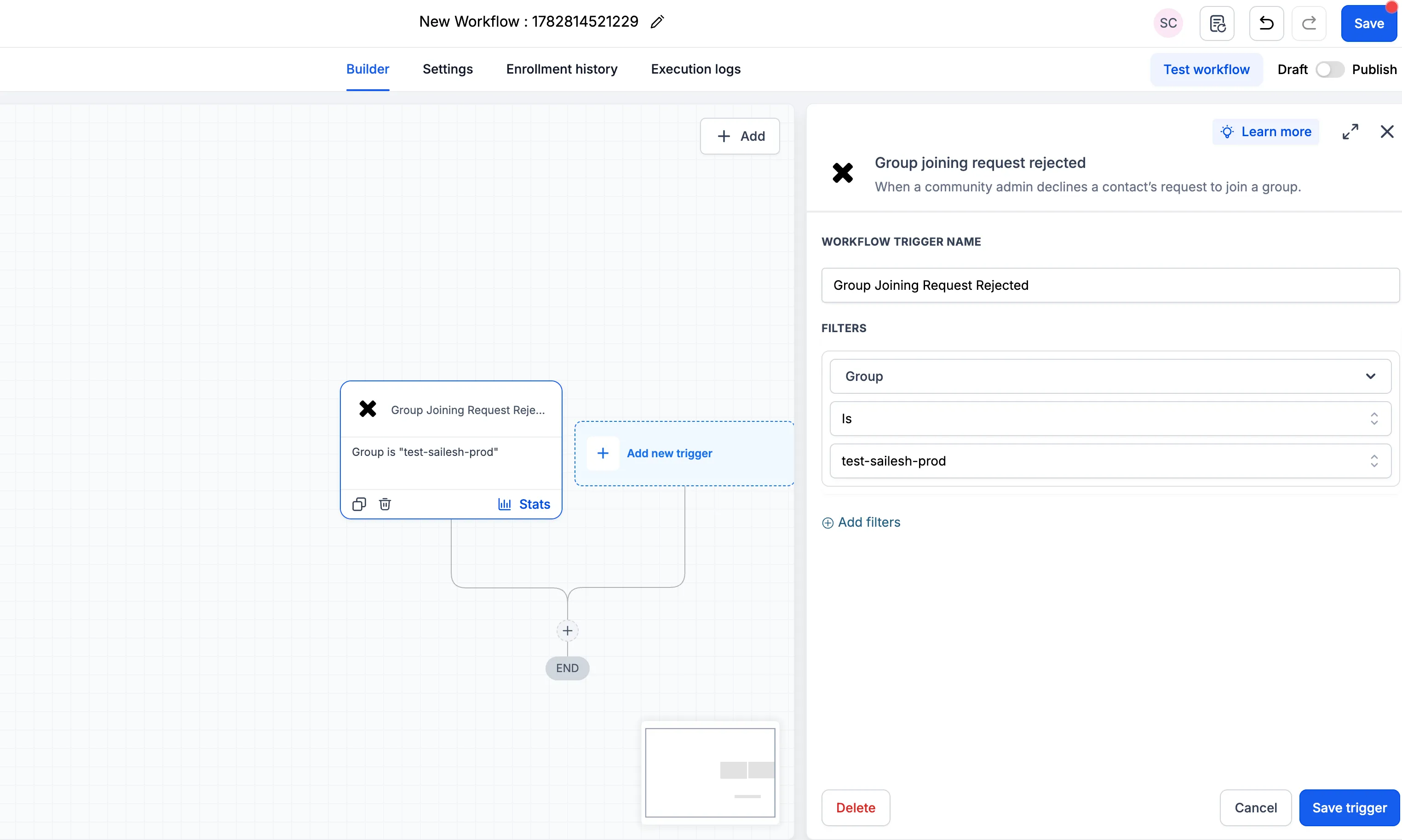
Group Joining Request Rejected
Start a workflow when a member’s request to join a group is rejected.
Required filter:
- Group
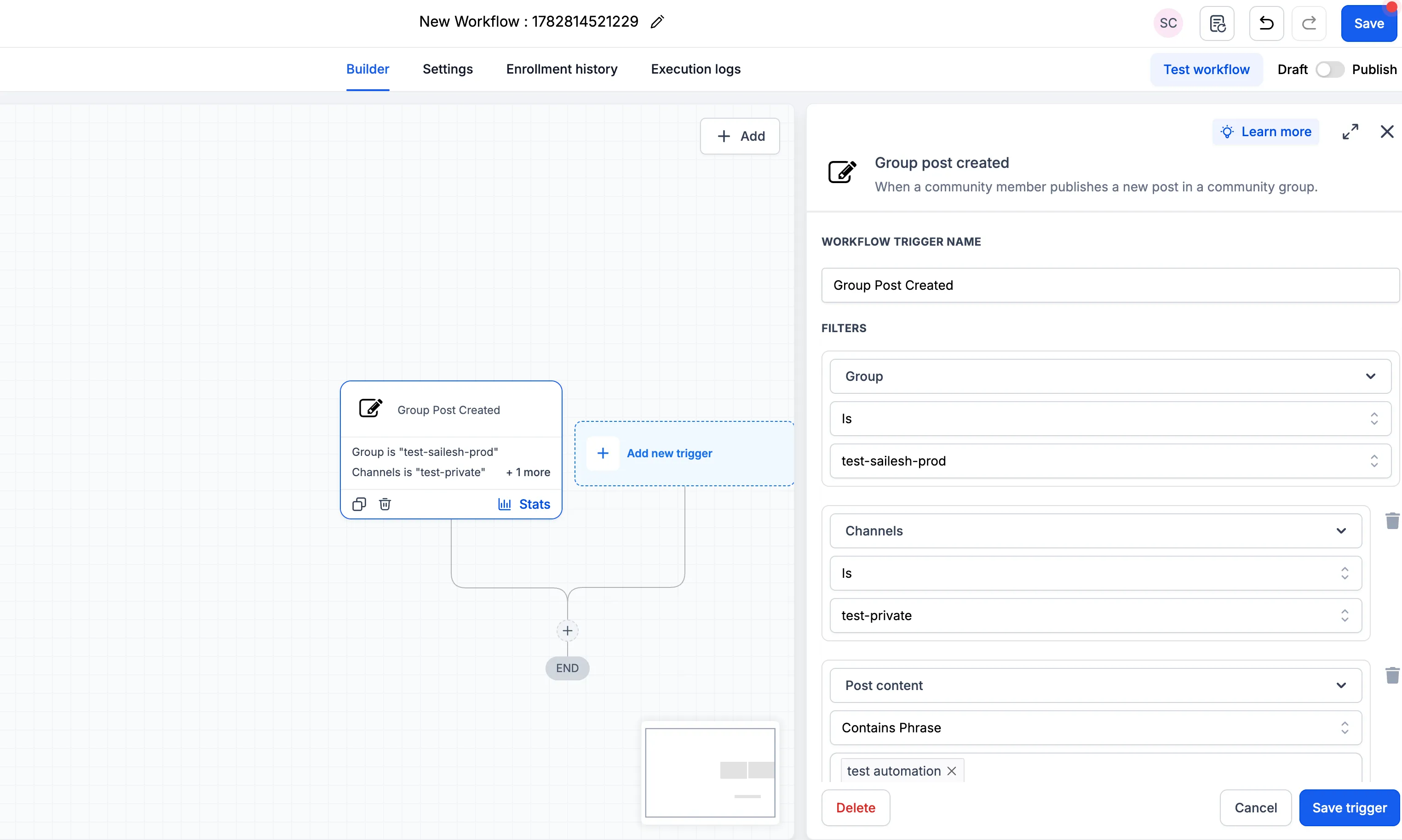
Group Post Created
Start a workflow when a post is created in a group.
Available filters:
- Group, required
- Channel
- Post Title
- Post Content
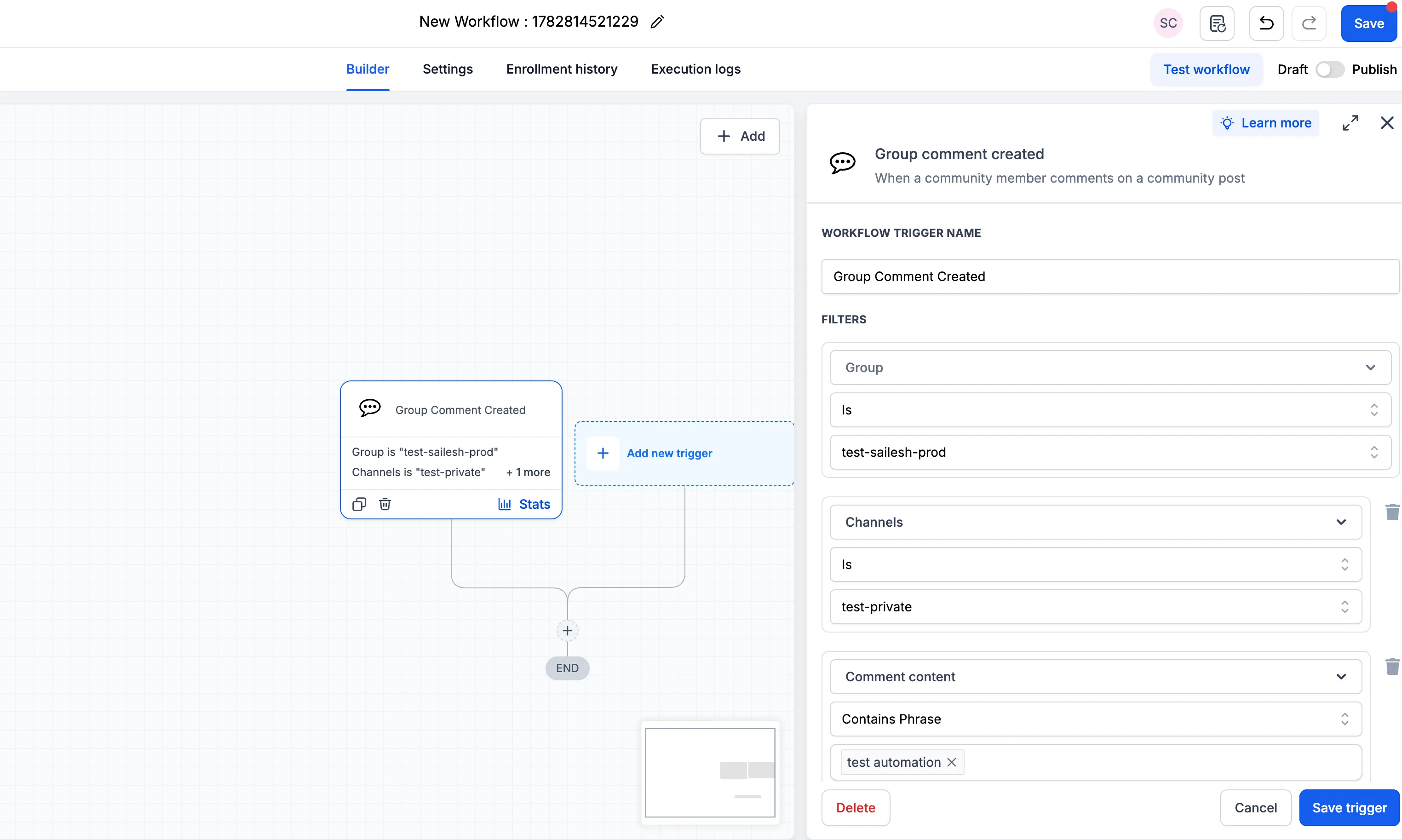
Group Comment Created
Start a workflow when a comment is added to a group post.
Available filters:
- Group, required
- Channel
- Post Title
- Post Content
- Comment Content
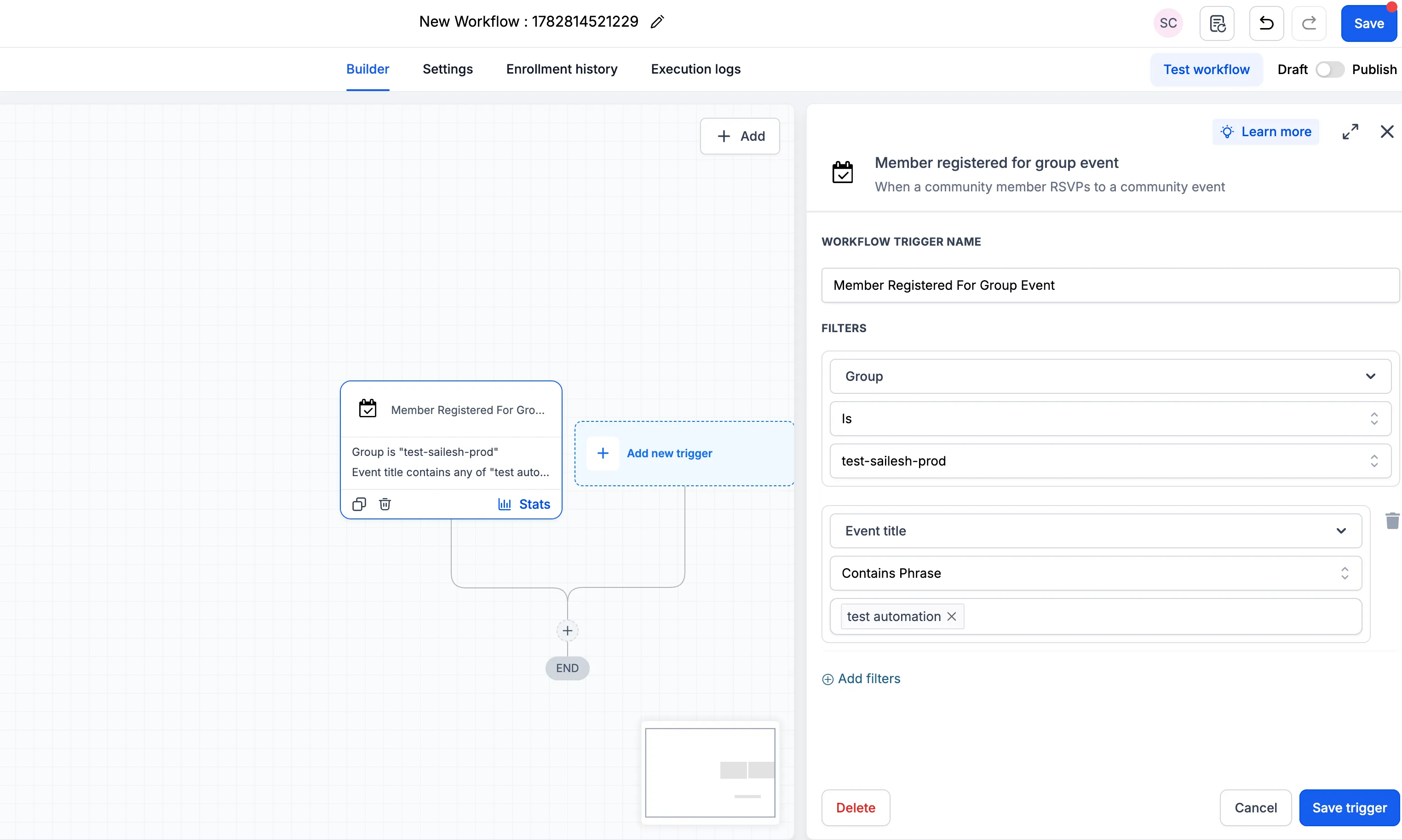
Member Registered for Group Event
Start a workflow when a member registers for a group event.
Available filters:
- Group, required
- Event Title
Why It Matters
These triggers make it easier to connect community activity with automated actions. Teams can use filters such as channel, post content, comment content, and event title to run workflows only when specific activity occurs.
This can help with:
- Sending follow-up messages after group activity
- Alerting the right team members when important posts or comments appear
- Routing moderation-related activity into a workflow
- Engaging members after they register for group events
- Reducing repetitive manual checks as groups grow
How to Use the Triggers
- Go to Automation > Workflows in your account.
- Create a workflow or open an existing one.
- Select Add New Trigger and search for Community.
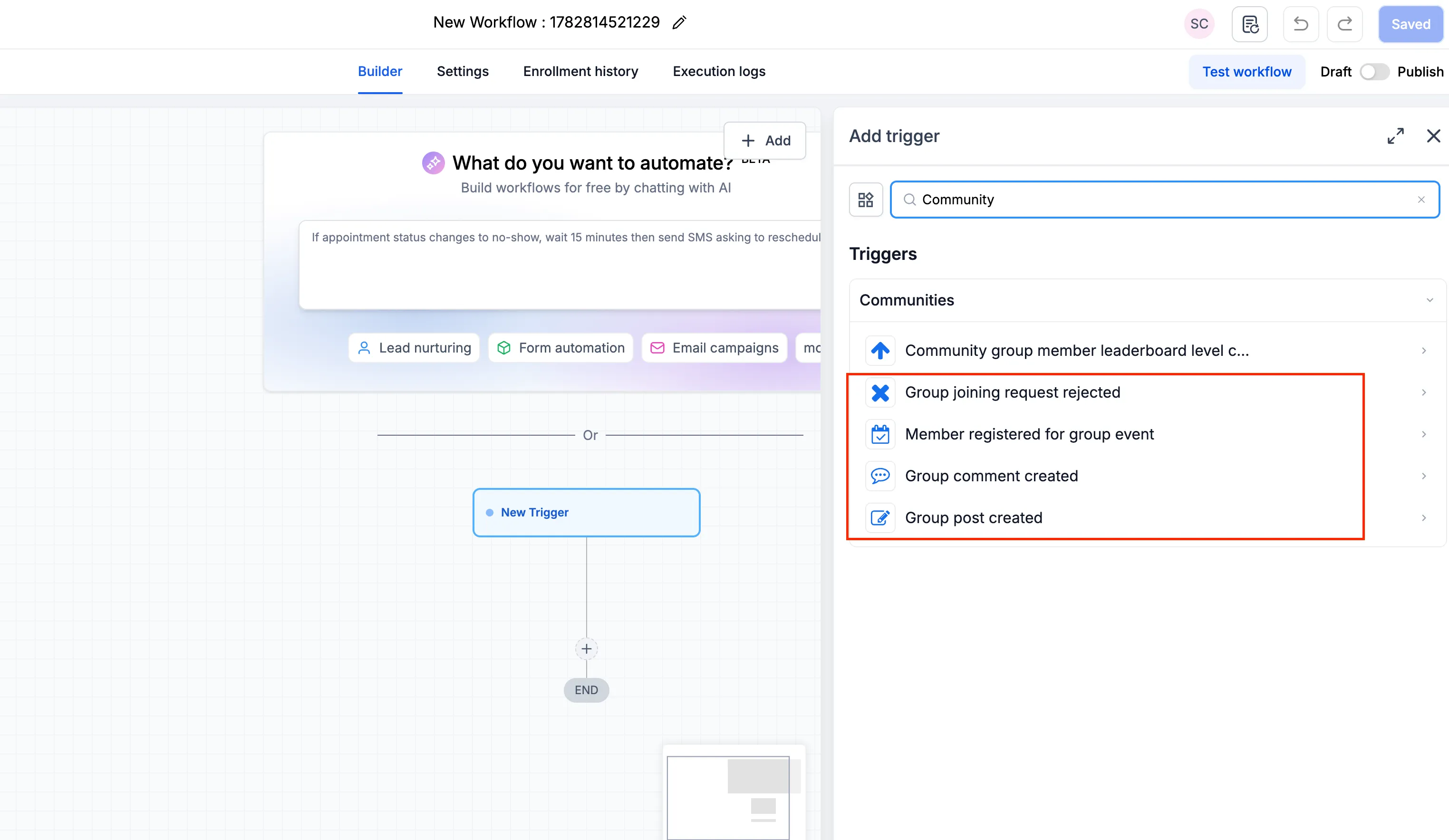
- Select the trigger you want to use.
- Choose the required group and apply any optional filters.
- Build the workflow actions, save the trigger, and publish the workflow.
Need Help Applying This Update?
Want help turning this update into a working part of your CRM, marketing, or automation setup?
Get Started or schedule a demo and we’ll help you map the right next step.