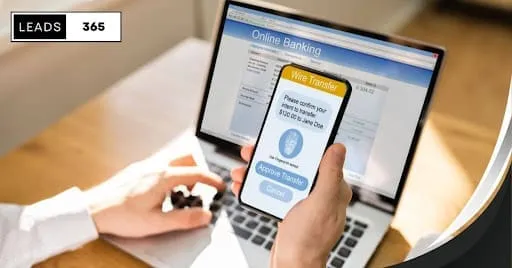
Text-to-Pay is a payment method that allows businesses to send payment links directly to customers via SMS. When a customer receives the text, they tap the link, enter their payment details, and complete the transaction in under 60 seconds. No app downloads, no login portals, no waiting for mailed invoices.
For small businesses struggling with late payments and manual collection efforts, Text-to-Pay transforms accounts receivable from a time-consuming headache into an automated process that gets you paid faster.
What Is Text-to-Pay?
Text-to-Pay (also called SMS payments or text payment links) connects invoicing with SMS messaging. Instead of emailing an invoice and hoping the customer opens it, you send a text message containing a secure payment link. The customer clicks, pays, and you receive the funds.
How Text-to-Pay works:
- You create an invoice or payment request in your CRM or payment system
- The system sends an SMS to your customer with a secure payment link
- The customer clicks the link and lands on a mobile-optimized payment page
- They enter payment details (card, bank account, or digital wallet)
- Payment processes instantly, and both parties receive confirmation
The entire process takes less than a minute from the customer’s perspective, which is why Text-to-Pay boasts significantly higher completion rates than traditional invoicing methods.
Key Statistic: Text messages have a 98% open rate compared to 20% for email. Payment requests sent via SMS get seen and acted upon faster than any other channel.
Why Text-to-Pay Matters for Small Businesses
Faster Payment Collection
The average small business waits 30+ days to receive payment on invoices. Text-to-Pay reduces this dramatically by removing friction from the payment process. When customers can pay with a few taps on their phone, they do it immediately rather than adding it to a to-do list they will forget.
Traditional invoicing timeline:
- Email invoice sent: Day 1
- Customer opens email: Day 3-7
- Customer processes payment: Day 14-30+
Text-to-Pay timeline:
- SMS payment link sent: Day 1
- Customer receives and reads: Within 3 minutes
- Payment completed: Within 24 hours (often within minutes)
Reduced Administrative Burden
Chasing payments costs time and money. Every phone call, follow-up email, and late notice requires staff attention that could go toward revenue-generating activities. Text-to-Pay automates payment reminders and makes the payment process so simple that fewer reminders are needed.
Improved Customer Experience
Customers appreciate convenience. Nobody wants to:
- Log into a portal they forgot the password for
- Write and mail a check
- Call to provide payment information over the phone
A simple text message with a one-tap payment option respects your customer’s time while ensuring you get paid promptly.
Higher Payment Completion Rates
When payment requires effort, customers procrastinate. Text-to-Pay minimizes effort to the point where completing the payment is easier than ignoring it. Businesses using SMS payment links report payment completion rates 20-30% higher than email-only invoicing.
Setting Up Text-to-Pay in Your Business
Step 1: Choose Your Payment Platform
Text-to-Pay requires two integrated components: a payment processor and an SMS delivery system. Some platforms combine both, while others require integration between separate tools.
What to look for:
| Feature | Why It Matters |
|---|---|
| PCI compliance | Ensures secure handling of payment data |
| Mobile-optimized payment pages | Customers pay from their phones |
| Multiple payment methods | Accept cards, ACH, digital wallets |
| CRM integration | Connect payments to customer records |
| Automated reminders | Follow up without manual effort |
| Payment confirmation | Both parties know when payment completes |
SMBcrm includes built-in Text-to-Pay functionality that integrates with invoicing, customer records, and workflow automation. This eliminates the need to connect multiple systems manually.
Step 2: Configure Your Payment Settings
Before sending your first payment link, configure these essential settings:
Business information:
- Business name (appears on payment page and receipts)
- Contact information for customer questions
- Refund and cancellation policies
Payment options:
- Accepted payment methods (credit card, debit, ACH)
- Processing fees (who pays: you or customer?)
- Minimum/maximum payment amounts
Notification preferences:
- Confirmation messages for successful payments
- Failed payment alerts
- End-of-day payment summaries
Step 3: Create Payment Request Templates
Templates save time and ensure consistency. Create templates for common payment scenarios:
Service completion template:
Hi [Name], thanks for choosing [Business Name]! Your balance of $[Amount] is ready for payment. Pay securely here: [Link] Questions? Reply to this text.Deposit request template:
[Business Name]: To confirm your appointment on [Date], please submit your $[Amount] deposit: [Link] This holds your spot on our schedule.Recurring payment reminder:
[Business Name]: Your monthly payment of $[Amount] is due [Date]. Pay now: [Link] Thank you for your continued business!Past-due notice template:
[Business Name]: Your invoice #[Number] for $[Amount] is past due. Please submit payment today: [Link] Questions? Call us at [Phone].For more SMS template ideas, see our complete guide to SMS marketing.
Step 4: Integrate with Your Invoicing Workflow
Text-to-Pay works best when connected to your invoicing system. This integration allows you to:
- Automatically send payment links when invoices are created
- Track which invoices have been paid via text
- Trigger automated follow-ups for unpaid invoices
- Update customer records when payments complete
If you use invoice software separate from your CRM, check whether it supports SMS integration or Zapier connections for automated workflows.
Text-to-Pay Compliance and Security
Payment Card Industry (PCI) Compliance
Any system handling credit card data must comply with PCI DSS (Payment Card Industry Data Security Standard). When evaluating Text-to-Pay solutions, verify that:
- Payment processing is handled by a PCI-compliant processor
- Card data is never stored on your systems
- Payment pages use HTTPS encryption
- You receive a compliance certificate from your provider
Important: Never send card numbers or sensitive payment data directly in text messages. The SMS should only contain a link to a secure payment page.
SMS Compliance Requirements
Text-to-Pay messages must follow the same SMS compliance rules as marketing texts:
- Consent: Customers must agree to receive SMS communications from your business
- Identification: Messages must identify your business name
- Opt-out: Include instructions for stopping future messages
- Timing: Avoid sending payment requests outside business hours
A note on transactional messages: Payment requests tied to an active business relationship (existing invoice, completed service) have more flexibility than promotional messages. However, best practice is to obtain SMS consent during your customer onboarding process.
For businesses sending high volumes of text messages, A2P 10DLC registration improves deliverability and demonstrates legitimacy to mobile carriers.
Data Security Best Practices
Protect your customers and your business:
- Use unique payment links that expire after completion or a set time period
- Enable payment confirmation notifications for both parties
- Store payment records securely in your CRM
- Regularly audit who has access to payment data
- Train staff on secure handling of payment information
Automating Text-to-Pay Workflows
Manual payment collection does not scale. As your business grows, automating Text-to-Pay workflows ensures consistent follow-up without increasing staff workload.
Workflow 1: Invoice-Triggered Payment Request
Trigger: New invoice created
Workflow steps:
- Immediately: Send SMS with payment link
- After 3 days (if unpaid): Send friendly reminder
- After 7 days (if unpaid): Send second reminder with phone number for questions
- After 14 days (if unpaid): Send final notice
- After 21 days (if unpaid): Create task for personal follow-up call
Workflow 2: Service Completion Payment
Trigger: Job status changed to “Complete”
Workflow steps:
- Immediately: Generate invoice and send payment link
- After payment received: Send thank you message with review request link
- If no payment after 48 hours: Send reminder with option to call
Workflow 3: Deposit Collection
Trigger: Appointment booked
Workflow steps:
- Immediately: Send deposit request with payment link
- After 24 hours (if unpaid): Send reminder that deposit secures appointment
- After 48 hours (if unpaid): Send notice that appointment may be released
- If unpaid after 72 hours: Cancel appointment and notify customer
Setting Up Automation in SMBcrm
SMBcrm’s workflow builder connects Text-to-Pay with your customer data and business processes:
- Create trigger conditions based on invoice creation, job completion, or appointment booking
- Design message sequences with appropriate timing between steps
- Add conditions to stop sequences when payment is received
- Set exit triggers when customers respond or take other actions
- Monitor payment rates and adjust messaging based on results
This integration ensures payment requests work alongside your other customer communications, creating a cohesive experience. Learn more about building these workflows in our guide to CRM workflow automation.
Text-to-Pay Templates by Industry
Home Services (HVAC, Plumbing, Electrical)
Hi [Name], [Technician] has completed your [Service Type] service. Your total is $[Amount]. Pay here: [Link] Thanks for choosing [Business Name]![Business Name]: Your seasonal maintenance is due. Prepay $[Amount] and we'll schedule your appointment: [Link] Reply with questions.Professional Services (Consulting, Legal, Accounting)
[Business Name]: Invoice #[Number] for [Service Description] ($[Amount]) is attached. Pay securely: [Link] Thank you for your business.Hi [Name], your retainer balance is running low. Add $[Amount] to continue uninterrupted service: [Link]Health and Wellness (Medical, Dental, Spa)
[Business Name]: Your balance of $[Amount] for services on [Date] is ready. Pay here: [Link] Questions? Call [Phone].Hi [Name], your [Treatment] package payment of $[Amount] is due. Complete payment: [Link] See you at your next appointment!Retail and E-commerce
[Business Name]: Your custom order #[Number] is ready! Pay your balance of $[Amount] to schedule pickup: [Link]Hi [Name], you have an unpaid balance of $[Amount] from your recent purchase. Pay now: [Link] Thank you!Measuring Text-to-Pay Performance
Track these metrics to optimize your payment collection:
| Metric | What It Measures | Target |
|---|---|---|
| Open rate | SMS messages opened | 95%+ |
| Click-through rate | Payment link clicks | 50%+ |
| Conversion rate | Completed payments / links sent | 70%+ |
| Time to payment | Hours from send to payment | Under 24 hours |
| Reminder effectiveness | Payments after each reminder | Track by sequence step |
Improving Payment Rates
If your Text-to-Pay performance is below target, consider:
Low open rates:
- Verify phone numbers are correct
- Check A2P registration status
- Review send timing (business hours perform better)
Low click rates:
- Shorten message length
- Make payment amount and purpose clear
- Test different message formats
Low conversion rates:
- Simplify payment page
- Offer multiple payment methods
- Check mobile page load speed
Text-to-Pay vs. Other Payment Methods
| Method | Speed | Cost | Customer Effort | Collection Rate |
|---|---|---|---|---|
| Text-to-Pay | Minutes to hours | $0.02-0.10 per SMS + processing | Very low | Very high |
| Email invoicing | Days to weeks | Free + processing | Medium | Medium |
| Mailed invoices | 1-2 weeks | $1-3 per invoice + processing | High | Low |
| Phone collection | Immediate | Staff time + processing | High (for you) | Varies |
| In-person payment | Immediate | Card reader + processing | Low | Very high |
Text-to-Pay combines the immediacy of in-person payment with the convenience of remote collection, making it ideal for service businesses that complete work at customer locations.
Frequently Asked Questions
Is Text-to-Pay secure?
Yes, when implemented correctly. Payment data never appears in the text message itself. Customers click a link to a secure, encrypted payment page hosted by a PCI-compliant processor. The text message simply delivers the link.
What payment methods can customers use?
Most Text-to-Pay solutions accept credit cards, debit cards, and ACH bank transfers. Some also support digital wallets like Apple Pay and Google Pay. Offering multiple options increases the likelihood of payment completion.
Do customers need to download an app?
No. Text-to-Pay uses standard SMS messaging and mobile web browsers. Customers receive a text, tap the link, and pay on a mobile-optimized webpage. No app installation required.
How much does Text-to-Pay cost?
Costs include SMS delivery (typically $0.02-0.10 per message) plus standard payment processing fees (usually 2.9% + $0.30 for cards, less for ACH). Many CRM platforms include SMS in their monthly subscription.
Can I use Text-to-Pay for recurring payments?
Text-to-Pay works well for variable amounts and one-time payments. For fixed recurring charges, consider setting up automated billing with stored payment methods instead, using Text-to-Pay for the initial card capture.
What if a customer doesn’t have texting?
While rare, some customers may prefer email or phone. Your payment system should support multiple channels. Use Text-to-Pay as the primary method and offer alternatives when needed.
How do I handle disputes or refunds?
Process refunds through your payment processor, then notify the customer via text that the refund has been initiated. Keep records of all communications in your CRM system for reference.
Text-to-Pay represents a fundamental shift in how small businesses collect payments. By meeting customers on the device they use most and reducing friction to a single tap, you get paid faster while delivering a better customer experience.
SMBcrm includes built-in Text-to-Pay functionality integrated with invoicing, customer records, and workflow automation. Start your free trial to see how much faster you can collect payments.