Access Form Submissions in Conversations
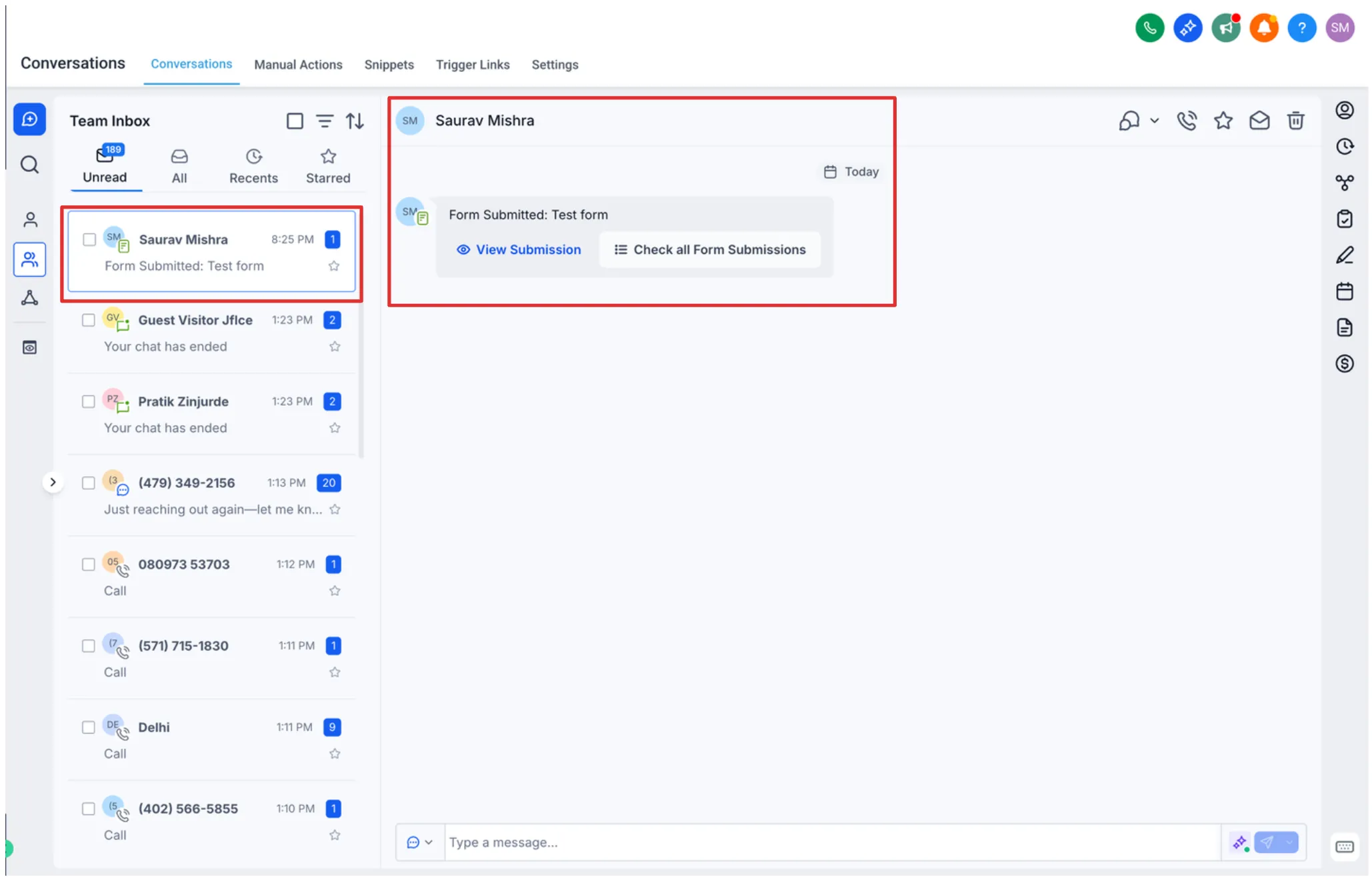
Form submissions can now appear directly inside conversation threads, making it easier to review what a contact submitted without leaving Conversations. This gives teams more context for faster, more informed follow-up.
What’s Changed
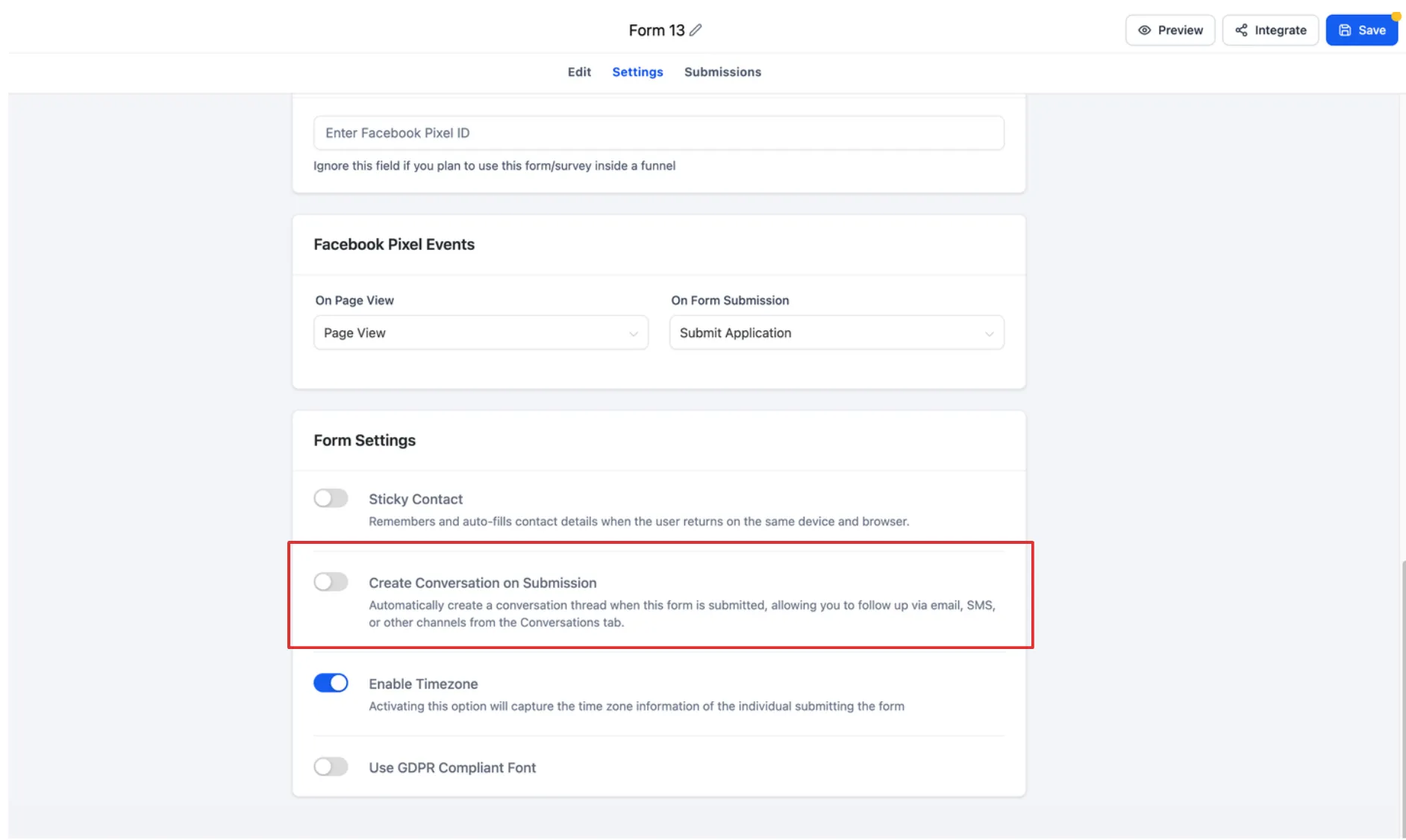
Form responses are now automatically attached to the relevant conversation thread when they are tied to a contact. This creates a more unified view of contact activity by bringing messages, form submissions, and interaction history into one place.
For teams using Communication and Lead Capture, this can reduce tab switching and make replies more context-aware.
Why It Matters
- See what a lead submitted before replying
- Keep conversation history and form details together
- Improve follow-up speed with better contact context
- Reduce the need to navigate across different sections
How It Works
- Go to Conversations.
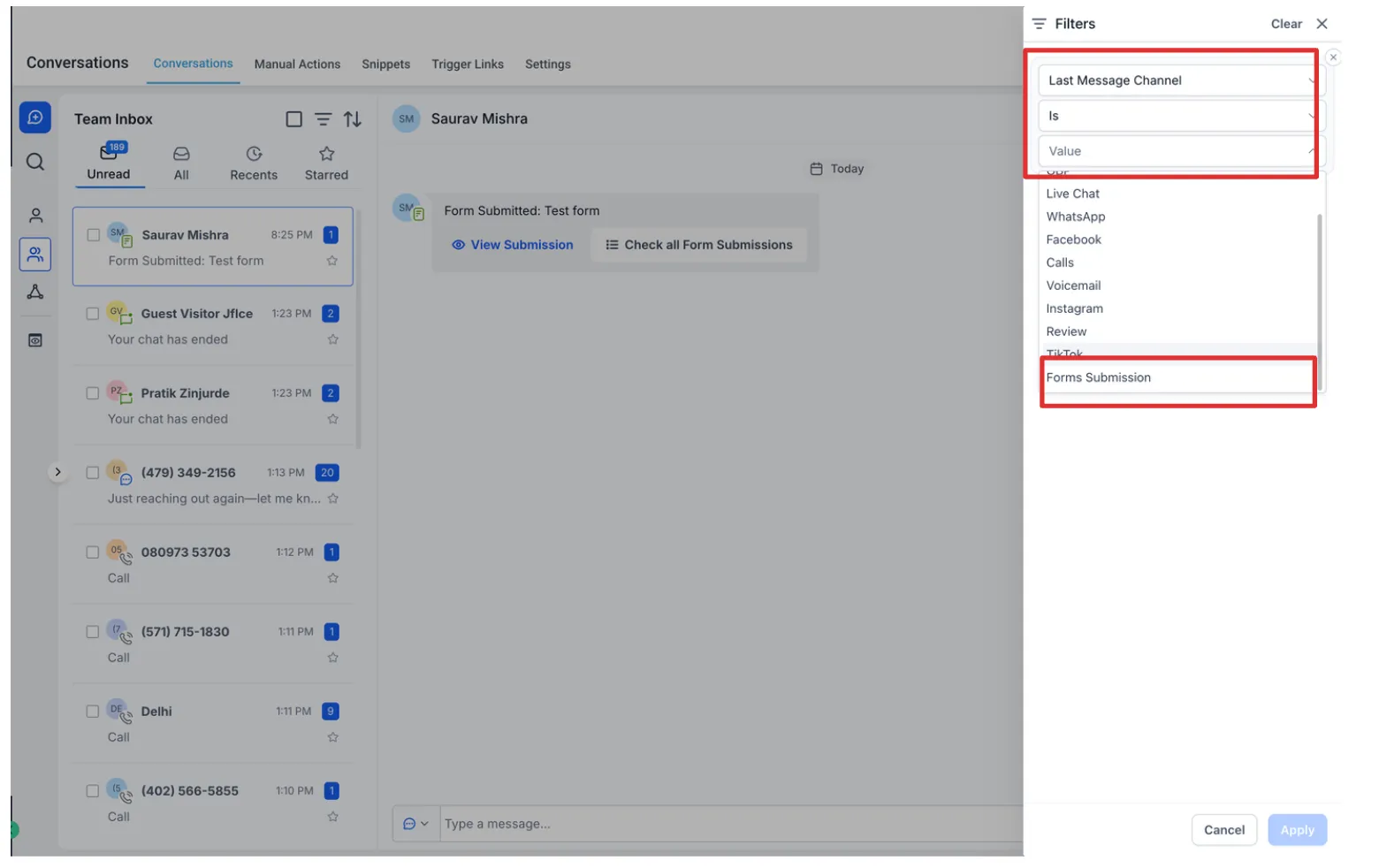
- Open a conversation tied to a contact who submitted a form.
- Find the form submission entry in the thread.
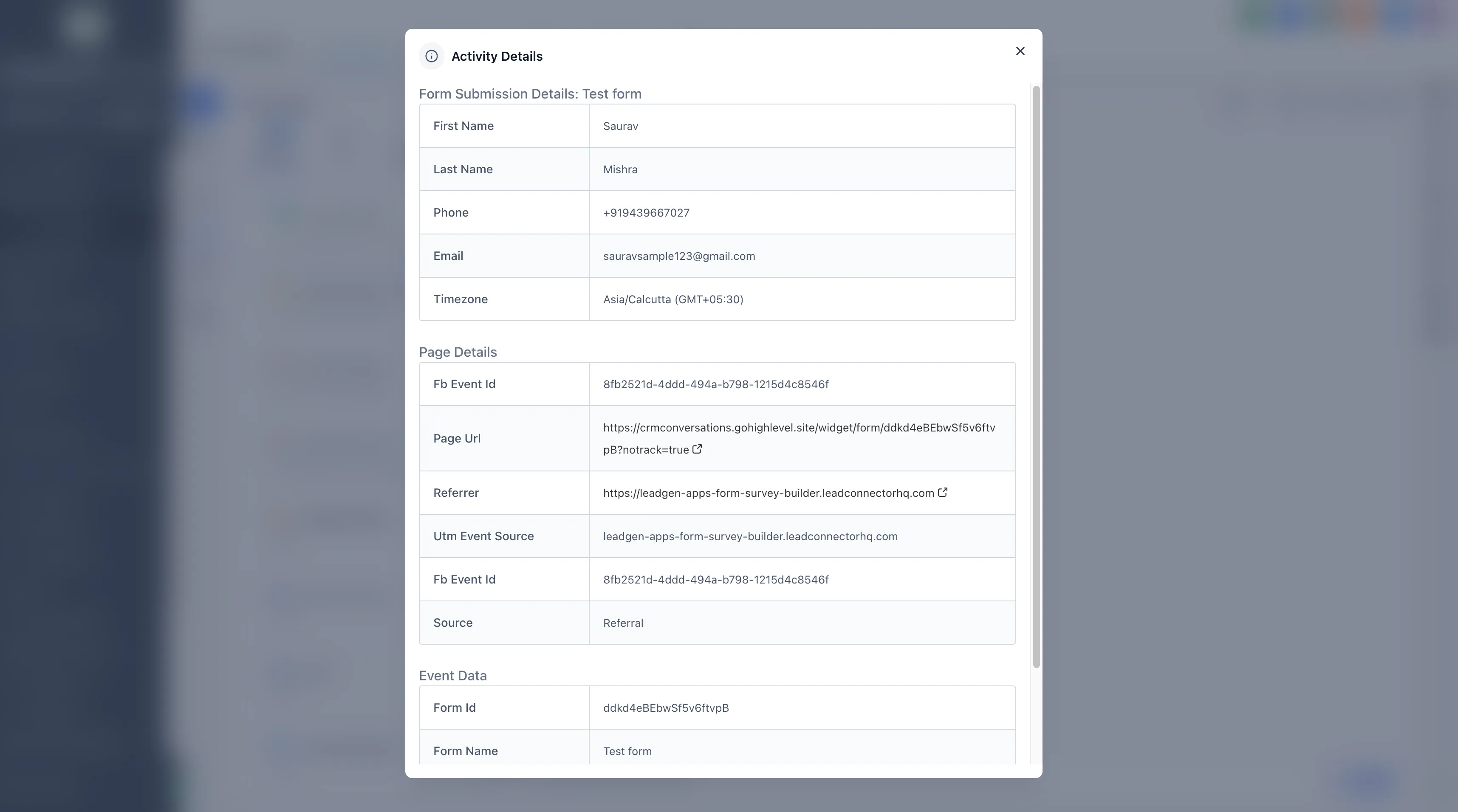
- Open it to review the full submission details.
Key Notes
- This works for forms created within SMBcrm.
- Submissions appear automatically when they are associated with the correct contact and conversation.
- Visibility depends on proper form-to-contact association.
In Case You Missed It
You can also read about Improved Appointment Booking in Opportunities.
Release Images
Need Help Applying This Update?
If you’d like help rolling this out in SMBcrm, visit Support or request a demo.