AI Blog Post Creation in SMBcrm
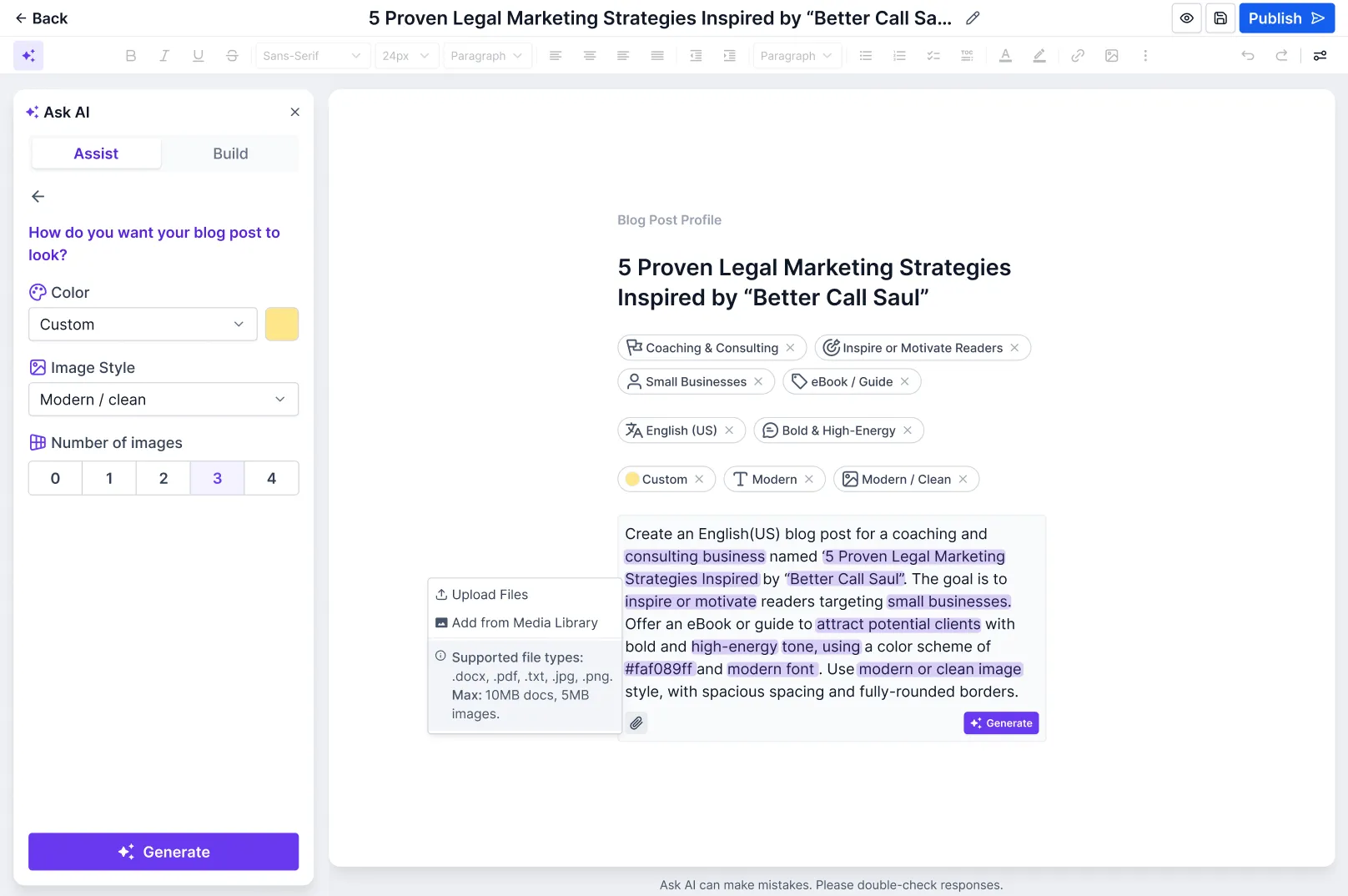
SMBcrm now includes AI-assisted blog post creation inside the blog editor. Users can generate full posts from a topic or prompt, refine content in the editor, and save or publish without leaving the workflow.
For more on SMBcrm AI features, this update adds a practical way to create blog content faster inside Sites.
What Changed
The blog editor now supports two AI creation modes:
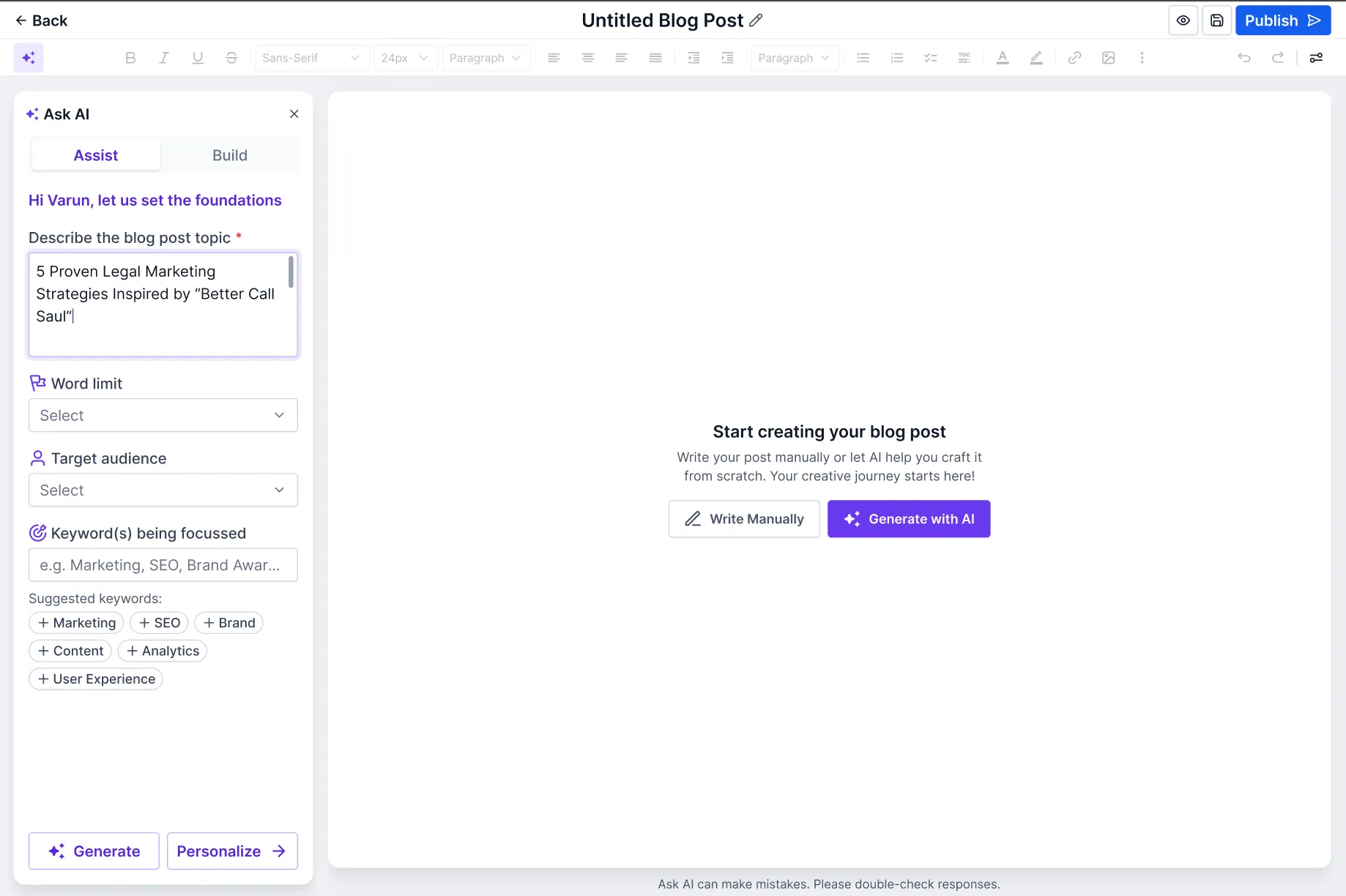
Assist Mode
Enter a topic and SMBcrm generates a complete blog post, including:
- Outline
- Headings and subheadings
- SEO title, description, and keywords
- Written paragraphs
- AI-generated images
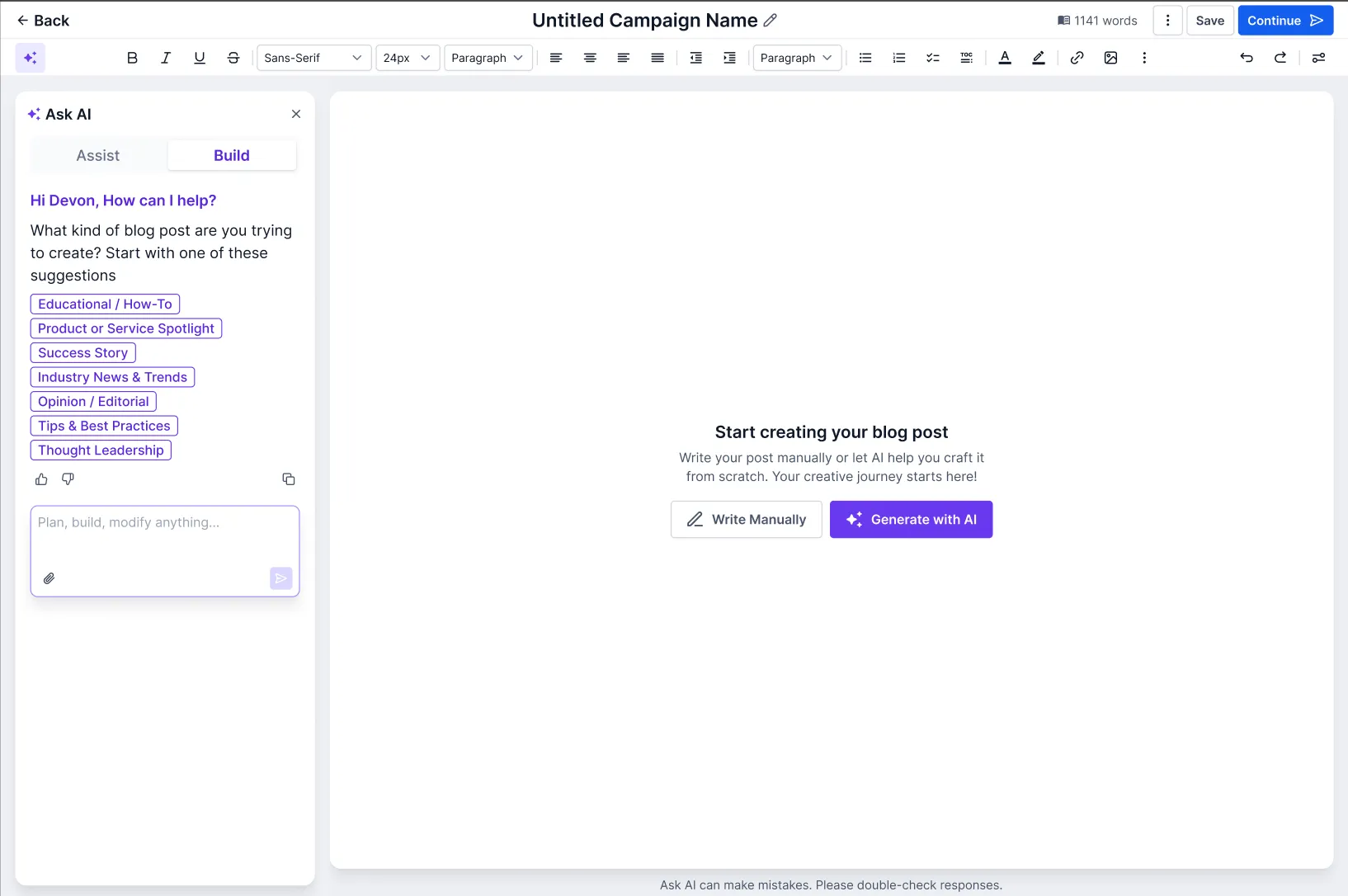
Build Mode
Enter a custom prompt to generate content based on your specific direction. This is useful for niche topics, brand-specific messaging, or more customized content needs.
Editing Tools in the Blog Editor
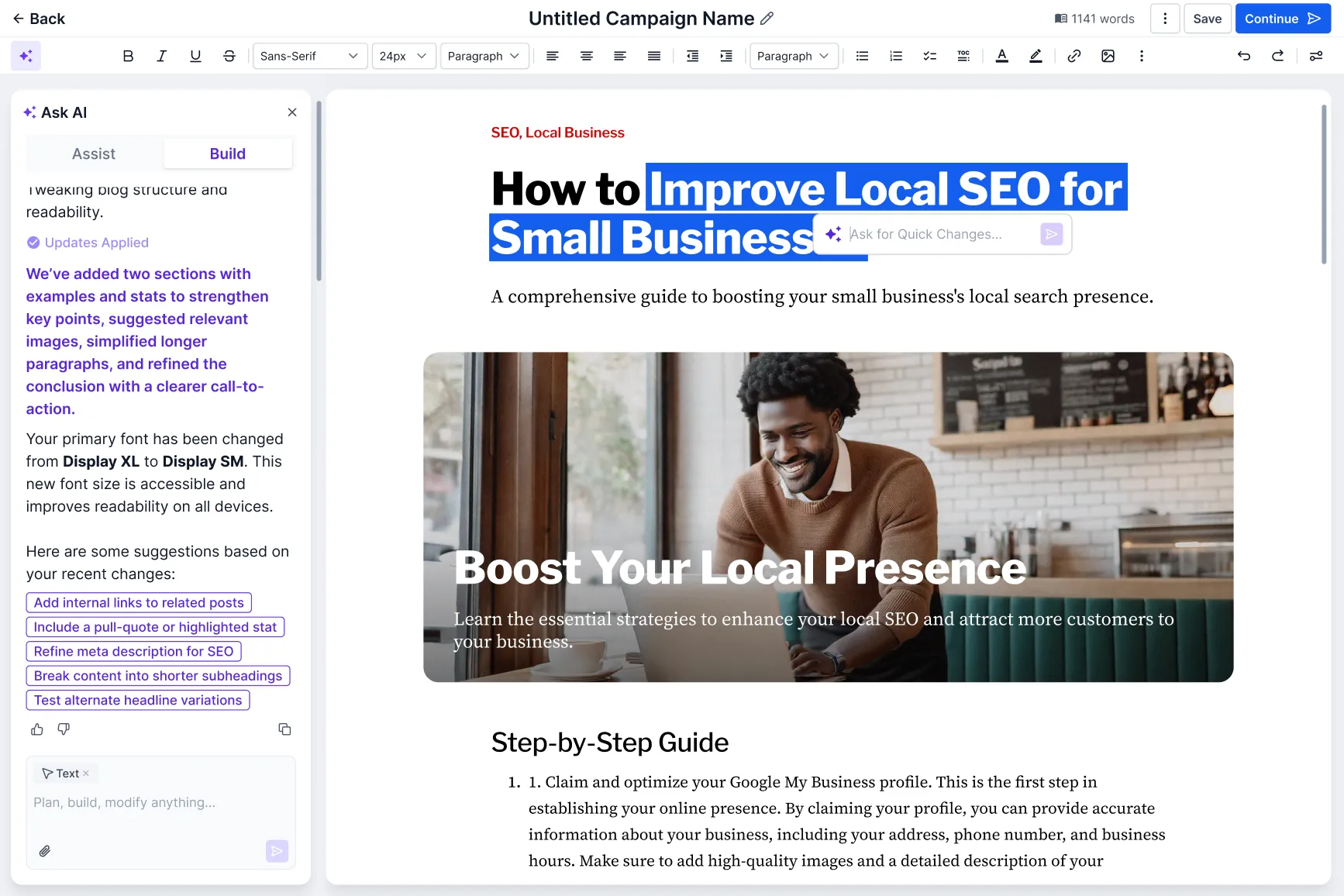
Once content is generated, you can refine it directly in the editor with tools to:
- Regenerate paragraphs
- Adjust tone, clarity, or length
- Replace, regenerate, or delete AI-generated images
- Translate content
- Reference URLs and images
Save or Publish
After editing, you can:
- Save the post as a draft
- Publish the post directly
How It Works
To use AI blog creation:
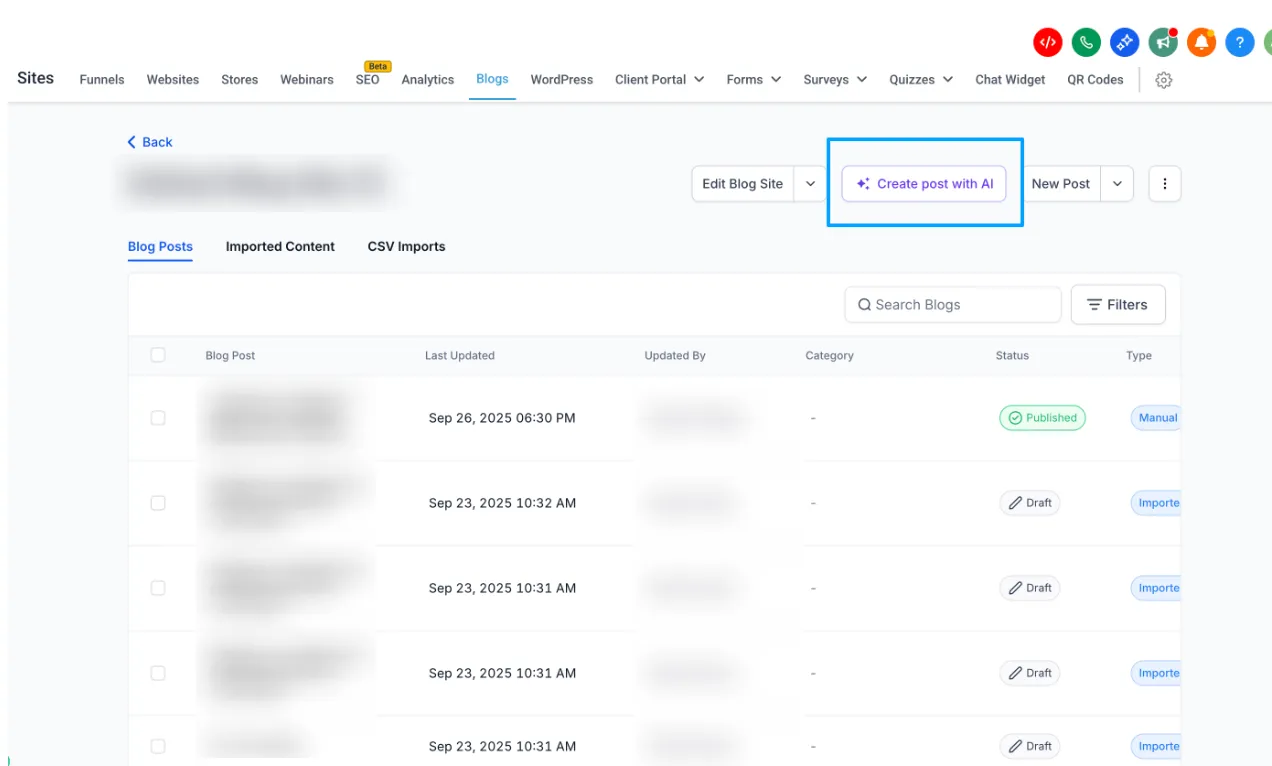
- Go to Sites → Blogs → Create Blog Post
- Click Create with AI
- Choose Assist Mode or Build Mode
- Enter a topic or prompt
- Review and edit the generated content
- Save as draft or publish
Note: The source release states that users can enable Blog AI through Labs.

Why It Matters
This update helps teams create blog content more quickly inside SMBcrm. It brings drafting, editing, SEO fields, and publishing into one workflow, which can help improve publishing consistency and reduce time spent switching between tools.
In Case You Missed It
You can also read about Improved Appointment Booking in Opportunities.
Release Images
Need Help Applying This Update?
If you’d like help rolling this out in SMBcrm, visit Support or request a demo.