Managing date-specific availability in SMBcrm just got easier, especially when you need to adjust hours across multiple days like holidays, events, or short-term schedule changes.
What’s new in Services (v2)
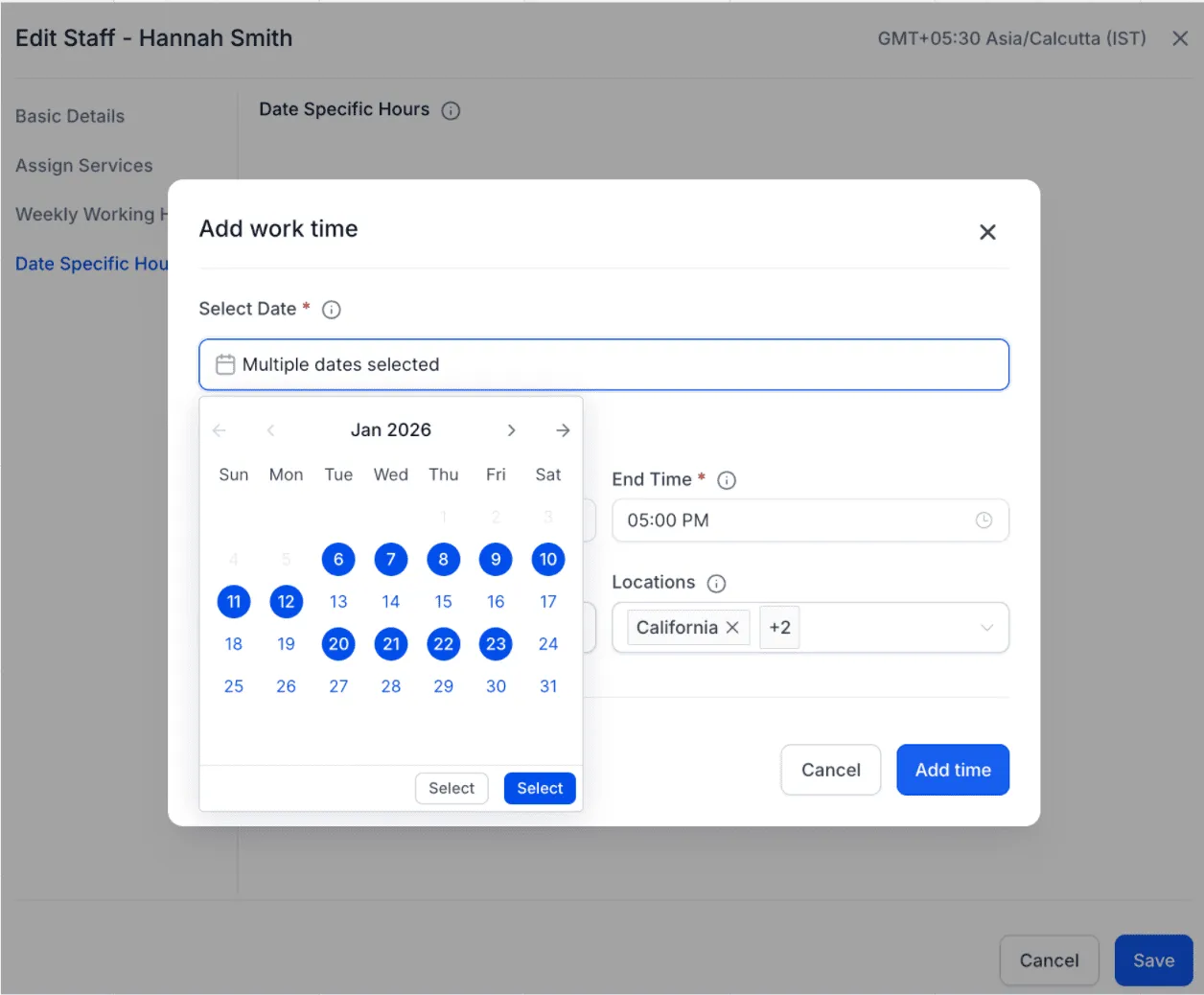
Previously, date-specific hours could only be added one date at a time, which made multi-day updates slow and repetitive. With Services (v2), you can now select multiple dates at once and apply the same working hours across multiple services and locations in one step.
How it works
When adding date-specific hours, you can now:
- Select multiple dates from the date picker
- Set your start time and end time once
- Choose the services and locations once
- Apply the setup in bulk across all selected dates
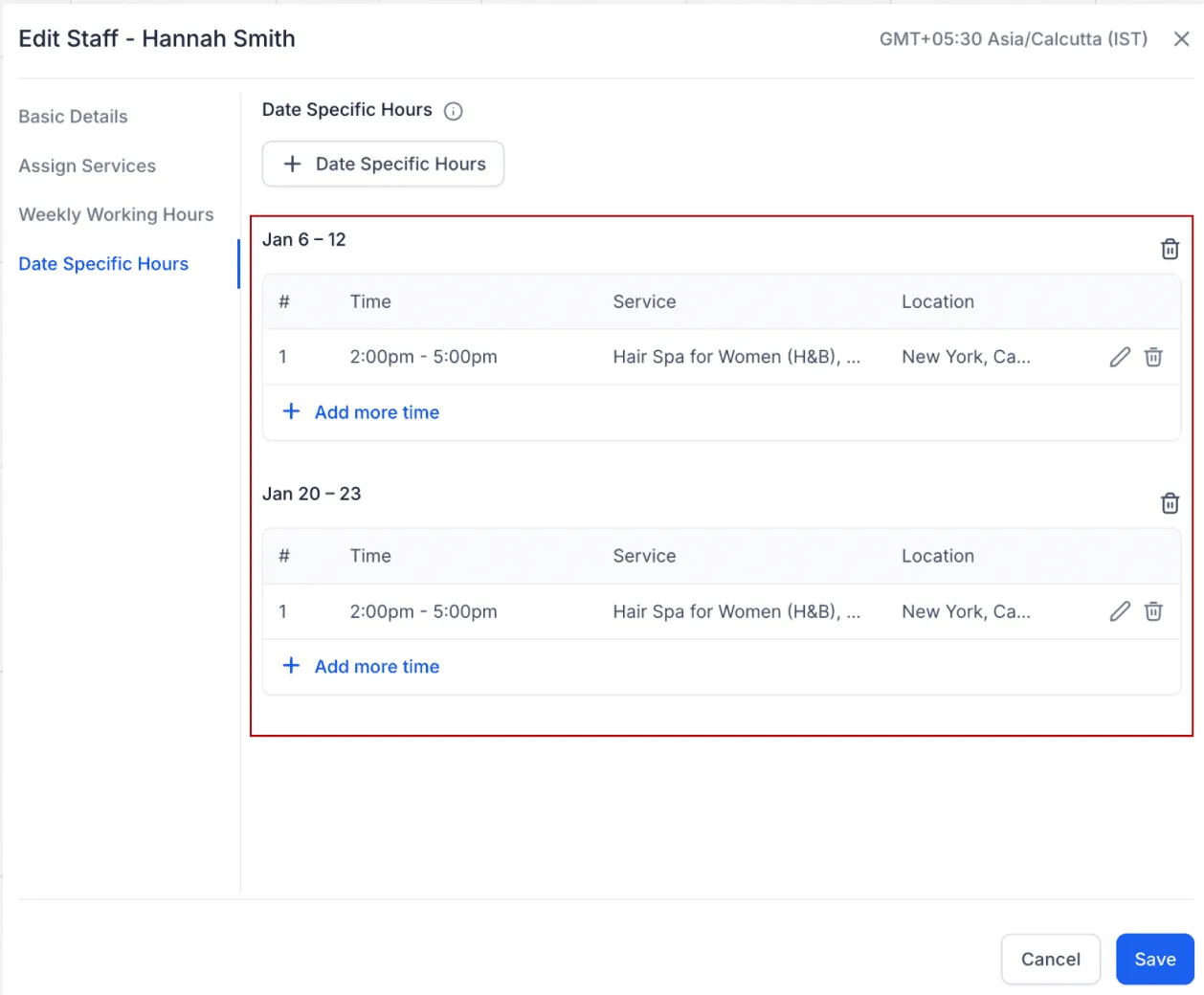
- Let SMBcrm automatically group dates for easier management later
Smart date grouping (automatic organization)
To keep things clean after bulk updates, SMBcrm will automatically group dates based on whether they’re consecutive:
- Consecutive dates are grouped into a single block
- Non-consecutive dates are split into separate blocks
Example
If you select Jan 2, 3, 4, 5, 8, and 9:
- Jan 2–5 will be grouped as one entry
- Jan 8–9 will be grouped as another entry
You can edit or delete each group later without impacting the others.
Why it matters
This update is designed to reduce repetitive work while keeping your scheduling organized:
- Save time by avoiding date-by-date setup
- Keep date-specific availability cleaner with smart grouping
- Make quick edits later, even after creating hours in bulk
- Speed up setup for holidays, special schedules, or temporary changes
Need help updating your service availability?
If you’d like help setting up Services (v2) availability or optimizing your booking experience, visit our Support page or contact us.