Overview
We’ve improved how form, survey, and quiz submissions are viewed, downloaded, and shared inside SMBcrm. This update introduces a cleaner submission PDF layout, clearer PDF download choices (new vs legacy), and new controls for attaching PDFs to notification emails. Quiz results can now also be sent via email as a PDF attachment.
What’s New
New submission layout for forms
Form submission views have an updated layout designed for better readability and more consistent formatting. It’s optimized for both on-screen viewing and PDF generation, which helps when you need to save or share submission details with teammates or clients.
PDF download options: New vs legacy
When downloading a submission as a PDF, you can now choose between two formats using a dropdown selector:
- New PDF layout (improved formatting)
- Legacy PDF layout (previous format)
This is available directly from submission views, making it easier to pick the output that best matches your workflow or documentation requirements.
Email notifications: PDF attachments for forms, surveys, and quizzes
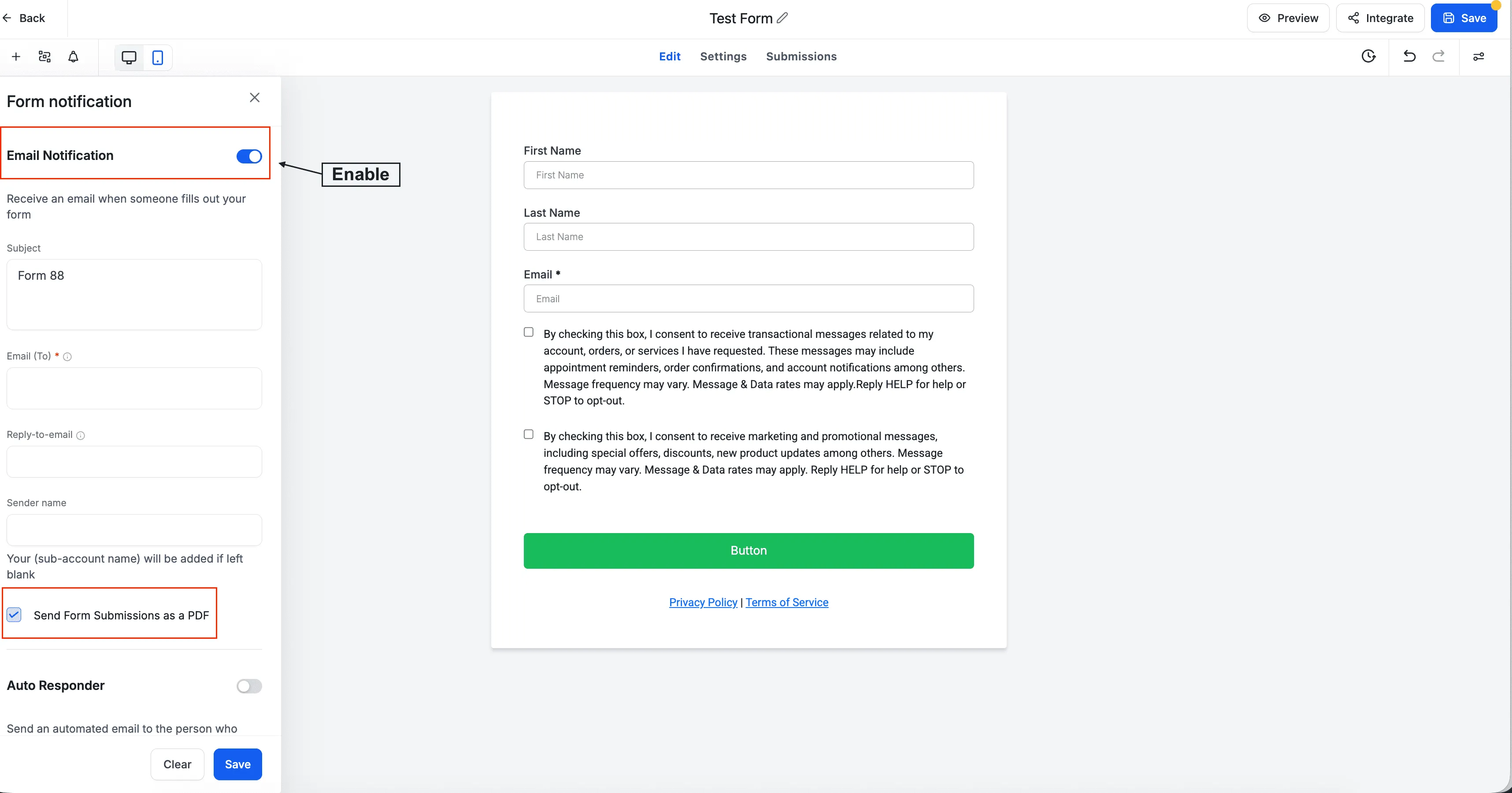
Notification settings now include a new “Send attachment” option. When enabled:
- Submission details are automatically generated as a PDF
- The PDF is attached to notification emails
- Supported across forms, surveys, and quizzes
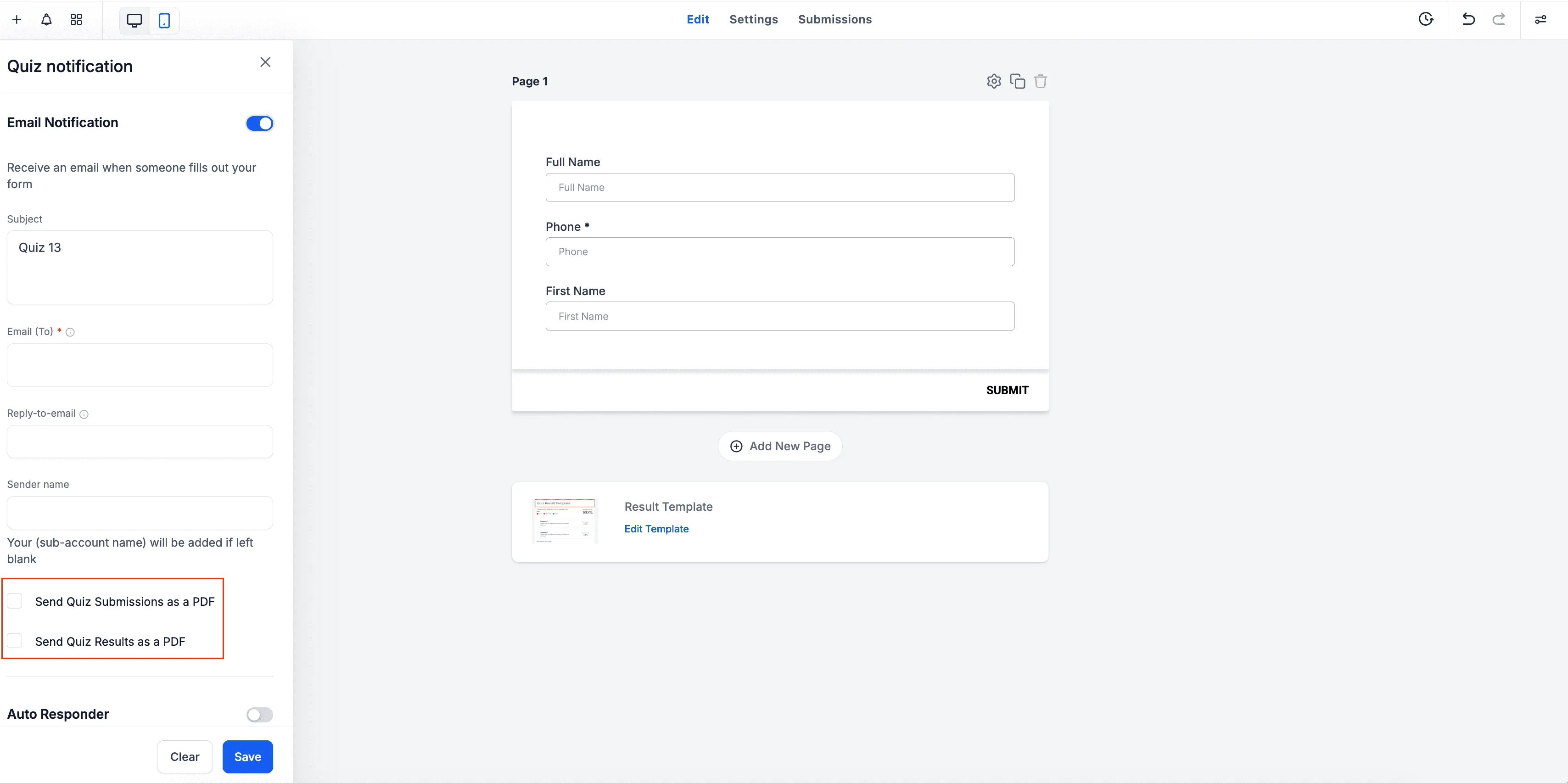
For quizzes, notifications now support two separate PDF attachment options, giving you more control over what recipients receive:
- Send Quiz Submissions as a PDF
- Send Quiz Results as a PDF
This makes it easier to share outcomes with students, applicants, or internal reviewers without asking them to log in to view results.
Why this matters
Faster sharing and easier recordkeeping
PDF attachments reduce back-and-forth and make it simpler to archive key submissions for compliance, client review, or internal documentation.
Cleaner PDFs that are easier to scan
The updated layout improves readability, especially when submissions include multiple fields and longer responses.
More control over what gets emailed
Choose whether emails include submissions, results, or both, depending on who the notification is intended for and what they need to see.
Related resources
If you need help configuring submission notifications or troubleshooting PDFs, visit our support page: https://smbcrm.com/support/