Enable or Disable Community Navigation Tabs
Managing a community is easier when members only see what matters most. With this update, community admins can choose which navigation tabs appear in a community’s top menu, so the experience matches how you want members to participate.
What’s New: Tab Customization for Community Admins
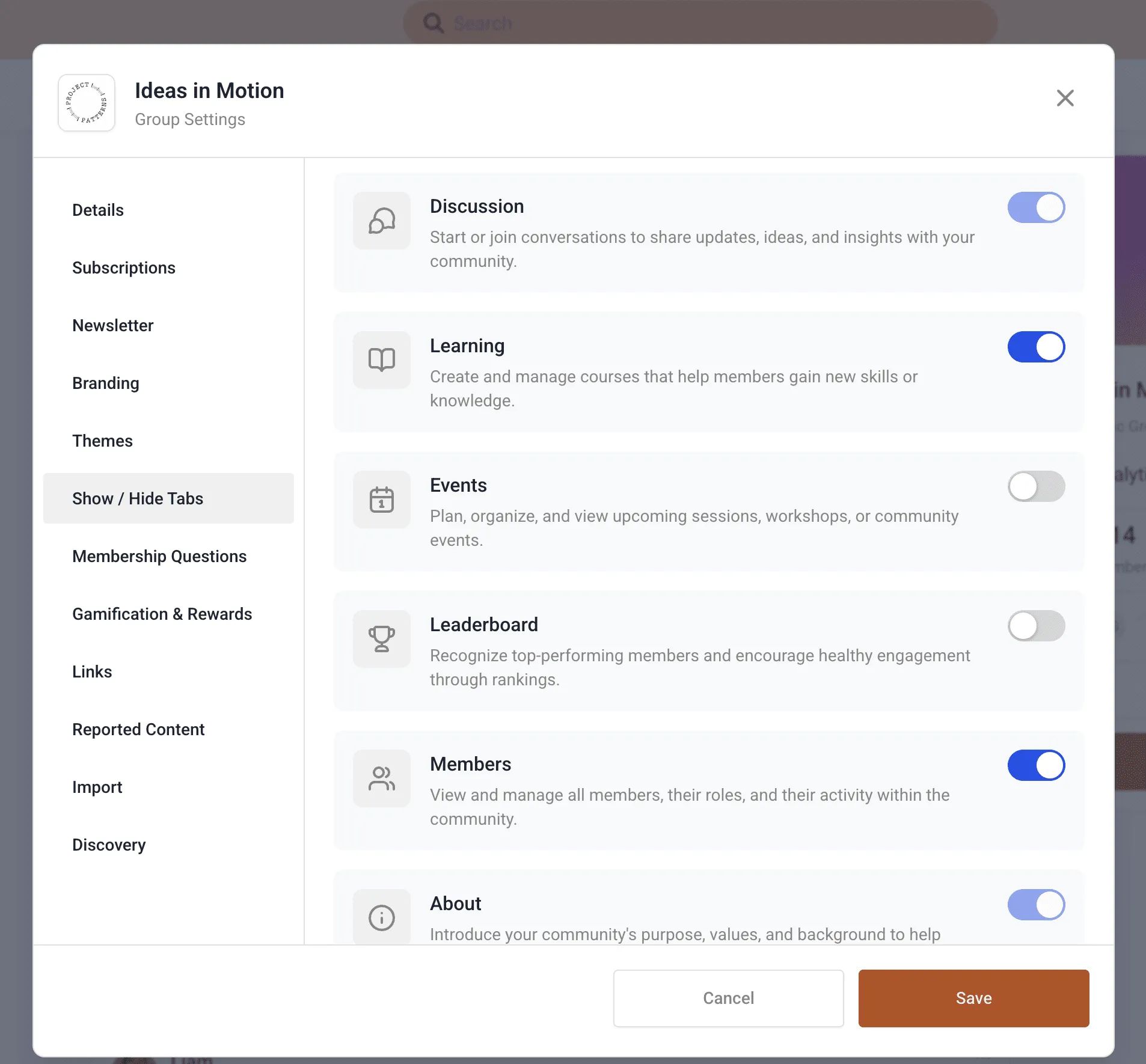
Community admins can now enable or disable select navigation tabs from within the community settings. This helps you simplify navigation, reduce distractions, and keep members focused on the areas you actively use.
Six Community Tabs (You Choose What’s Visible)
Communities support six navigation tabs:
- Discussion (always on)
- Learning (courses and learning content)
- Events (upcoming and past events)
- Leaderboard (top contributors and engagement rankings)
- Members (community member directory)
- About (always on)
Core Tabs Stay Enabled
To keep communities functional and easy to understand, Discussion and About are mandatory and cannot be disabled.
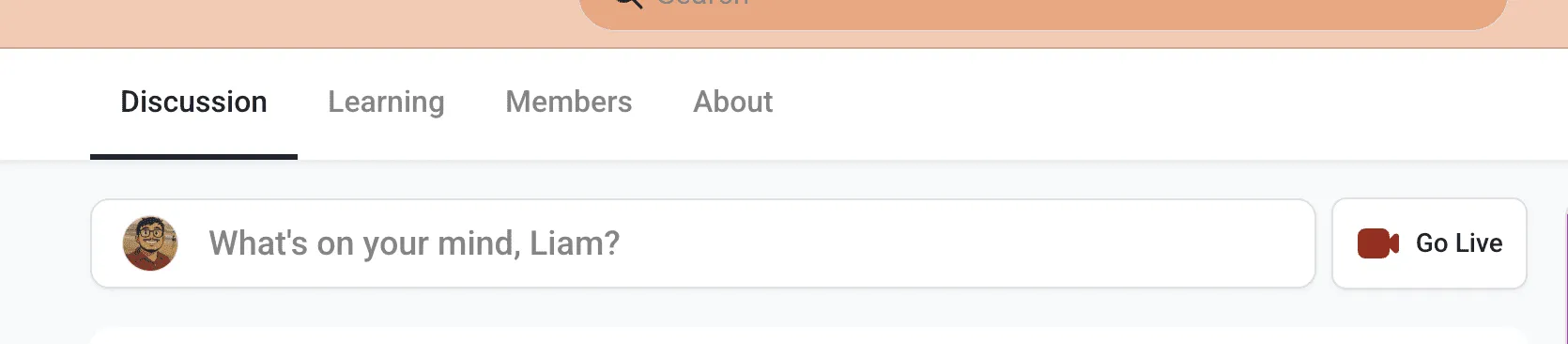
The remaining tabs can be toggled on or off and will be instantly hidden from the navigation for all members in that community.
How to Enable or Disable Tabs
By default, all tabs are enabled for every community.
Steps
1) Open tab visibility settings
Go to Community → Settings → Show/Hide Tabs
2) Toggle tabs on or off
Turn individual tabs on or off based on your community’s needs.
3) Changes apply immediately
Updates take effect right away for all community members.
Practical Ways to Use This
Keep your community focused
If you’re primarily running conversations, you can hide tabs like Learning or Events until you’re ready to use them.
Simplify new member onboarding
Reducing visible tabs can make it easier for new members to find the right place to start and participate.
Match the community to your program
Different communities have different goals. This lets you tailor navigation for a coaching program, customer community, internal group, or event-based membership.
If you need help configuring your community settings, visit our Support page or Contact Us.