Google Business Profile Connection Enhancements
SMBcrm has improved the Google Business Profile connection flow to make page discovery and setup clearer. The update adds better guidance when no pages are available and expands how users can search for business pages.
What changed
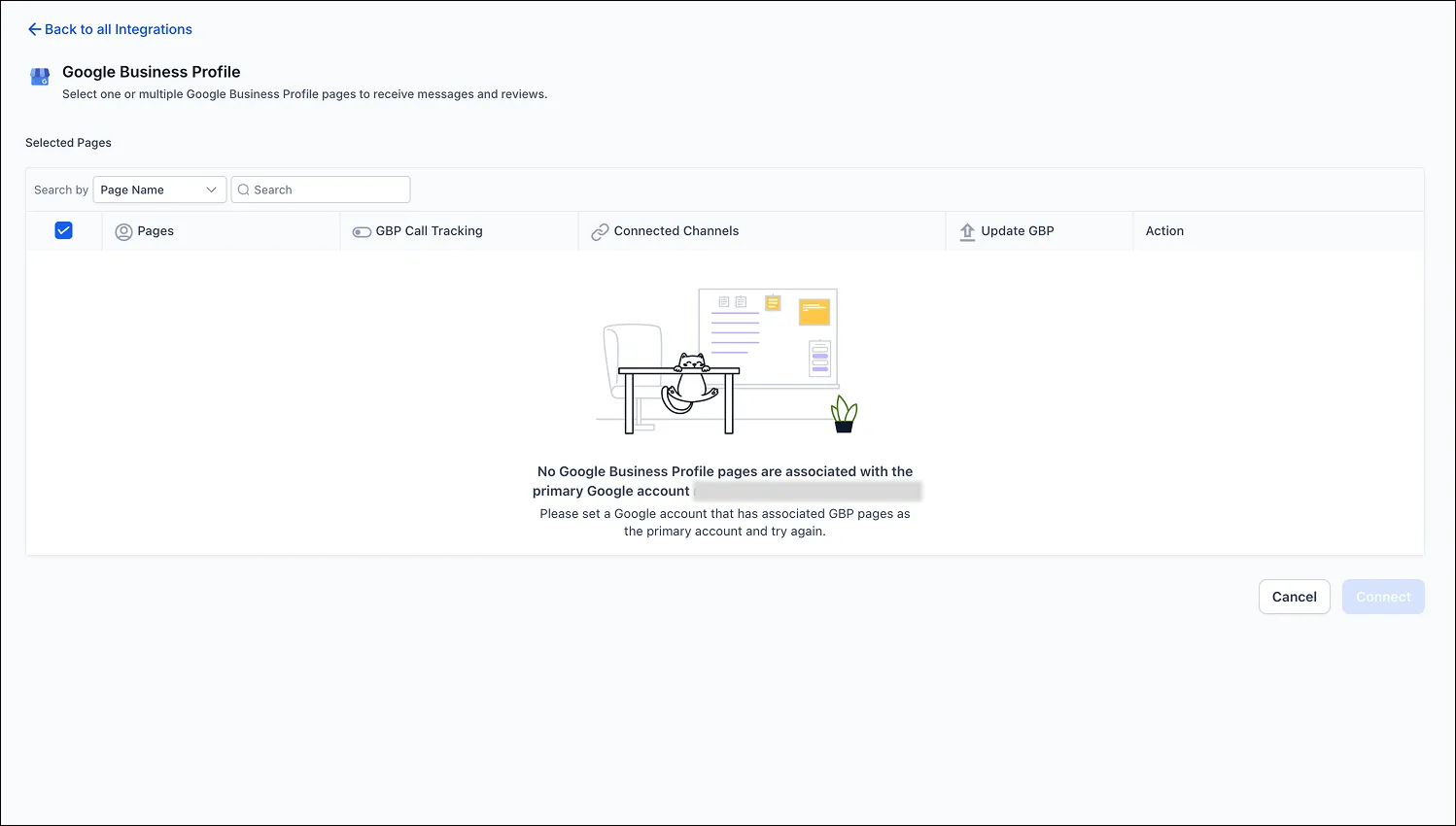
Clearer handling when no page is found
When no Google Business Profile pages are linked to the connected Google account, users now see a more informative empty state message. This helps explain why no pages appear and what to check next.
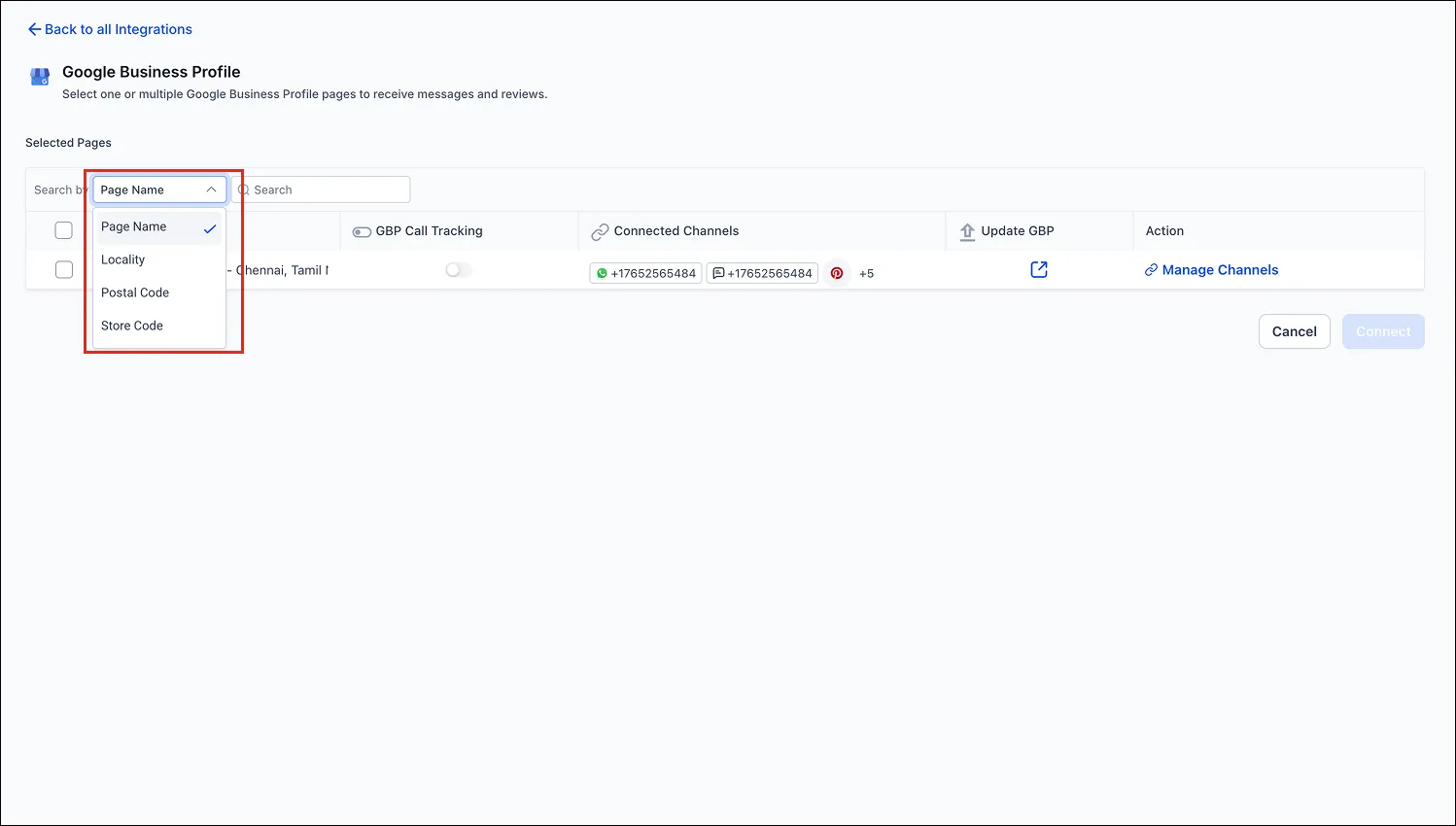
More ways to search for pages
Users can now search and filter Google Business Profile pages by:
- Page Name
- Store Code
- Postal Code
- Locality
This makes it easier to find the correct page in accounts that manage many business locations.
How to use it
- Open the Google Business Profile integration in SMBcrm.
- Use the search dropdown to choose a search field.
- Enter a value to filter available pages.
- If no pages appear, follow the guidance shown to connect the correct Google account.
Why it matters
Previously, page search was limited to Page Name. For businesses with similar or repeated naming across locations, that made it harder to identify the correct page. The updated search options and clearer empty states reduce setup friction and improve usability.
In Case You Missed It
You can also read Reputation Review Requests Now Include Search and Filters.
Need Help Applying This Update?
If you’d like help rolling this out in SMBcrm, visit Support or request a demo.