Math Operation Outputs Can Now Be Reused in Workflows
Math Operation results can now be used in later workflow steps as output variables. This reduces the need to write values to a field just to reference them again.
What changed
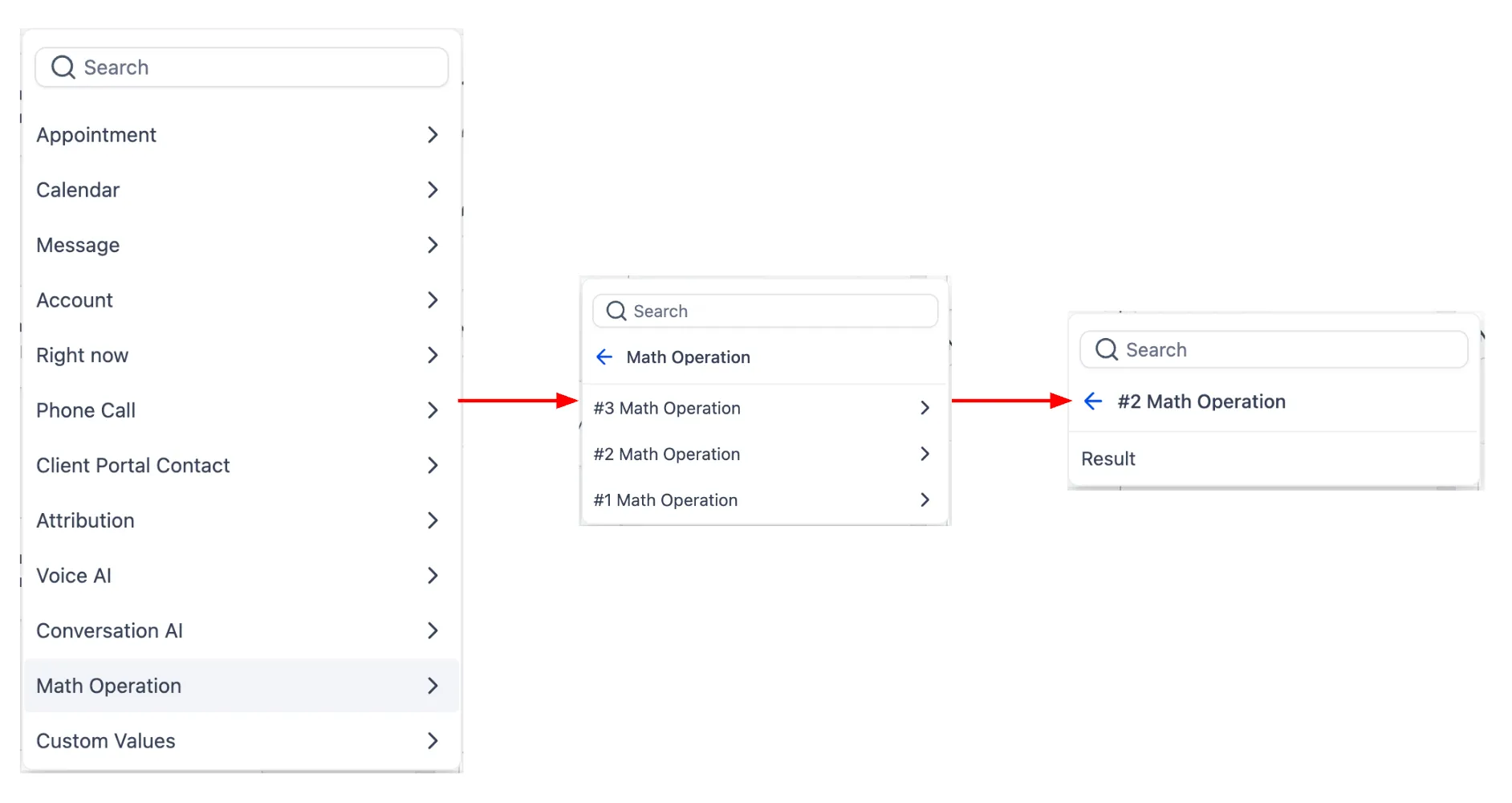
When a Math Operation runs, its result is now stored as that action’s output variable. In later workflow steps, you can select that output from the custom value picker and use it in other actions, including another Math Operation.
This makes it easier to build multi-step calculations inside Automation without creating an extra custom field just to pass a value forward.
How it works
- Add a Math Operation step and configure the calculation.
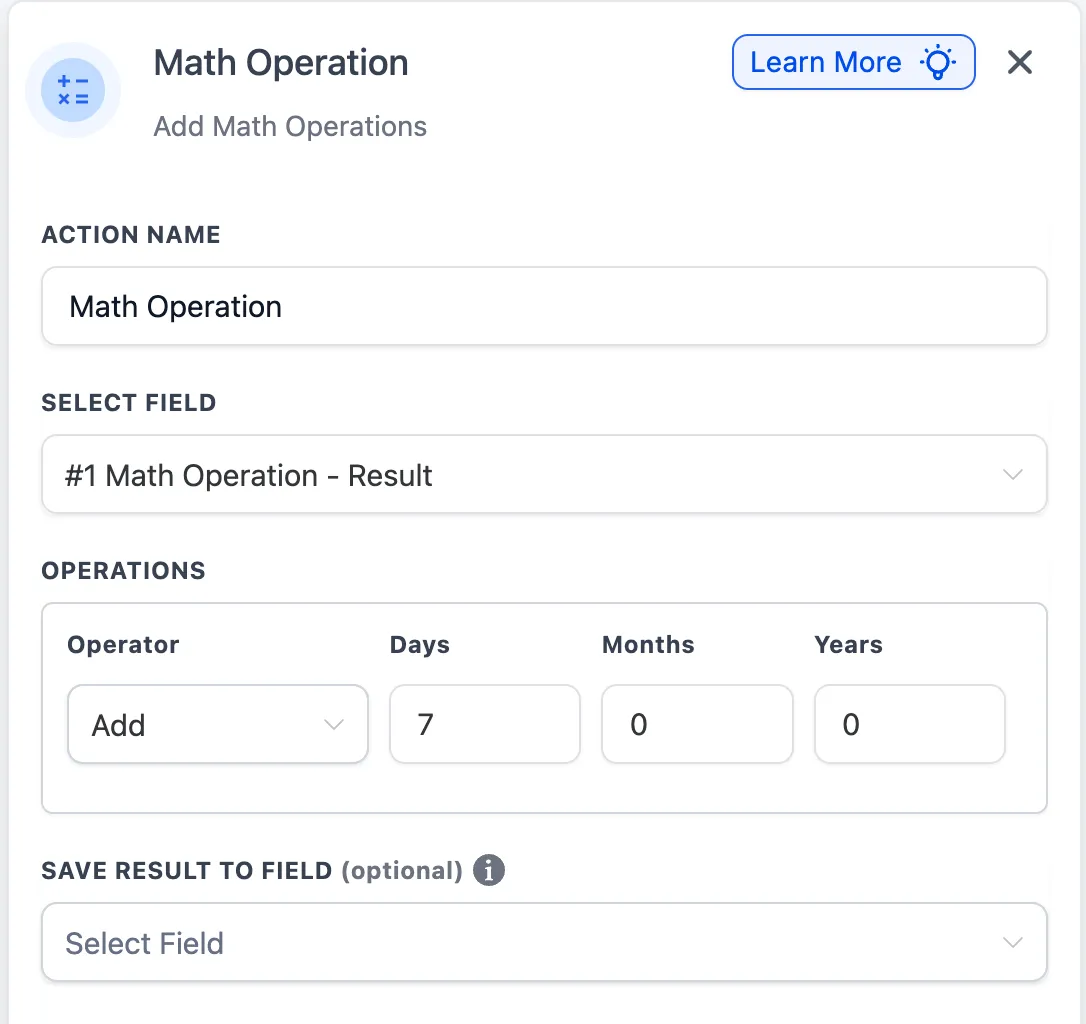
- Leave Update field empty if you only want to use the result as an output variable.
- Select a field if you want the same result written to the record as well.
- In a later action, choose the Math Operation output from the custom value picker.
- You can also reference the output of one Math Operation inside another Math Operation.
Why it matters
Previously, users often had to save a Math Operation result into a custom field or custom value before using it again later in a workflow. This update removes that extra step and gives you a more consistent way to reuse calculation results across following actions.
Example
A fitness workflow can calculate a member’s total completed sessions from a form value, then use that output in a later step to decide which follow-up message to send.
Notes
- Math Operation output can be reused in subsequent workflow actions.
- One Math Operation can reference the output of a previous Math Operation.
- If the selected field type for a referenced Math Operation changes, any dependent Math Operation will be skipped until its configuration is reviewed and updated.
- For older legacy Math Operation actions, the output of the last executed legacy Math Operation may appear until that action is opened and saved again.
In Case You Missed It
You can also read about setting a default path for workflow branches.
Need Help Applying This Update?
If you’d like help rolling this out in SMBcrm, visit Support or request a demo.