More Image Layout Controls in Forms and Surveys
SMBcrm now includes more image layout controls in forms and surveys. These changes give you more control over how images appear, including layout options, spacing, focal points, and slide-level customization in surveys.
For teams using Lead Capture, this makes it easier to build cleaner, more polished forms and surveys without changing the overall experience.
What changed
New image layout options
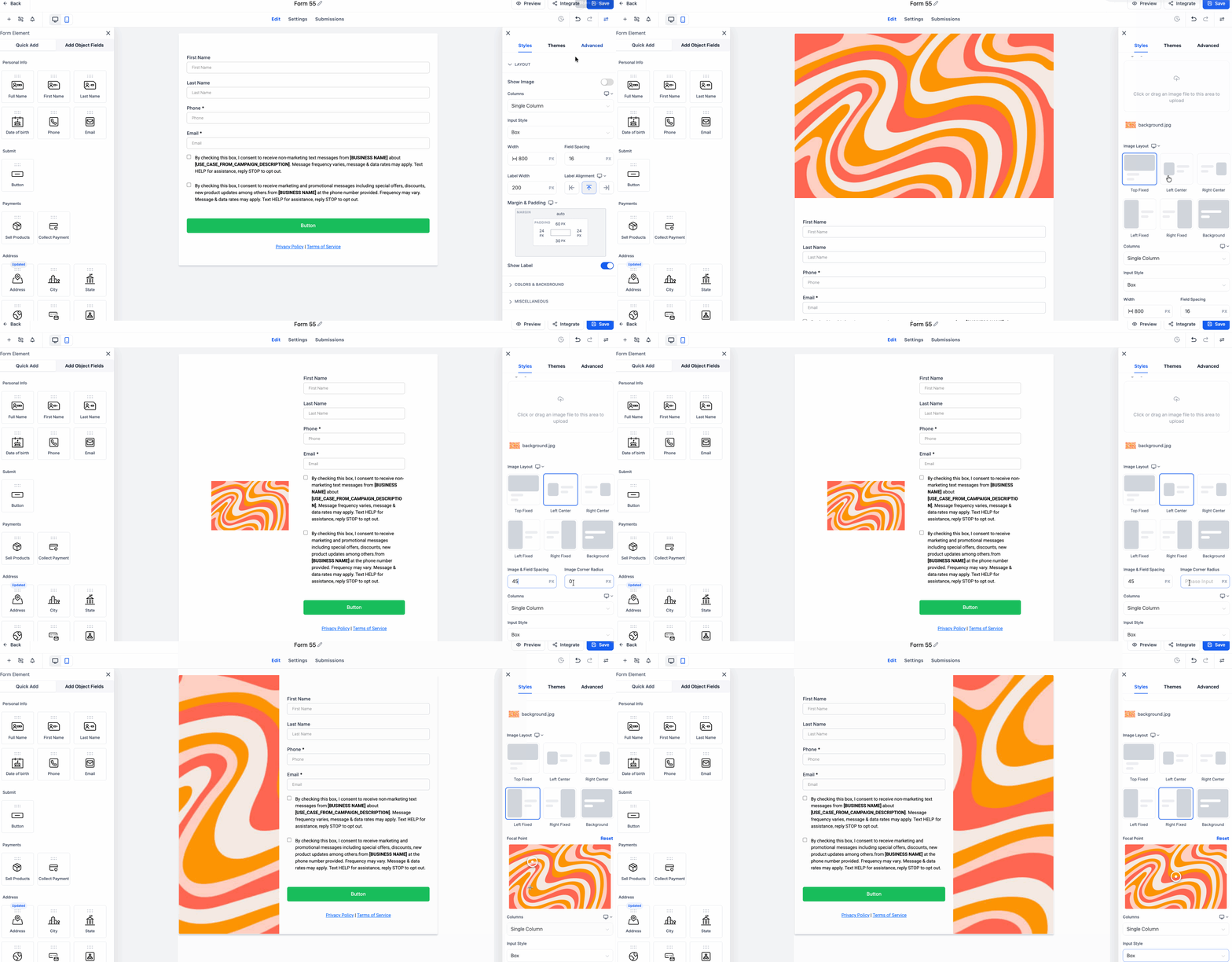
Forms and surveys now support four additional image layouts:
- Left Center
- Right Center
- Left Fixed
- Right Fixed
These layouts provide more flexibility for placing images alongside form fields and survey content.
More styling control for centered layouts
For Left Center and Right Center layouts, you can now adjust:
- Image corner radius
- Image-field spacing
These settings help fine-tune visual styling and spacing around the image.
Focal point selection for fixed layouts
For Left Fixed and Right Fixed layouts, you can now set a focal point on the image. This lets you choose which part of the image stays in focus, which is especially useful when images need to adapt to different aspect ratios.
Survey slide-level image layout overrides
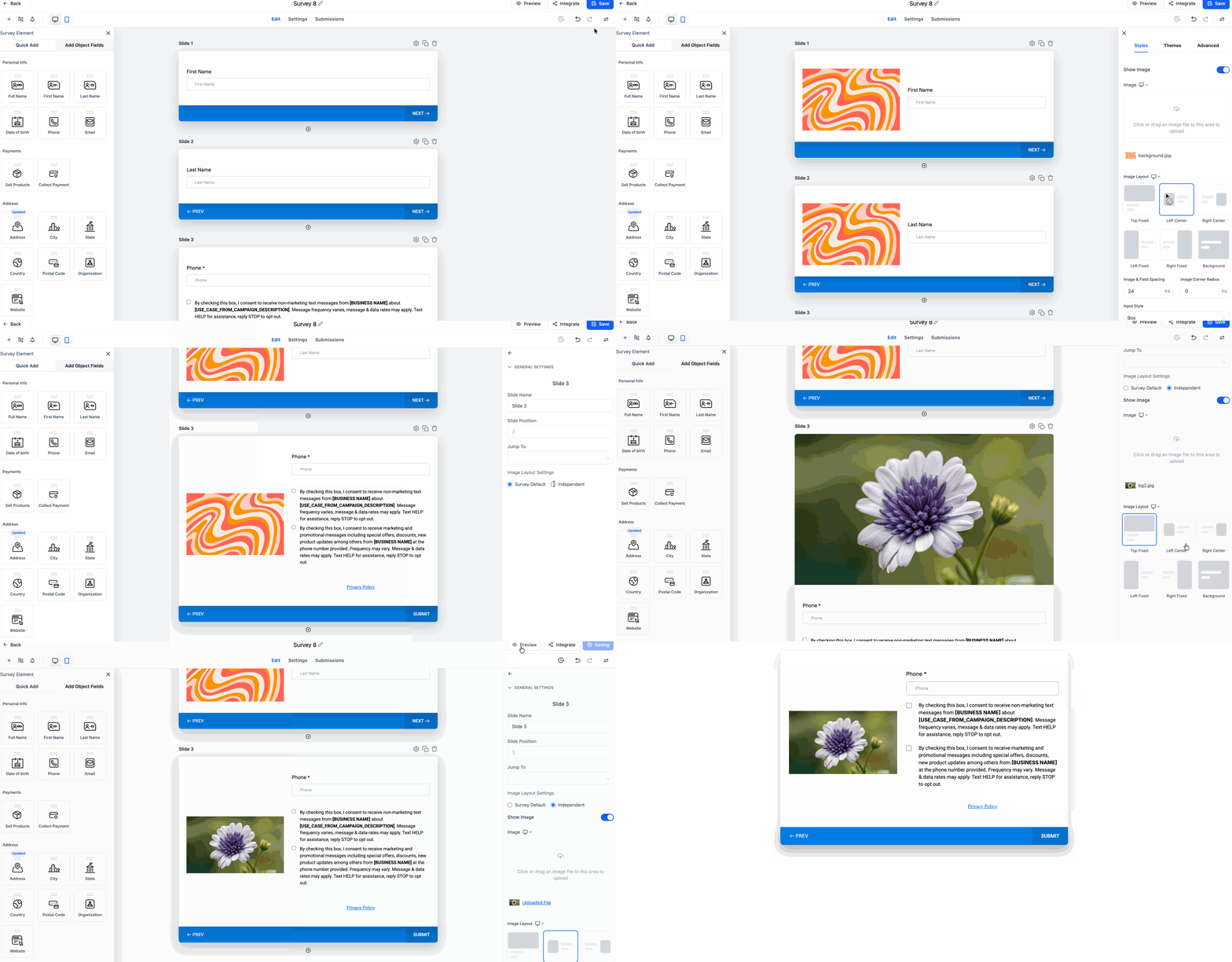
Surveys now support slide-level image layout customization. By default, survey slides continue using the main survey image layout, but you can now override that on an individual slide.
This includes the ability to apply a different image or a different image layout to a specific survey slide.
This setting is currently available for surveys only.
Important notes
- Image corner radius and image-field spacing apply only to Left Center and Right Center layouts.
- These settings are not available for the Top layout.
- Left Fixed and Right Fixed layouts do not use image corner radius and continue using the existing form radius setting.
Why it matters
These updates give you more control over how forms and surveys look without changing the structure of your content.
Key benefits include:
- Better control over image placement and spacing
- Improved image visibility in fixed layouts
- More flexibility when customizing individual survey slides
- Cleaner, more polished form and survey design
In Case You Missed It
You can also read about Improved Appointment Booking in Opportunities.
Need Help Applying This Update?
If you’d like help rolling this out in SMBcrm, visit Support or request a demo.