Payment Schedules for Estimates in SMBcrm Mobile
You can now split estimate payments into scheduled installments in SMBcrm Mobile. This helps you collect deposits, define follow-up payments, and set clearer payment expectations before work begins.
For more on SMBcrm payments tools, see Payments & Commerce.
What changed
You can now add a payment schedule to an estimate instead of requiring the full amount upfront.
This update supports:
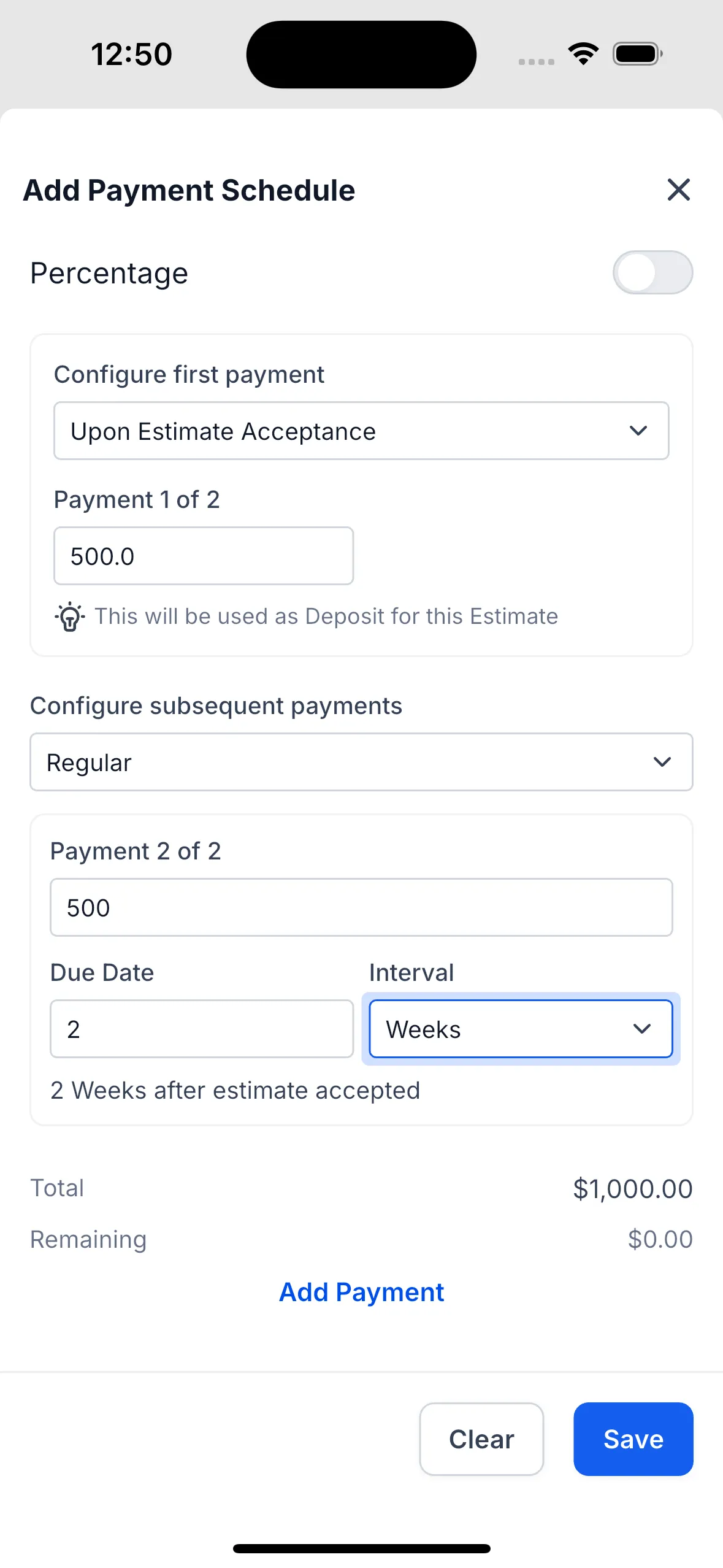
- A first payment collected upon estimate acceptance or on a custom date
- Deposit-based estimates
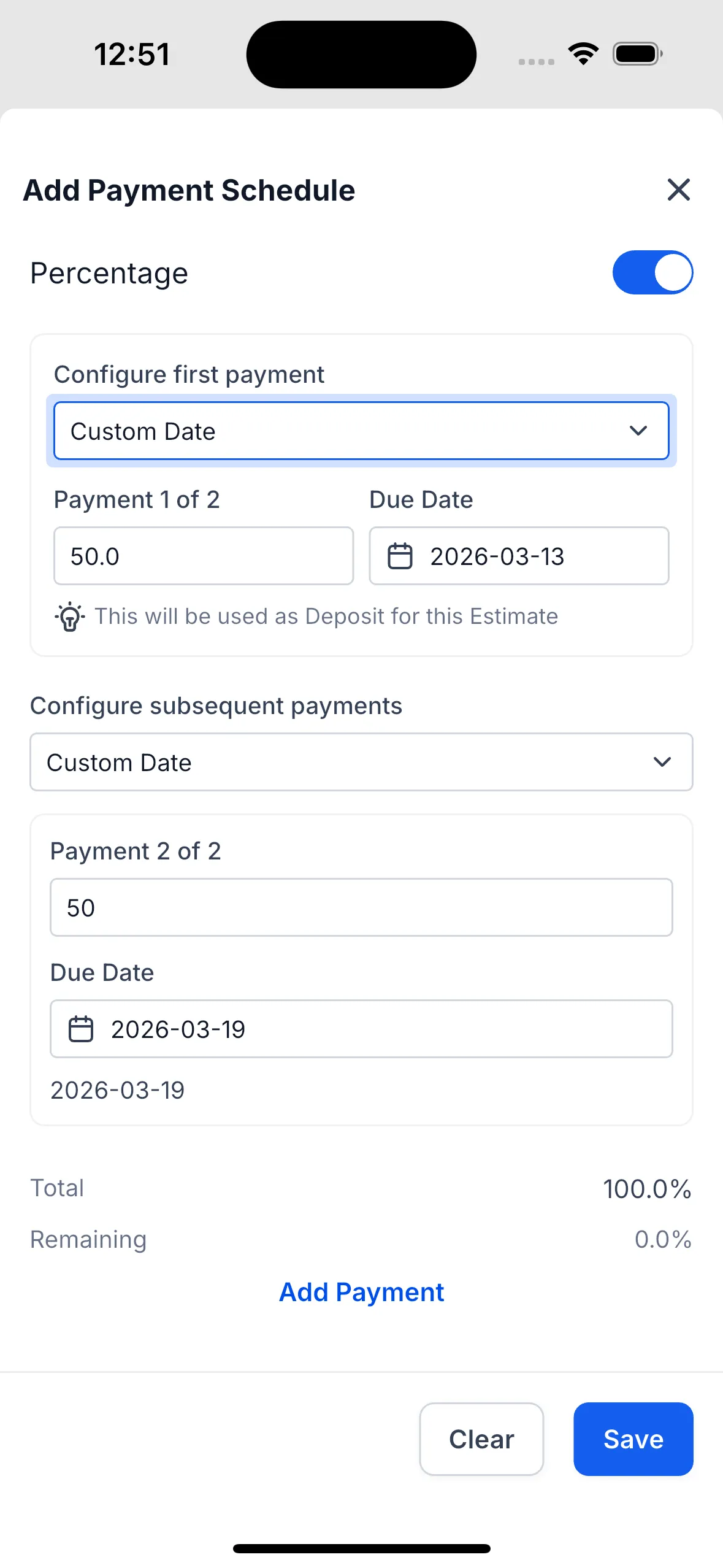
- Remaining payments scheduled by custom date or recurring intervals such as weekly
- Amounts set as fixed values or percentages of the total estimate
How to use it
Create a payment schedule
- Open the Estimates section and create a new estimate.
- Add your products or services.
- Go to the review section.
- Choose the option to configure a payment schedule.
Set the first payment
- Choose when the first payment should happen:
- Upon estimate acceptance
- Custom date
- Enter the first payment as an amount or percentage.
Add the remaining payments
- Choose how later payments should be scheduled:
- Custom dates
- Regular intervals such as weekly
- Add each payment and define the amount and timing.
Review and save
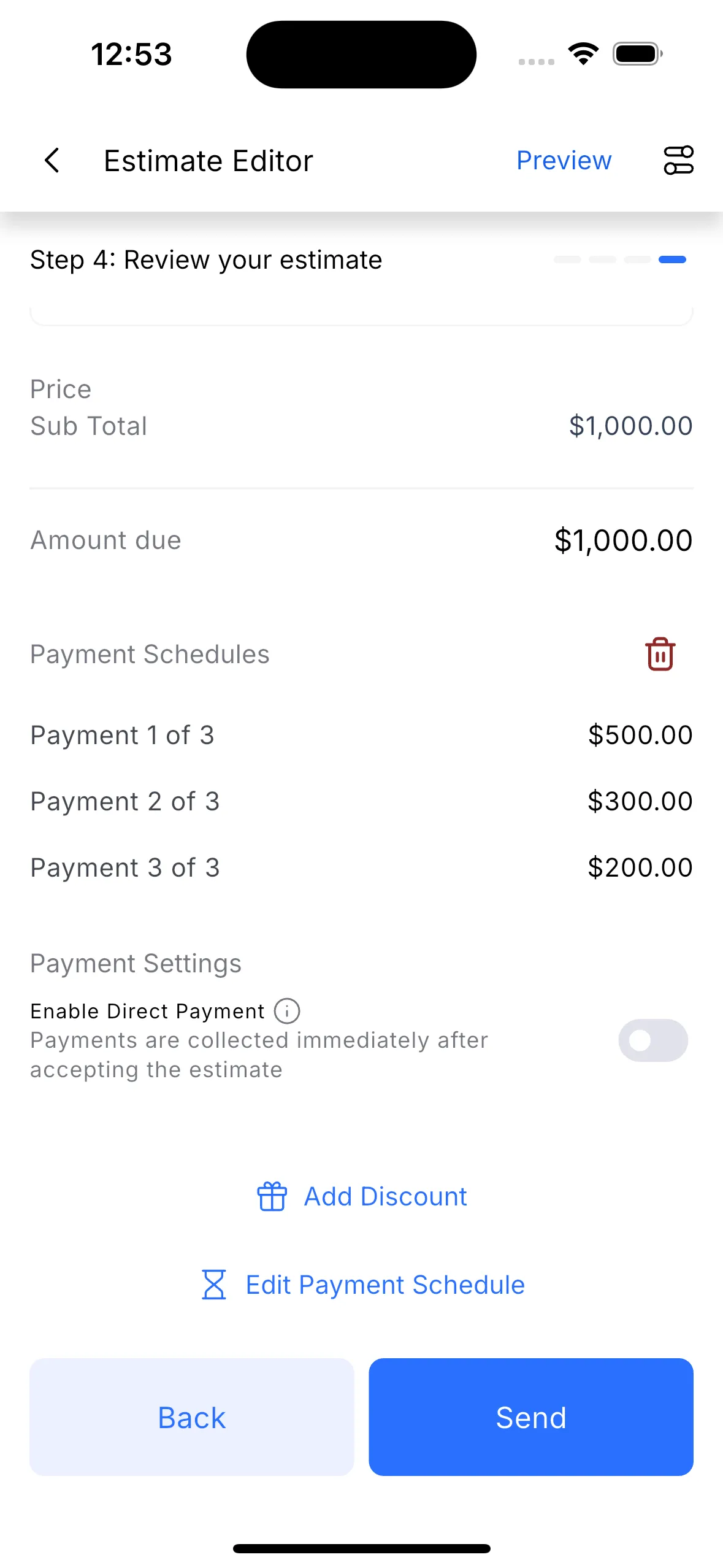
- Confirm the total and remaining percentages cover the full estimate amount.
- Save the schedule to the estimate.
Why it matters
This update can help you:
- Offer more flexible payment options during the estimate process
- Make larger purchases easier for customers to approve
- Show customers exactly how and when payments will be collected
- Reduce back-and-forth around payment terms
In Case You Missed It
You can also read about Set a Default Path for Workflow Branches.
Need Help Applying This Update?
If you’d like help rolling this out in SMBcrm, visit Support or request a demo.