Redesigned Messaging Analytics in Phone Settings
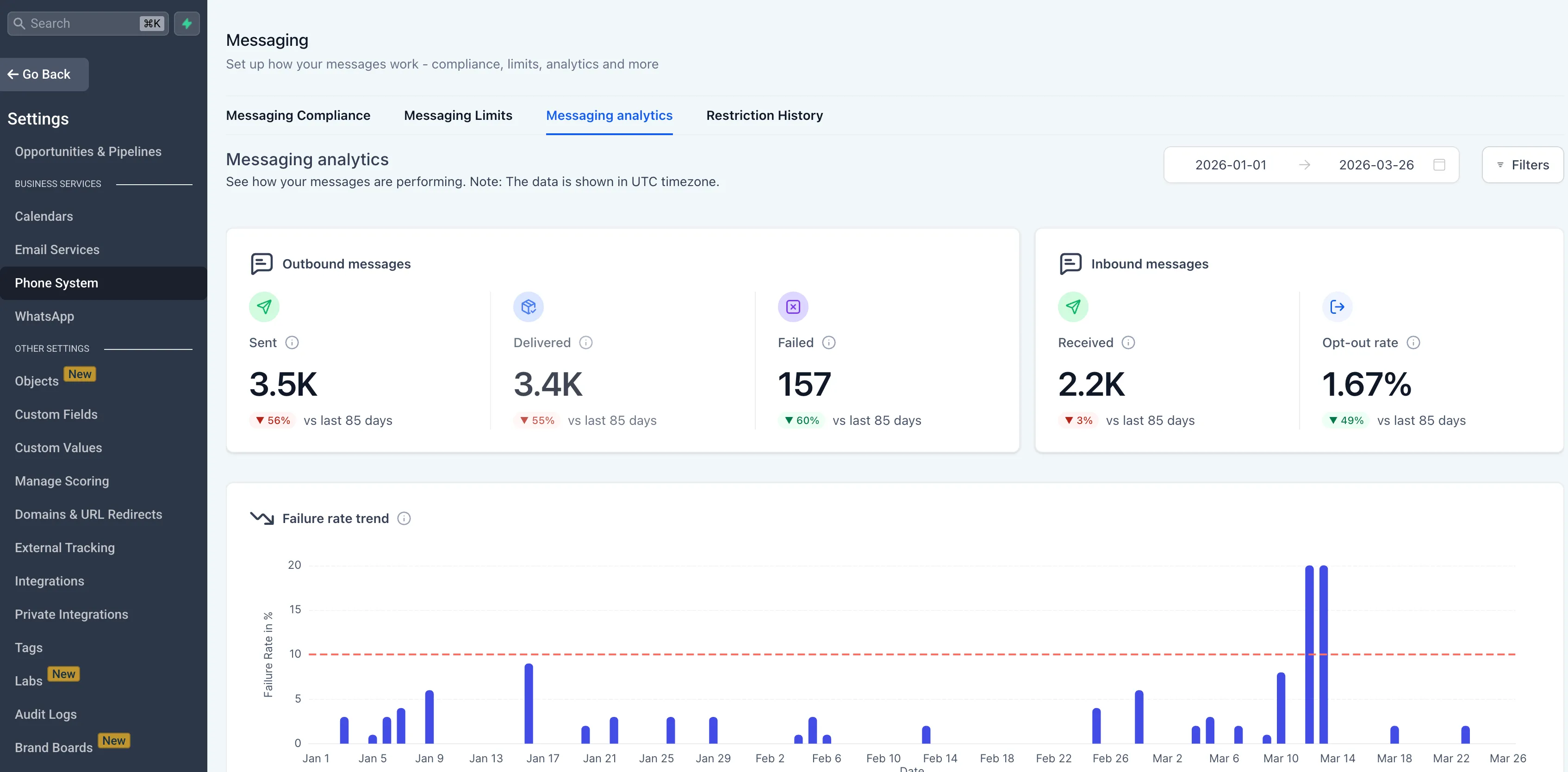
Messaging Analytics in Phone Settings has been redesigned to give you clearer visibility into SMS performance, trends, and message-level details.
The updated experience is available now through Labs. To try it, enable the Messaging Analytics V2 flag in Labs. If the flag is off, the previous analytics view remains available.
What Changed
The Messaging Analytics tab now includes:
- Period-over-period comparisons for each metric so you can see changes versus the previous time range
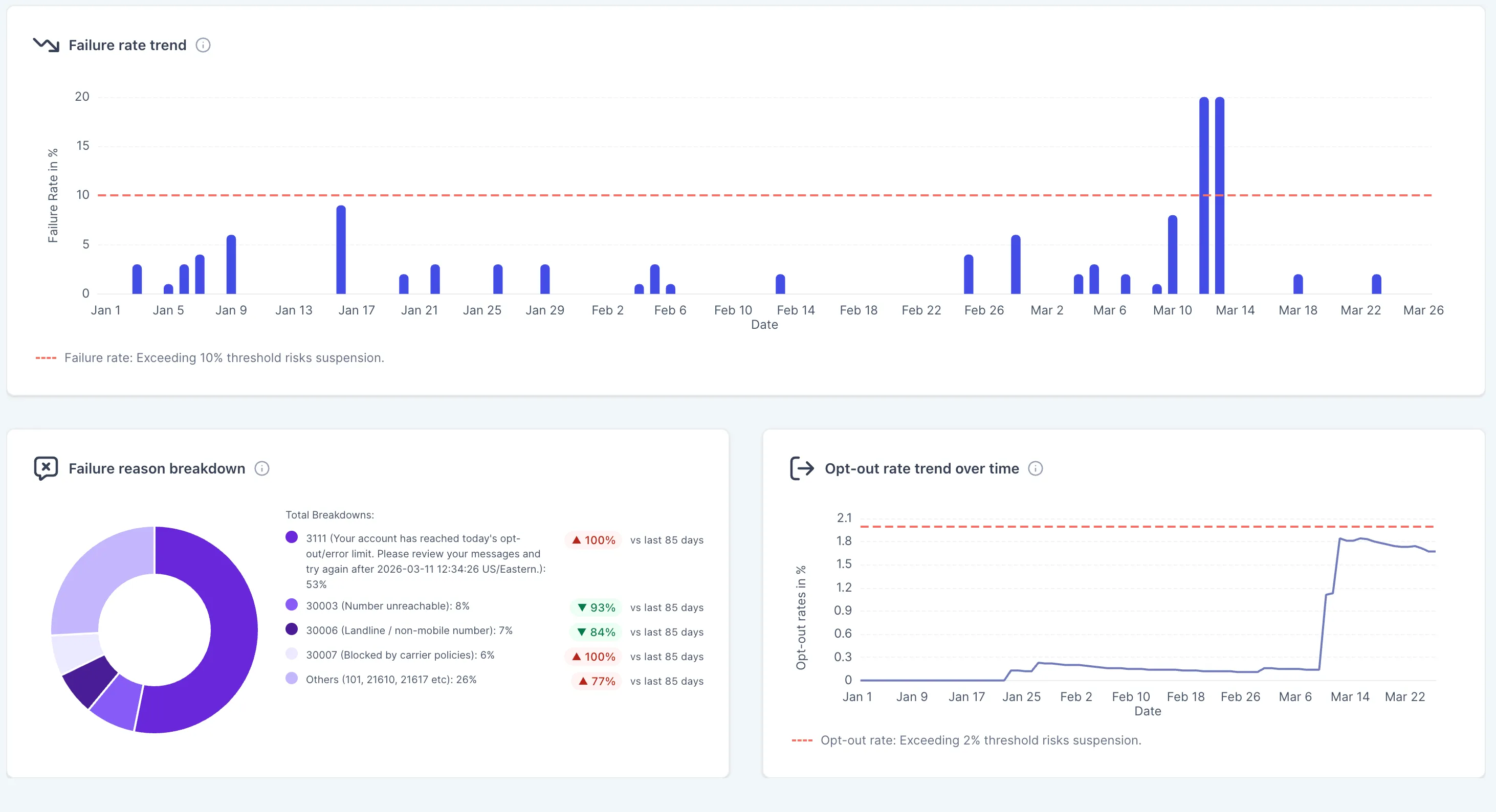
- A failure rate trend chart with a 10% threshold line to help identify delivery issues early
- A failure reason breakdown that shows why messages failed, including issues like carrier filtering, invalid numbers, opted-out recipients, and unverified toll-free numbers
- An opt-out rate trend chart with a 2% threshold marker
- Clickable summary cards for Sent, Delivered, Failed, Received, and Opt-Out Rate that open detailed message logs
- A longer default reporting window of 30 days instead of 7 days, with date selection for up to 90 days
Why It Matters
The redesigned view adds context that was missing from the previous analytics experience. Instead of only showing counts, it helps you understand trends, spot changes over time, and review the reasons behind failed messages.
This can help you:
- Identify delivery issues before they lead to account restrictions
- Understand failure causes and error codes more quickly
- Monitor opt-out trends to protect sender reputation
- Make better decisions about messaging performance across campaigns, workflows, and bulk sends
Who It Helps
This update is especially useful for account owners and admins who need a clearer view of messaging health without reviewing messages one by one. It can also help teams overseeing multiple accounts monitor performance with more context.
In Case You Missed It
You can also read about Workflow AI Builder Enabled by Default for Agencies.
Need Help Applying This Update?
If you’d like help rolling this out in SMBcrm, visit Support or request a demo.