Sort Opportunities by Custom Fields
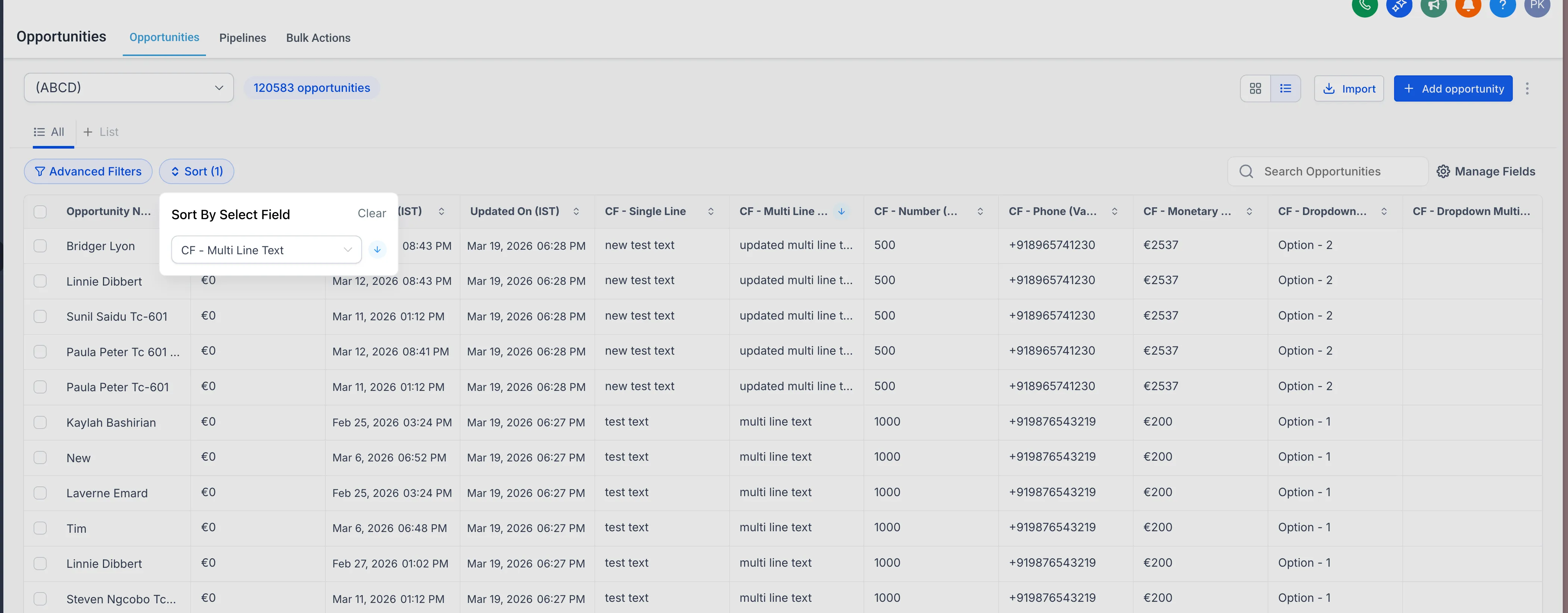
You can now sort opportunities using supported custom fields in your pipeline views. This makes it easier to organize deals based on the data your team actually uses.
For teams managing deals in CRM & Sales, this adds more flexibility to how pipeline data is organized across views.
What changed
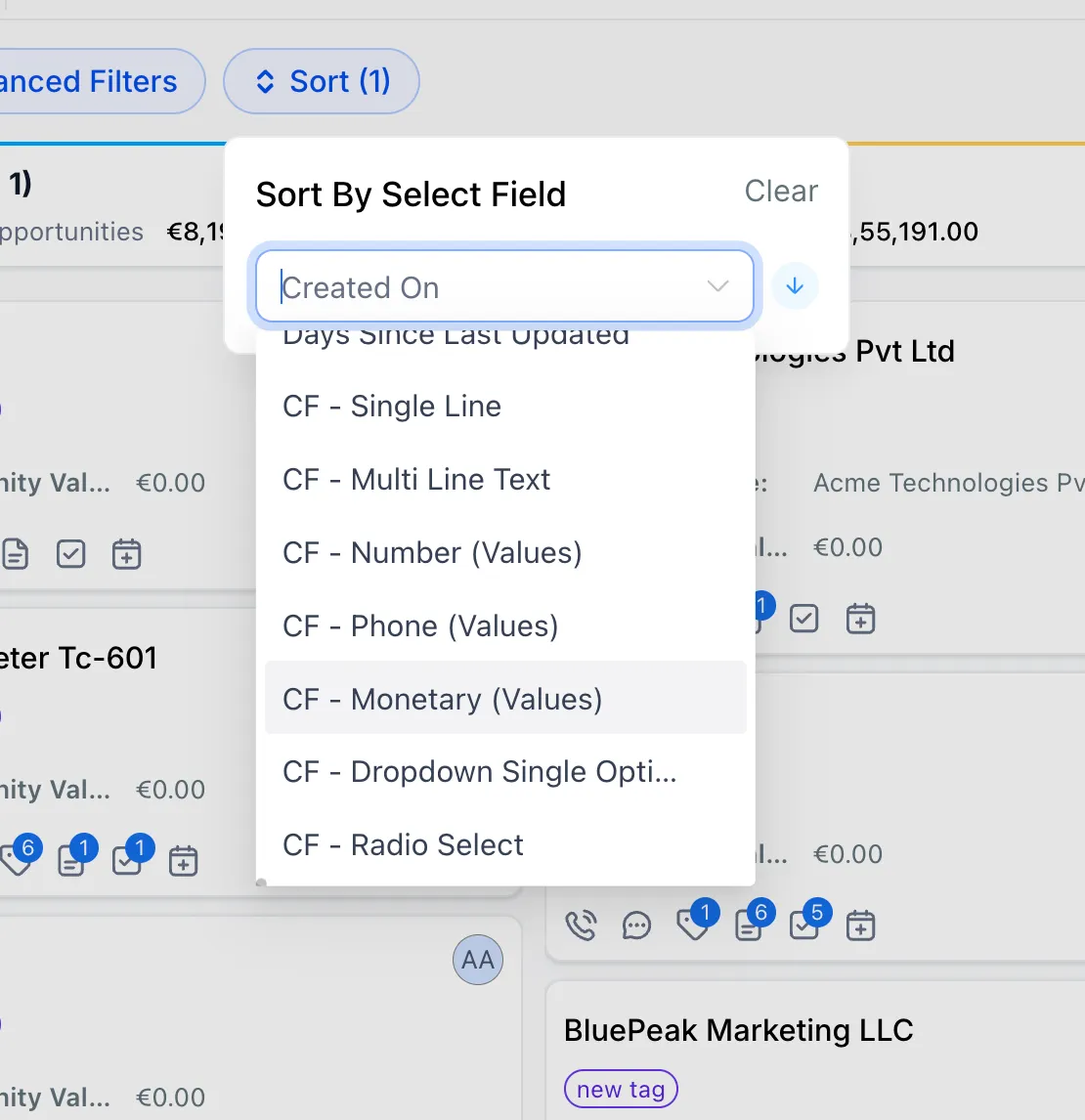
You can sort opportunities by custom fields using the existing sort option.
Supported field types include:
- Single Line
- Multi Line Text
- Dropdown (Single Select)
- Radio Select
- Number
- Monetary
- Phone
- Date
This works across all pipelines and views.
How it works
- Go to Opportunities.
- Click Sort.
- Select a supported custom field.
- Choose ascending or descending order.
- Opportunities reorder instantly.
Why it matters
- Prioritize deals using your own business data
- Reduce manual pipeline management
- Improve visibility into important deal attributes
- Sort beyond default fields
In Case You Missed It
You can also read about Collapse and Resize Pipeline Stages in Kanban View.
Need Help Applying This Update?
If you’d like help rolling this out in SMBcrm, visit Support or request a demo.